
Growing past ~100 people changes how goals work.
OKRs stop being a “goal-setting” problem and start being a coordination + visibility problem. More teams, more dependencies, more stakeholders — and far more opportunity for weekly updates to turn into noise.
If you’re reading this, you’re probably in a middle-management or Chief of Staff role. You’re close enough to the work to know what’s actually happening, but you’re also the person expected to create alignment across teams and deliver clean, dependable reporting for leadership.
Because what your exec team really wants isn’t more status updates — it’s answers:
- Are we on track?
- What’s at risk (and why)?
- What changed this week that should affect decisions?
- Where should we focus attention next?
This article is a shortlist of the best OKR software for mid-sized companies (100–500 employees) — the stage where spreadsheets, slide decks, and “just ask the team leads” start to break down. We’ll cover:
- What to look for in a mid-market OKR tool (especially reporting and reliable signals)
- Why needs differ across startups, mid-market, and enterprise
- A curated list of tools, with best-for, trade-offs, and how to choose based on operating style and budget
Let’s get into it.
⚠️ Not a mid-size team? Also see our best OKR software or Enterprise OKR software.
What to look for: what your mid-sized companies need most
The best OKR software for mid-sized companies does three things well:
1) Reporting and reliable signals
At a mid-sized company, OKRs only work if leadership can trust what they’re seeing.
The problem isn’t that teams aren’t doing work — it’s that progress gets trapped in Slack threads, project boards, and one-off conversations. Leadership teams don’t want to dig through tickets and project software to figure out what’s going on. Leadership wants to know outcomes and results.
That’s why reporting is the #1 requirement for OKR software at 100–500 employees.
You need a system that takes weekly inputs from teams and turns them into reliable signals — clear enough for leadership to make decisions without you spending hours interpreting, chasing, and rewriting updates.
2. Alignment across teams, not just within teams
At ~100 employees, OKR alignment stops being something you can “manage by conversation.” A weekly sync with team leads might still give you a decent pulse, but it won’t catch the real issues: overlapping priorities, duplicate work, mismatched assumptions, and cross-functional dependencies that quietly slip until they become urgent.
Mid-sized companies also tend to run more work in parallel. Product is shipping, Marketing is launching, Sales is adapting messaging, CS is scaling onboarding — and everyone is making reasonable local decisions that don’t always add up to a shared north star.
That’s why good OKR software at this stage needs to make alignment visible.
3. Lightweight execution that keeps adoption high
Mid-sized companies are in an awkward (but powerful) phase. You’re bigger than a startup, but you still win by moving fast. The risk is that OKRs become “process work” — something people do around their real job, rather than a habit that helps them do it better.
If check-ins take too long, if the UI feels heavy, or if OKRs require lots of coaching just to keep them alive, adoption drops. And once adoption drops, reporting falls apart — which defeats the whole purpose of using OKRs in the first place.
Good OKR software should feel like it’s removing friction, not adding it.
4. Cost efficiency
Mid-market buying is usually still in per-user pricing, and OKRs are rarely rolled out to everyone on day one. You’re more likely to start with leadership + a few departments, prove the rhythm works, and expand in stages as adoption grows.
That rollout pattern makes cost efficiency a real requirement. You want software that can scale usage predictably, without forcing you into enterprise pricing (multi-year contracts, site-wide licenses, procurement processes, etc.) before you’ve even proven company-wide value.
It’s also common at this stage to not have a dedicated OKR program manager internally or external OKR consultants driving the rollout. Which means the tool has to carry more of the operational load — without costing you like an enterprise suite.
Only 12 of the 18 actively maintained OKR platforms publish pricing at all, and the median starting price is $8/user/month. You can compare every vendor side by side in the OKR tools pricing benchmark before you get on a single sales call.
How we evaluated tools for mid-sized companies
Most “best OKR software” roundups try to cover everyone — startups, mid-market, and enterprise — which makes the recommendations feel generic. This shortlist is specifically for mid-sized companies (100–500 employees), where the goal is to scale alignment and reporting without turning OKRs into bureaucracy.
Here’s what we prioritised:
- Reporting quality (the #1 requirement): We looked for tools that turn weekly updates into reliable leadership reporting, with rollups from team → department → company and clear risk/confidence signals. Bonus points for trend views and drill-downs that make it easy to understand why something is on track or at risk.
- Alignment and rollups: We prioritised platforms that make alignment visible across teams (not just within teams) and support cross-functional contribution without forcing rigid “cascades.” The best tools make ownership and dependencies obvious so leaders can spot misalignment early.
- Adoption and weekly cadence: We favoured tools that make weekly check-ins fast and easy, because adoption is the foundation of everything else. Strong prompts, reminders, and low admin overhead help teams stay consistent without turning OKRs into busywork.
- Integrations and workflow fit: We looked for tools that connect outcomes to execution by integrating with where work and updates already happen (like Jira, Slack, and Microsoft Teams). When integrations are solid and flexible, the OKR system feels like part of the workflow rather than another layer on top.
- Governance and admin controls: We assessed whether the tool helps keep OKRs clean over time with sensible structure, permissions, and guardrails as more teams join. The goal is to scale control gradually without needing a full process overhaul.
- Cost efficiency for staged rollout: We prioritised platforms that work well with per-user pricing and phased adoption, with predictable costs as usage expands. We also avoided tools that force an early jump to enterprise-style site-wide contracts before you’re ready.
The shortlist: best OKR software for mid-sized companies (100–500 employees)
With the criteria above in mind, here are the tools that tend to work best at the 100–500 employee stage — where you need leadership-ready reporting, cross-team alignment, and a lightweight weekly cadence that actually sticks. Each entry includes a quick “best for” so you can narrow down the list based on how your company runs today.
1) Tability
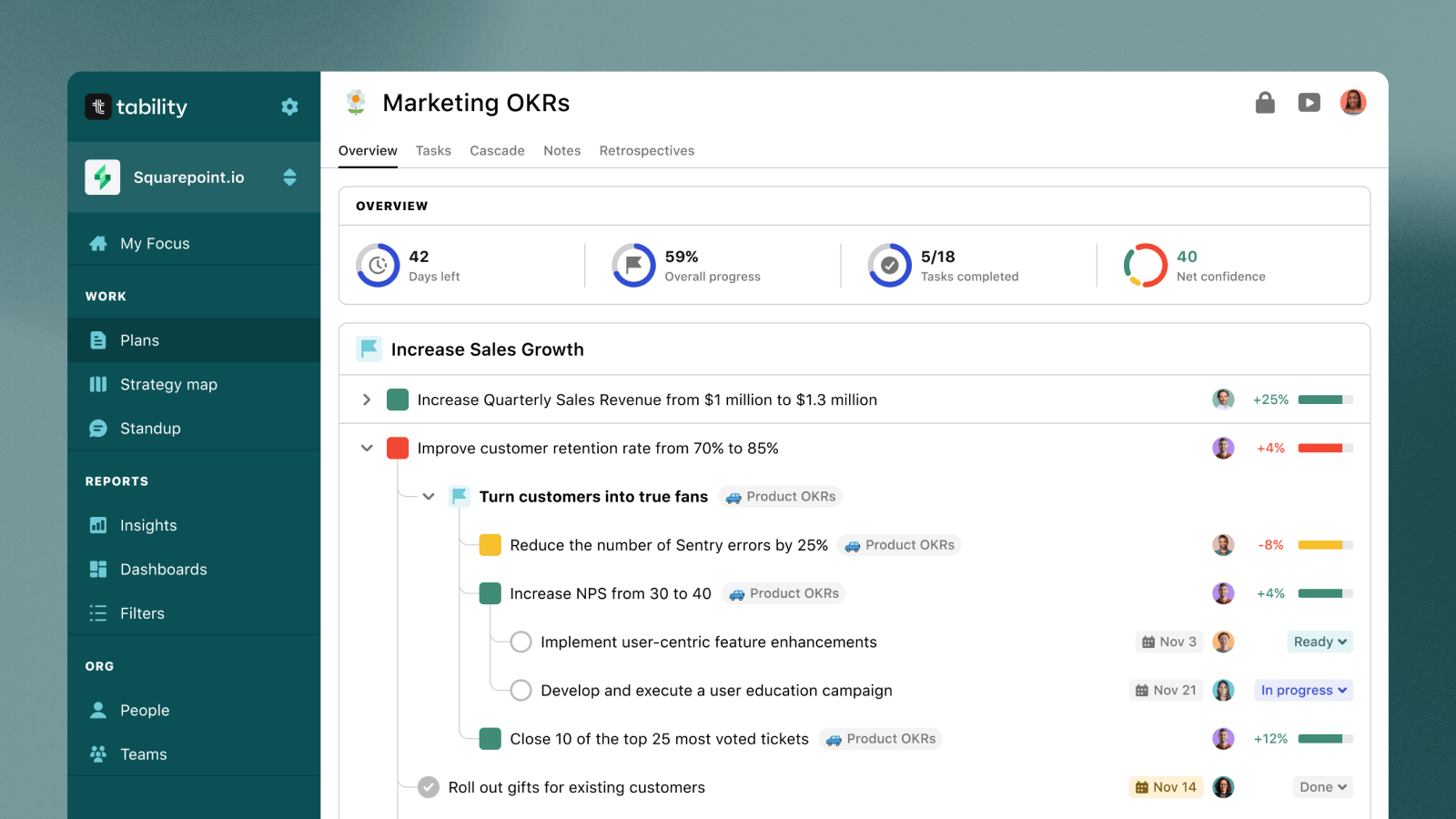
Tability is a strong fit for mid-sized companies that want leadership-ready reporting and a consistent weekly cadence, without turning OKRs into a heavy program. It’s designed to keep goals actionable for teams while making it easier for you to turn weekly updates into clear signals and reports for leadership.
What stands out at the 100–500 stage is the combination of strong OKR fundamentals (features + reporting), AI-assisted check-ins/insights, and a broad OKR integration surface that helps connect outcomes to the tools teams already use.
Key selling points for Mid-sized companies
- Built-in reports/presentation capabilities + strong analytics/reporting
- “OKR agent” with AI-powered insights and check-ins
- Fast setup (noted as “under 5 minutes”)
- Enterprise-ready with hosting options (EU, AU, US)
- Wide OKR integration list (Slack, Microsoft Teams, Jira, Linear, Asana, Notion, Confluence, plus data connectors)
Trade-offs to consider
- Limited HRIS integrations
- No free plan
Pricing snapshot
Starts at $5 per user/month, with transparent public pricing and enterprise plans available
2) Perdoo
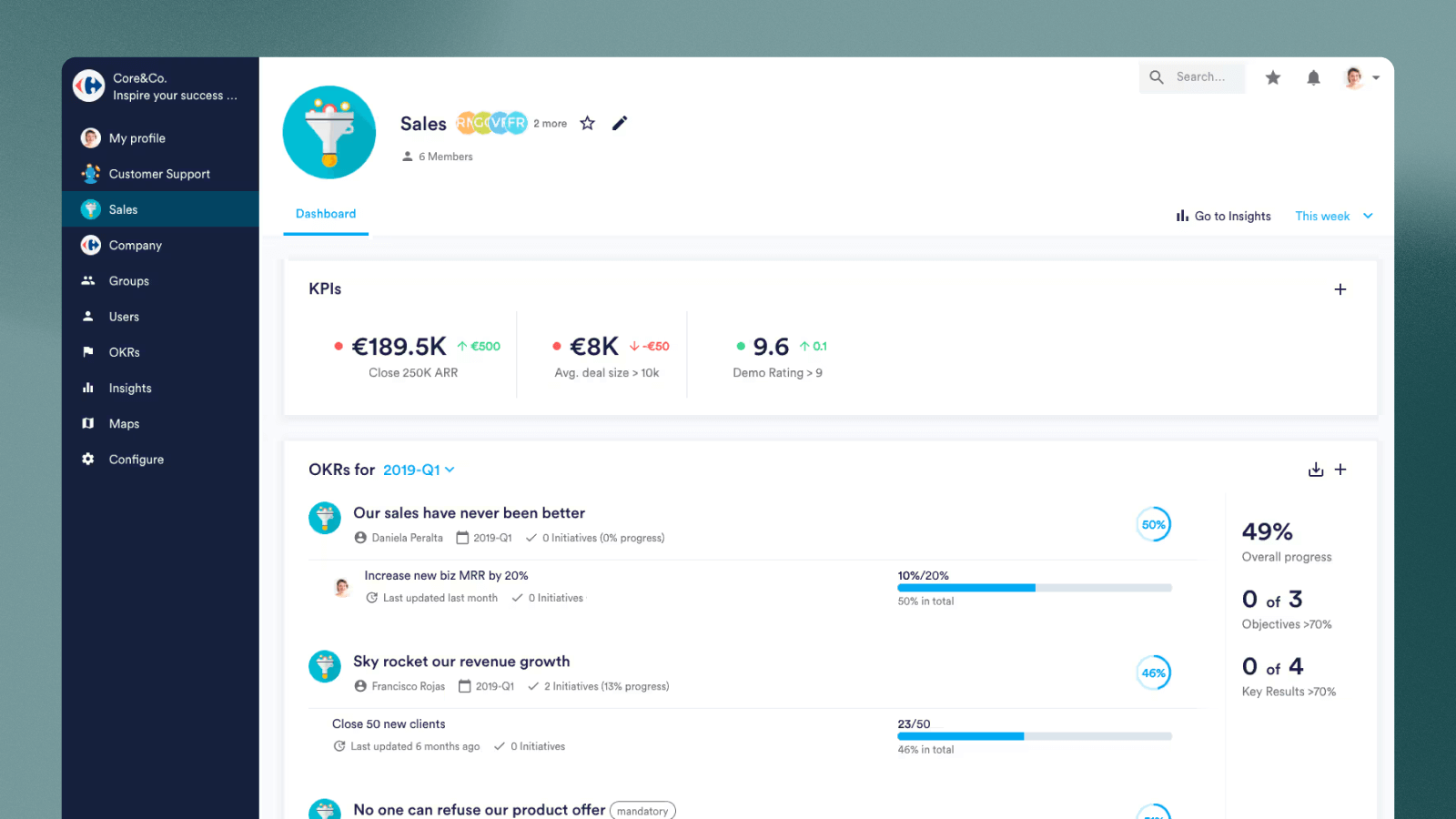
Perdoo is a solid choice for mid-sized companies that want an OKR and strategy execution platform with a balanced feature set—enough structure to scale, without needing an enterprise-level rollout on day one. It’s positioned as a good fit for mid-sized to large companies, with strong OKR fundamentals and dependable reporting.
It tends to work best when you want OKRs, KPIs/metrics, check-ins, and reporting in one place, and you’re comfortable with a slightly more structured approach to alignment.
Key selling points for Mid-sized companies
- Strong core OKR capability (OKR features rated very highly)
- Reporting is a strength (OKR reporting rated 4/5)
- Includes KPIs/metrics, regular check-ins, templates, and a public API
- Integrations include Slack, Microsoft Teams, Jira, Salesforce, Power BI, Tableau, HubSpot, and more
Trade-offs to consider
- No month-to-month pricing (annual/longer commitment)
- Less intuitive than some competitors, with fewer “modern” integrations
- Limited AI capabilities (AI features rated low)
- Strict cascading models can be less flexible for agile teams
Pricing snapshot
Contact for pricing (no public pricing listed)
3) Profit.co
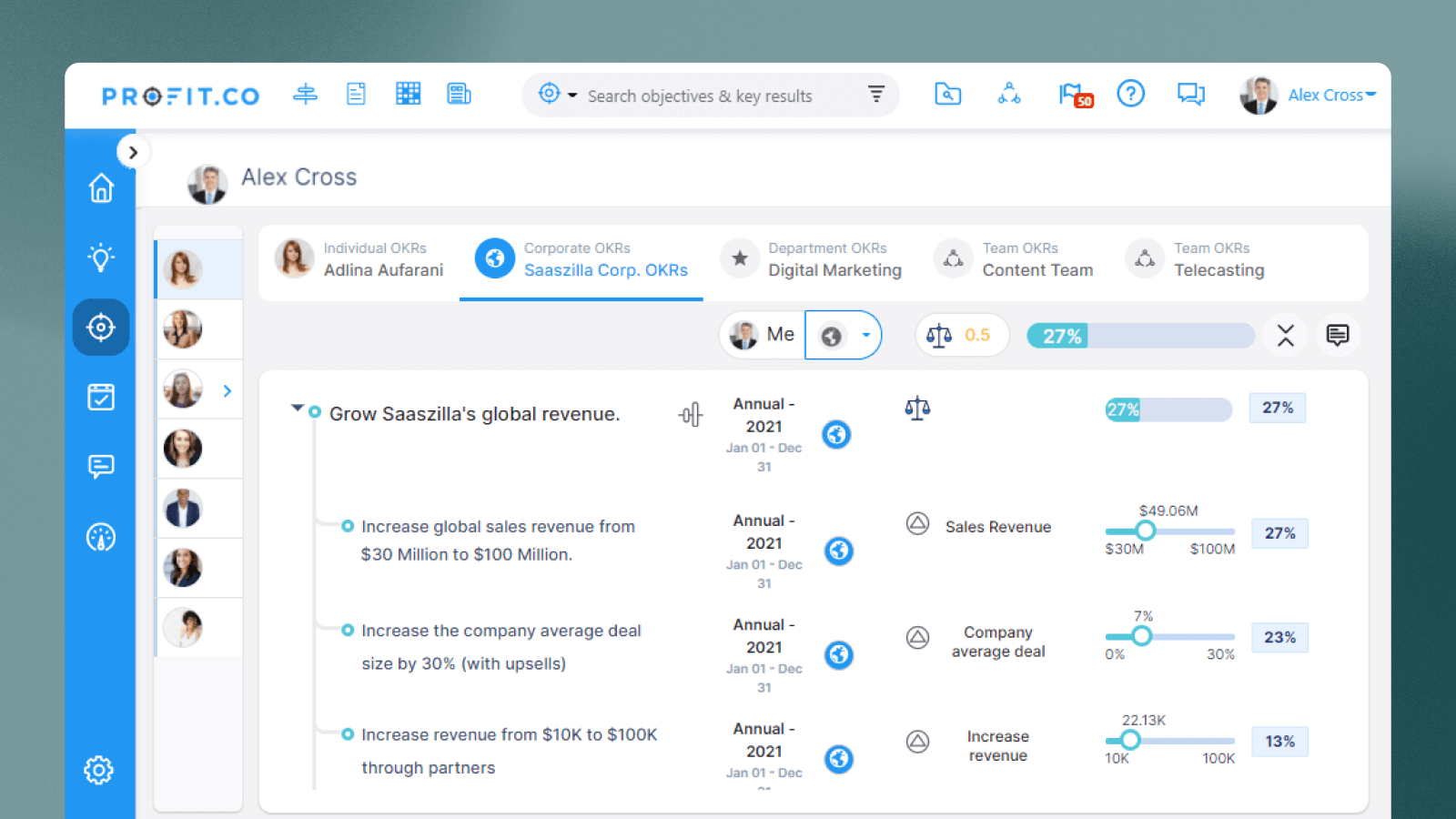
Profit.co is a strong option for mid-sized companies that want OKRs with more built-in structure and governance, especially if you’re also trying to pair OKRs with performance management workflows. It’s positioned as a comprehensive platform (OKRs + performance management) and scores highly for OKR integrations and reporting, which can be useful when you’re trying to standardise execution across multiple teams. However, be ready with the company credit card as it’s far from the most affordable option on the market.
Where it tends to fit best is organisations that want a more programmatic approach—templates, tasks support, and lots of integrations—rather than a minimalist OKR tool. 
Key selling points for Mid-sized companies
- Strong OKR reporting score and broad reporting/analytics capabilities 
- “Complete integrations” called out as a strength; extensive integration list (incl. Slack, Teams, Jira, Salesforce, BI/data tools) 
- Includes performance management + task support features if you want OKRs + HR-ish workflows in one place 
Trade-offs to consider
- No public pricing; low pricing transparency and some sources note it can be “expensive to deploy,” with a minimum annual spend of $10,000
- Interface can feel dated / less intuitive than modern alternatives; also noted as not being solely focused on OKR management 
- Limited AI capabilities (AI features scored lower) 
Pricing snapshot
Contact for pricing (no public pricing listed); enterprise/custom pricing available.
4) WorkBoard
WorkBoard is best for mid-sized companies that are operating with more enterprise-style complexity—think heavier governance needs, exec-level rollups, and a desire for deep analytics and detailed reporting. It’s positioned as an enterprise-grade OKR and results platform and is explicitly designed for large organisations, which can make it a strong choice if you’re already running a formal program.
The trade-off is that this power comes with more implementation overhead. If your biggest risk is adoption (getting everyone to actually check in weekly), you’ll want to be honest about whether your org is ready for a steeper learning curve.
Key selling points for Mid-sized companies
- Strong analytics and detailed reporting called out as strengths; OKR reporting scored highly
- Broad integrations (Slack, Teams, Jira, Salesforce, BI tools, etc.) and strong integration score
- AI assistance is a notable capability (AI features scored relatively high)
Trade-offs to consider
- Steep learning curve + complex setup; can be overwhelming for smaller teams
- No public pricing and pricing transparency scored very low; also described as expensive to deploy
Pricing snapshot
Contact for pricing (no public pricing listed); enterprise/custom pricing available.
5) Mooncamp
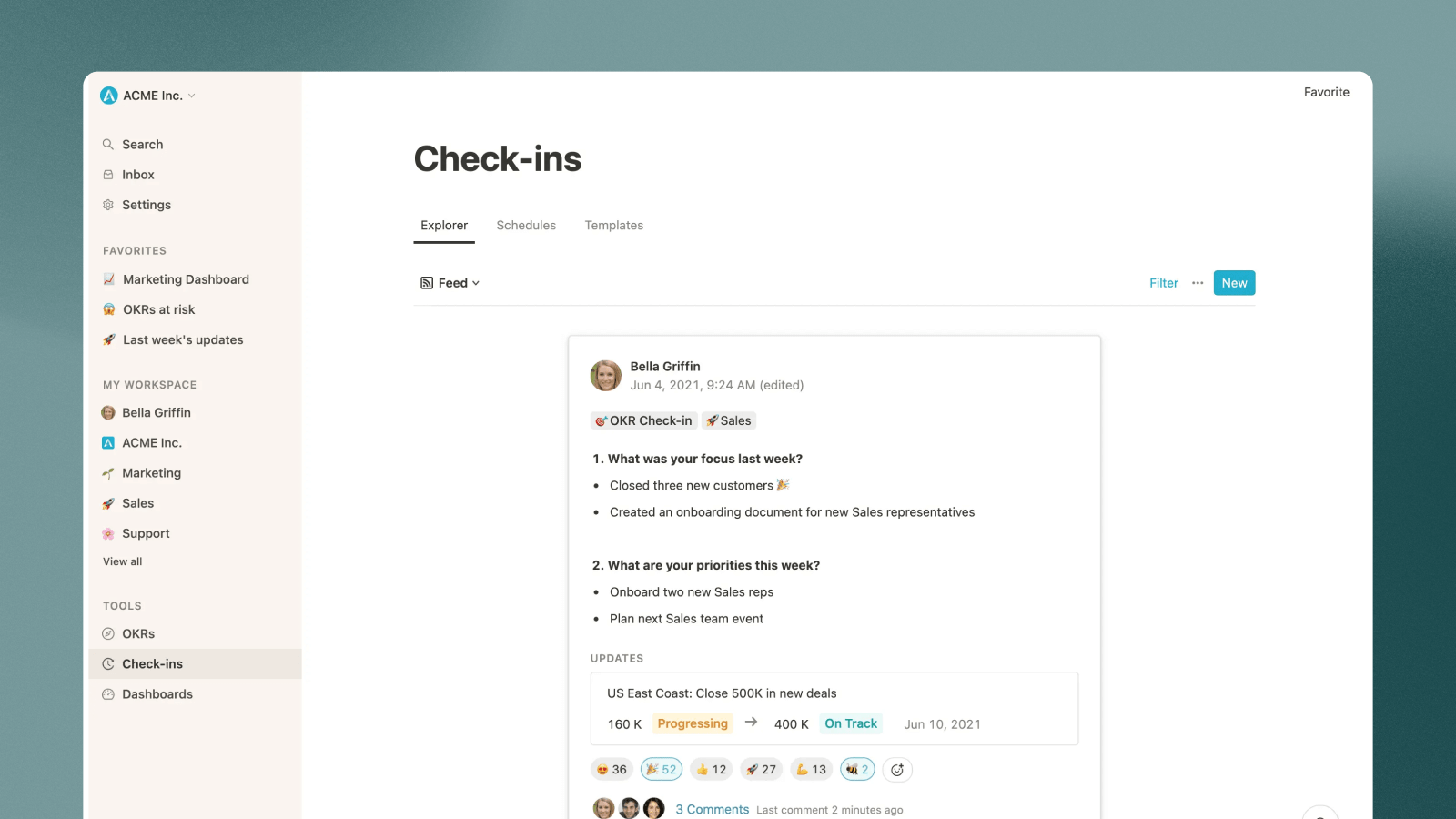
Mooncamp is a great fit for mid-sized companies that want a modern, easy-to-adopt OKR tool—especially teams that value simplicity and a clean UI. It’s designed for fast-growing companies and prioritises ease of use while still offering strong OKR and reporting fundamentals.
It’s often a good option when your biggest risk is adoption (getting teams to consistently check in) and you want a tool that feels lightweight for everyday use.
Key selling points for Mid-sized companies
- Very strong usability and core OKR capabilities (ease of use and OKR features rated 5/5)
- Reporting fundamentals are solid (OKR reporting rated 4/5)
- Transparent pricing starting at $7 per user/month on an annual contract
- Integrations include Slack, Microsoft Teams, Jira, Salesforce, Power BI, HubSpot, and more
- EU-based / GDPR compliant noted as a strength
Trade-offs to consider
- Only annual plans are available
- Limited depth beyond OKRs (e.g., task support is limited; fewer features than enterprise platforms)
- Dashboards may require more manual setup, and many integrations may require custom development
- Limited/no AI capabilities (AI features rated low)
- No public API
Pricing snapshot
Transparent pricing starting at $7 per user/month. Annual contracts only. Enterprise plans with custom pricing available.
6) Teamflect
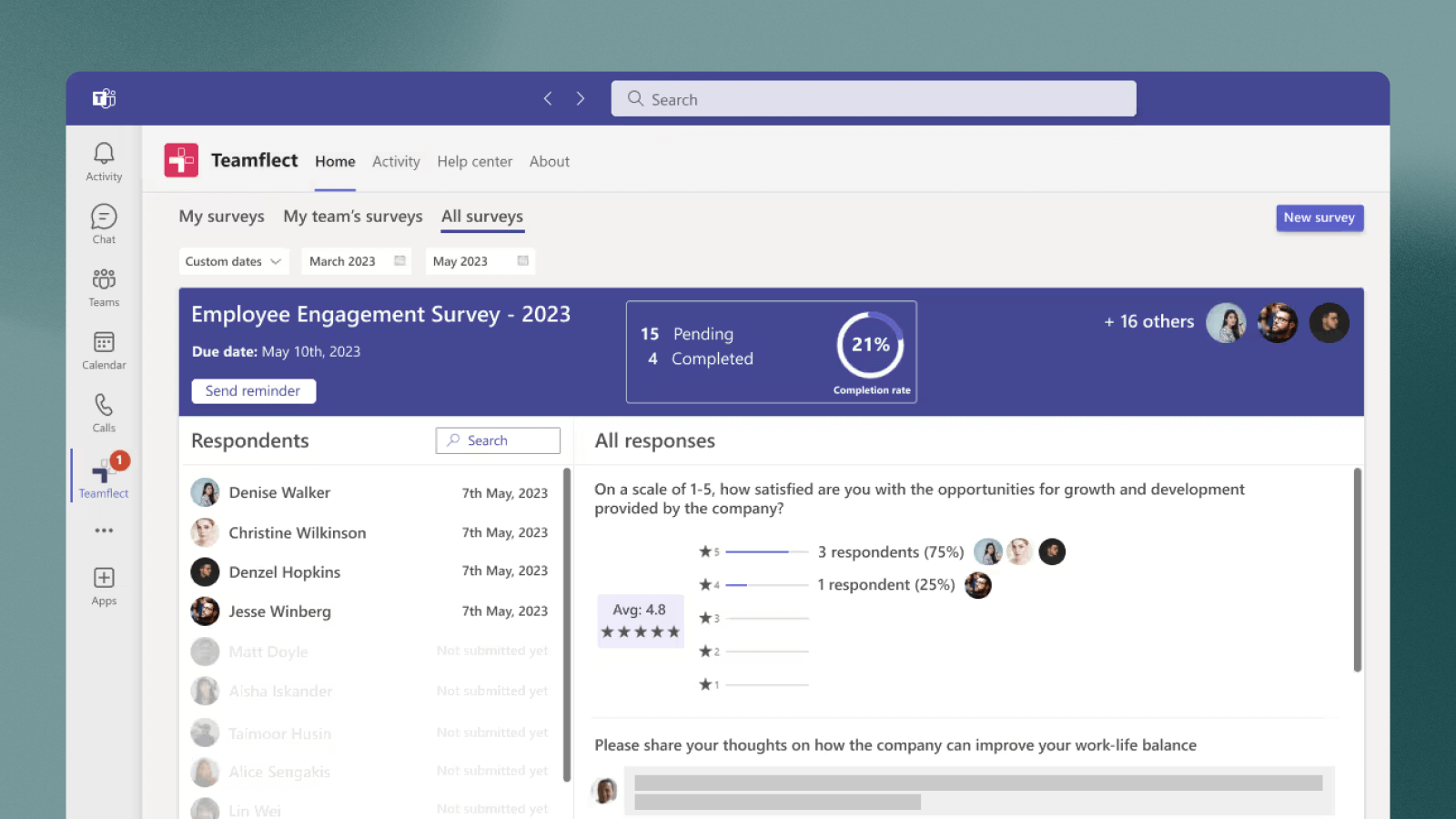
Teamflect is a strong fit for mid-sized companies that live in Microsoft Teams and want OKRs to sit inside the same place people already work—especially if your HR team is also driving performance management alongside goal-setting. It combines OKRs with performance reviews, 1-on-1s, and feedback, and offers a free tier that makes it easy to pilot with a small group before scaling.
Key selling points for Mid-sized companies
- Native Microsoft Teams experience (designed specifically for Teams)
- Free for up to 10 users; paid plans start at $9/user/month with transparent pricing
- Strong “task support” rating and solid OKR feature depth (in their OKR-focused scoring)
Trade-offs to consider
- OKRs are positioned as secondary to performance management, and the platform is designed primarily for HR teams
- Limited value outside Microsoft Teams, with fewer integrations and no data connectors; AI features are limited
Pricing snapshot
Free for up to 10 users; paid plans start at $9/user/month with transparent pricing. Enterprise plans with custom pricing available.
7) Oboard
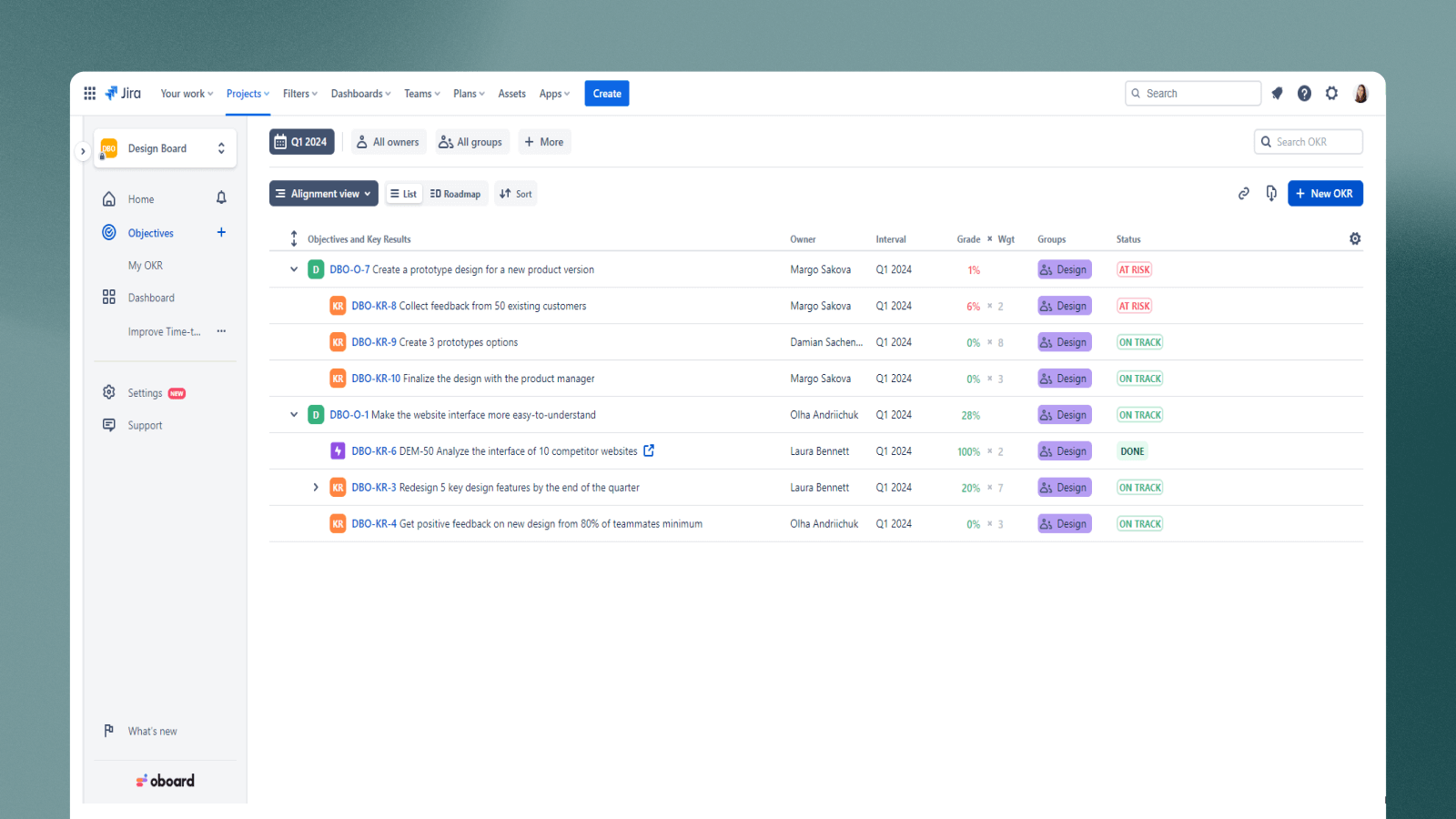
Oboard is best for mid-sized product and engineering orgs that already run on Jira + Confluence and want OKRs tightly connected to delivery work. It’s built around deep Jira/Confluence workflows, supports goal cascading, and highlights JQL-driven reporting as a key strength—useful if you want more data-driven progress reporting tied to real work items.
Key selling points for Mid-sized companies
- Deep Jira and Confluence integration, built specifically for “OKRs in Jira”
- Data-driven reports using JQL + strong task support rating
- Transparent pricing starting at $6/user/month
Trade-offs to consider
- Limited value outside the Jira/Confluence ecosystem; fewer integrations, no data connectors/automations
- UX is constrained by the Jira/Confluence data model and can feel heavy if your teams aren’t Jira-native
Pricing snapshot
- Transparent pricing starting at $6/user/month. Enterprise plans with custom pricing available
8) Rhythms.ai
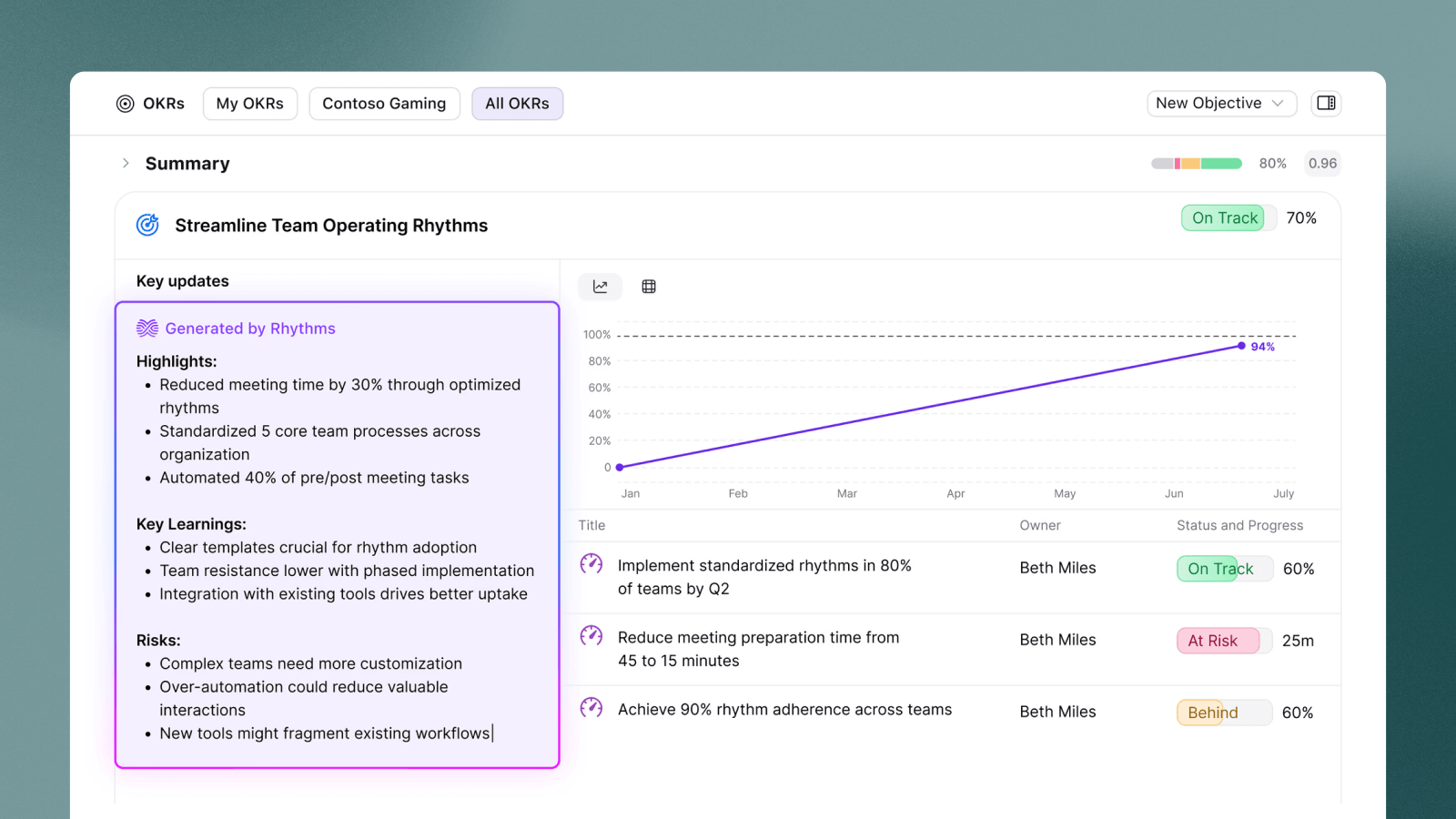
Rhythms.ai is best for mid-sized companies that want OKRs as part of a broader strategy execution system—especially if you’re Microsoft-heavy and care about executive visibility and structured planning. It’s positioned as enterprise-ready with strong reporting and AI capabilities, so it can fit teams that are scaling complexity and want more than lightweight goal tracking.
Key selling points for Mid-sized companies
- Strong reporting and analytics focus; built for strategy execution, not just goal lists
- Higher-rated AI features for insights and automation compared with many OKR tools
- Microsoft ecosystem positioning (good fit if Teams/365 is central to workflows)
Trade-offs to consider
- More platform than “simple OKR tool,” which can mean more rollout effort and heavier process if you’re not ready for it
- Pricing is less transparent (contact for pricing / enterprise-style packaging)
Pricing snapshot
No public pricing available - contact sales for quote.
9) 15Five
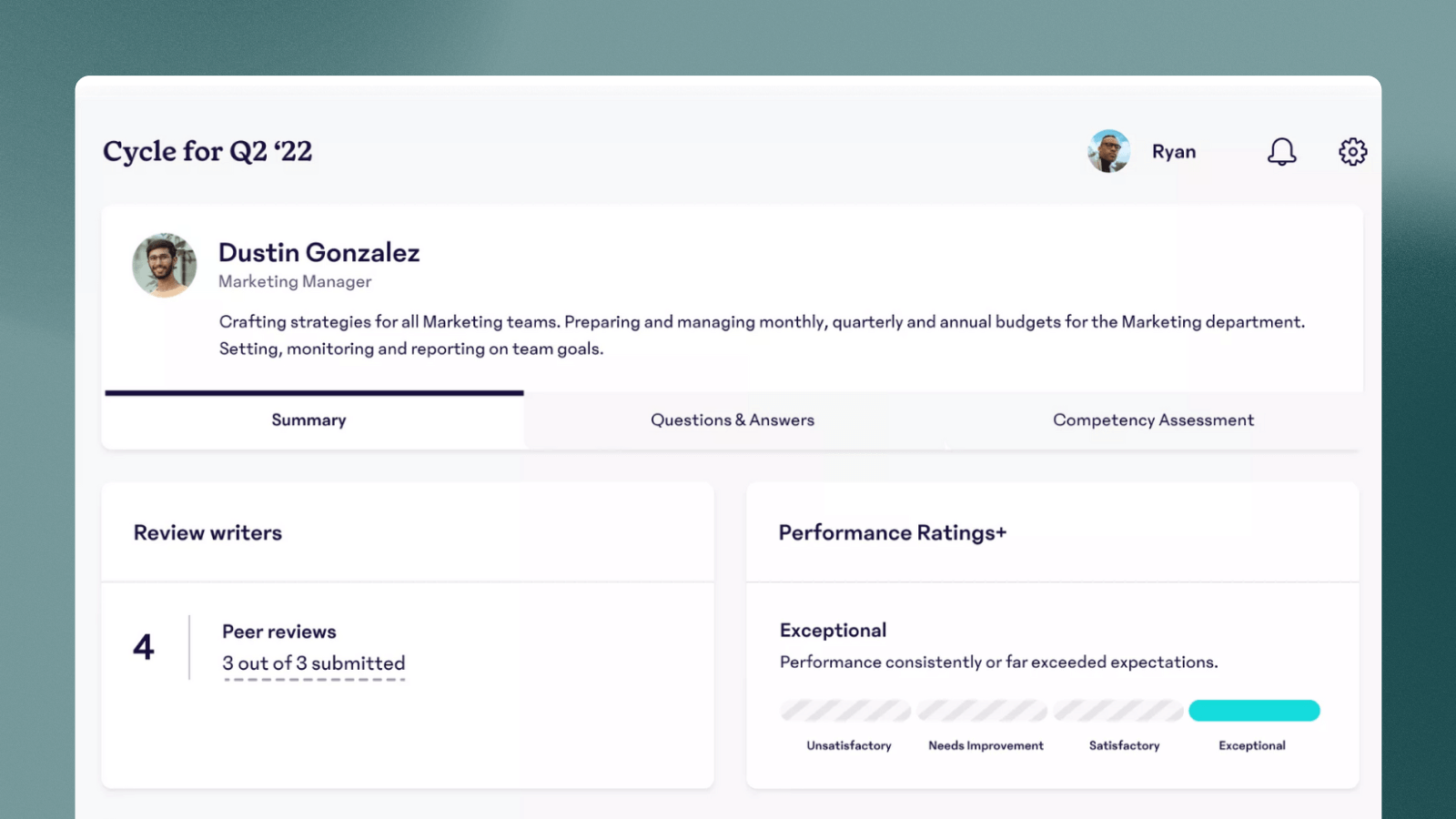
15Five is a strong fit if your operating rhythm is manager-led and you want OKRs alongside people and performance workflows like check-ins, engagement, and reviews. It’s often best when HR and team leads are already using one platform for 1:1s and performance conversations, and OKRs are meant to plug into that cadence.
Key selling points for Mid-sized companies
- Strong people-suite orientation (check-ins, performance, engagement) with OKRs included
- Good support and usability ratings; works well for manager-driven adoption
Trade-offs to consider
- OKRs aren’t the core product, so OKR-specific rollups/reporting depth may not match OKR-first platforms depending on what you need
- Pricing can be less transparent / suite-driven (you may be buying more than OKRs)
Pricing snapshot
Pricing starts at $11 per user/month. Enterprise plans with custom pricing available.
10) Weekdone
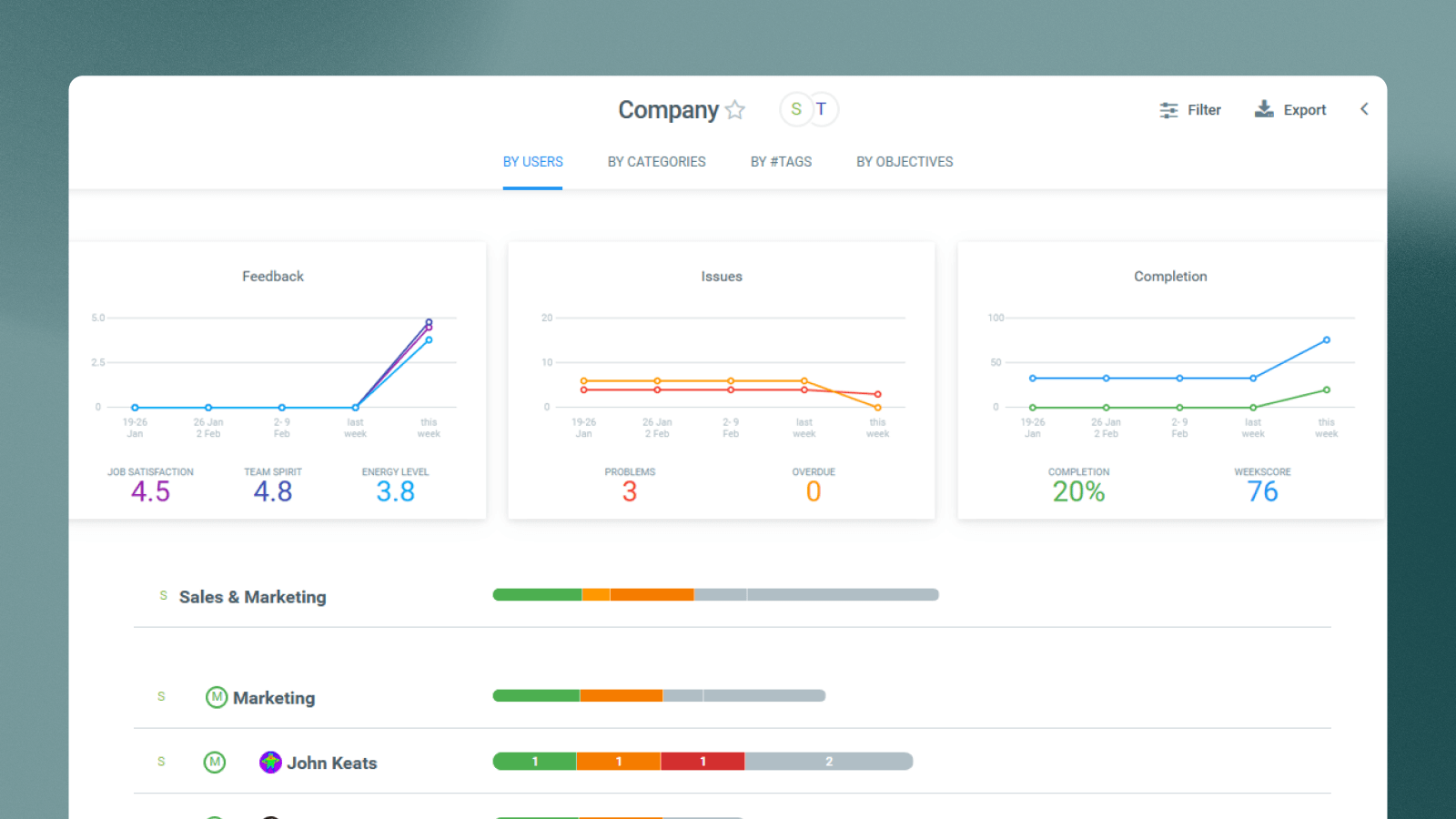
Weekdone is best for teams that want a simple, consistent weekly progress rhythm—lightweight OKRs, check-ins, and status visibility without heavy governance. It’s often a good mid-market option when adoption is your biggest risk and you want something teams can stick with immediately.
Key selling points for Mid-sized companies
- Designed around weekly planning and progress updates (good for keeping OKRs “alive”)
- Clear focus on simplicity and day-to-day usage, which can help adoption in busy teams
Trade-offs to consider
- If you need deeper portfolio rollups, complex governance, or enterprise-grade admin controls, you may outgrow it as the organisation scales
- AI and advanced data/reporting capabilities may be more limited than higher-end platforms
Pricing snapshot
Free tier available for 1-3 users. Paid plans start at $10 per user/month.
How to choose the right OKR software for a mid-sized company
If you’re trying to shortlist quickly, start with the outcome you care about most. Here’s a simple way to match your situation to the right tools:
If reporting is your #1 priority (exec-ready signals): Tability, WorkBoard, Rhythms.ai
Best when you need reliable rollups, risk/confidence signals, and clean reporting you can bring straight into leadership meetings.
If you want more structure and governance (a formal OKR program): Profit.co, WorkBoard, Perdoo
Best when you’re standardising OKRs across departments and want more guardrails, templates, and program control.
If your company lives in Microsoft Teams: Teamflect, Rhythms.ai, Tability
Best when adoption depends on keeping goal updates where people already work day-to-day.
If Jira/Confluence is your source of truth for execution: Tability, Oboard
Best when you want OKRs directly tied to delivery work, with reporting grounded in Jira data.
If adoption is your biggest risk (keep it lightweight): Tability, Mooncamp, Weekdone.
Best when you need a tool that teams will actually use every week, with minimal overhead.
If OKRs must live inside performance management: 15Five, Profit.co, Teamflect
Best when goals, check-ins, reviews, and feedback need to sit in one system (often HR-driven).
If you’re still torn between two options, use a simple tiebreaker: pick the tool that makes weekly reporting easiest for the person who has to present it. That’s usually where OKR programs succeed or quietly fall apart.
We also rank every platform for this exact segment in the mid-market OKR software benchmark, with published criteria weights so you can see why each tool sits where it does.
FAQ
How many OKRs should a mid-sized company have?
Aim for 3–5 company objectives per quarter, then keep each department to a small set that clearly supports those priorities. If you can’t summarise your company OKRs on one page, you probably have too many.
How often should teams check in?
Weekly is the default for mid-sized companies. A lightweight weekly check-in keeps reporting current and prevents “end of quarter surprises,” while a monthly review is where leaders step back and make decisions.
Do OKRs need to cascade?
Not strictly. Mid-sized companies usually do better with alignment and contribution (teams linking to company priorities) rather than rigid cascading structures that look neat but don’t reflect cross-functional work.
Who should own OKRs in a 100–500 person company?
Most commonly it’s a Chief of Staff, BizOps/Strategic Ops lead, or a functional ops leader who can run the cadence and keep reporting consistent. You don’t need a full-time OKR “czar,” but you do need a clear owner.
What’s the easiest way to roll OKRs out without chaos?
Start with leadership + 1–2 departments, lock in the weekly cadence, and prove reporting quality first. Once teams trust the rhythm, expand gradually—don’t try to go company-wide before the habit is working.
▶️ Video: Watch Tability’s OKR Implementation Masterclass
Conclusion
Choosing OKR software for a mid-sized company isn’t about finding the most features — it’s about finding the tool that helps you run a reliable cadence and produce reporting leadership can trust, without adding process bloat.
If you take one thing from this guide, make it this: prioritise reporting quality, then optimise for the way your teams actually work (your OKR integrations, your operating rhythm, and how much governance you want). The right tool will make alignment easier, keep check-ins lightweight, and help you scale OKRs in stages without costs spiralling.
If you’re evaluating options now, pick 2–3 tools from the shortlist above and run a quick pilot with a real quarter’s goals. The best choice will be the one that makes your weekly leadership update feel effortless.
If you want a tool that’s built for mid-sized teams — fast to roll out, easy to keep updated weekly, and strong on leadership-ready reporting — start with Tability.
- Try Tability with a small pilot (leadership + 1–2 teams) and run it through your real weekly reporting rhythm. Sign up for a 14 day free trial
- Book a demo if you want help mapping your OKR cadence, reporting structure, and rollout plan to your org.


.jpg)