Many goal-tracking tools added a chatbot last year and called it AI.
We went a different way. We looked at every place where OKRs create work (writing them, updating them, reporting on them, chasing people about them) and asked whether AI could take that work off your plate entirely.
Two things change when it does.
⏰ The first is time. Take an org where 100 people use OKRs, roughly 10 team leads and 90 contributors. The leads each spend about 2 hours a week assembling reports, chasing updates, and prepping for reviews. The contributors each spend 15 minutes on check-ins. Add it up and goal admin can cost that org ~40 hours every week. That’s a full-time job nobody was hired for.
Tability's AI will do most of that job: the reports assemble themselves, the chasing stops, and check-ins mostly write themselves.
🚨 The second is that nothing drifts silently anymore . The old failure mode of OKRs is finding out at the QBR that a key result went off-track in week three.
Now the system watches for you: our OKR agent flags goals losing confidence as it scores them, scheduled reports land the at-risk list in your inbox before your Monday meeting, and you can ask at any moment – "what's at risk and who owns it?" – and get an answer with receipts. Bad news travels fast, which is the only way bad news is useful.
Here's what that looks like across the life of a quarter.
During planning: start in a spreadsheet, land in a live plan
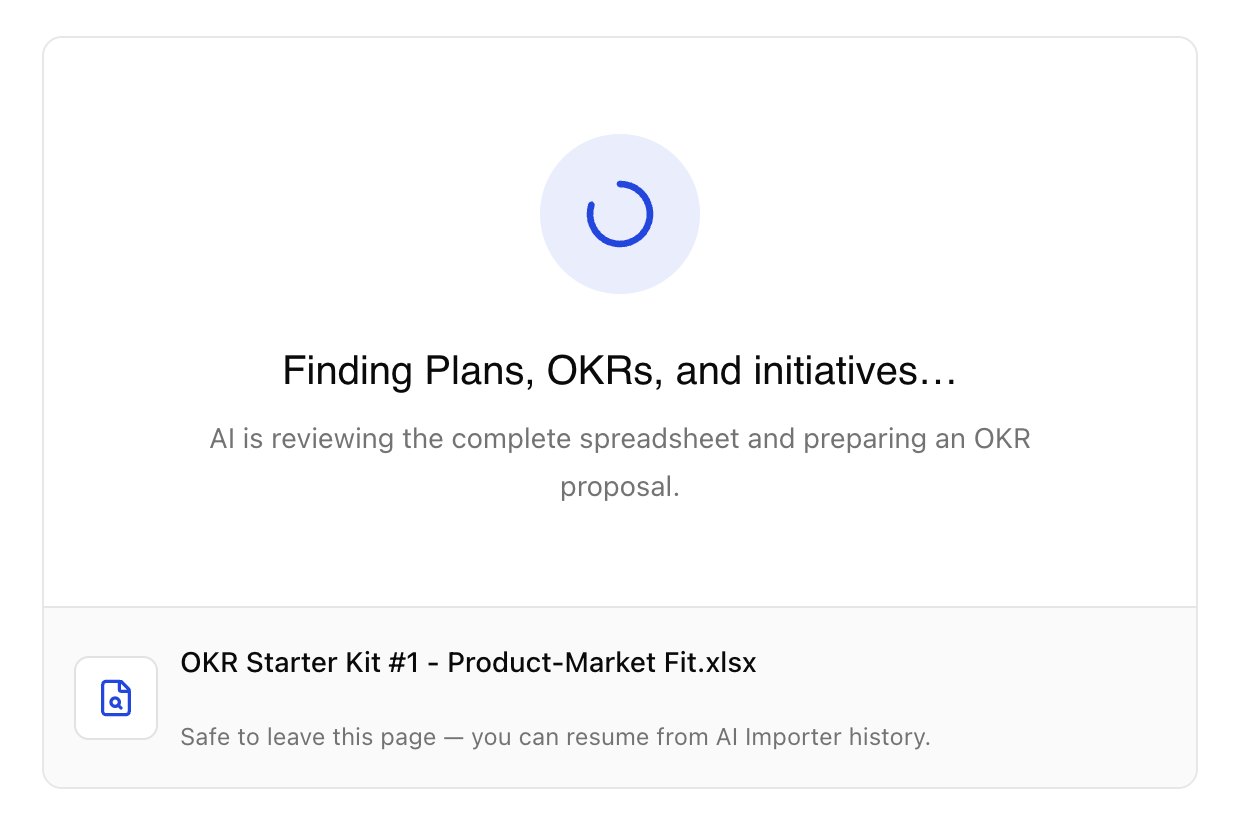
Before: rolling out a goal-tracking tool meant training your whole team on a new UX before anyone has written a single goal. The tool becomes the project. Adoption dies in the onboarding.
After: your team no longer has to learn everything on day one. They draft their OKRs where they already work – a spreadsheet – and the AI Plan Importer turns it into a structured, live plan: objectives, key results, KPIs, initiatives, and owners detected automatically, laid out for your review before anything is imported.
Our UX is simple (we've spent seven years keeping it that way), but the point is you no longer need everyone in it to get started. Starting up has never been this cheap.
From there, refinement is a conversation. Ask AI Mode to review the plan you just imported:
- Which key results aren't measurable
- Which objectives are secretly projects
- How this quarter's goals compare against other plans and teams in the workspace.
You get the honest-colleague treatment with suggested rewrites you can apply before the quarter starts, instead of discovering the problems in week six.
The blank page problem, the training problem, the "are these even good goals?" problem: all handled before day one.
During the quarter: reports arrive, tracking runs itself
Before: it's Friday. A manager sends eight Slack messages asking for updates. Then it's Monday, 8am, and a leader is combing through dashboards trying to assemble a picture before the 9am meeting. Thirty to sixty minutes, every week, forever – multiplied by every leader in the org.
After: the reports come to you. Scheduled prompts deliver every leader exactly the report they need, straight to their inbox exactly when they need them, with zero effort required from the team. Nobody assembles anything. Nobody chases anyone. The time goes back into the work that actually moves the goals.
When you need something specific, building it is a sentence, not a session: ask AI Mode for a custom chart, diagram, or scorecard and it's produced from live workspace data – polished enough to drop straight into a board deck. The slide-building hour before a QBR disappears along with the dashboard scramble. And any question works the same way: "which key results are most at risk, and who owns them?" gets an answer with receipts, in the app or right inside Slack.
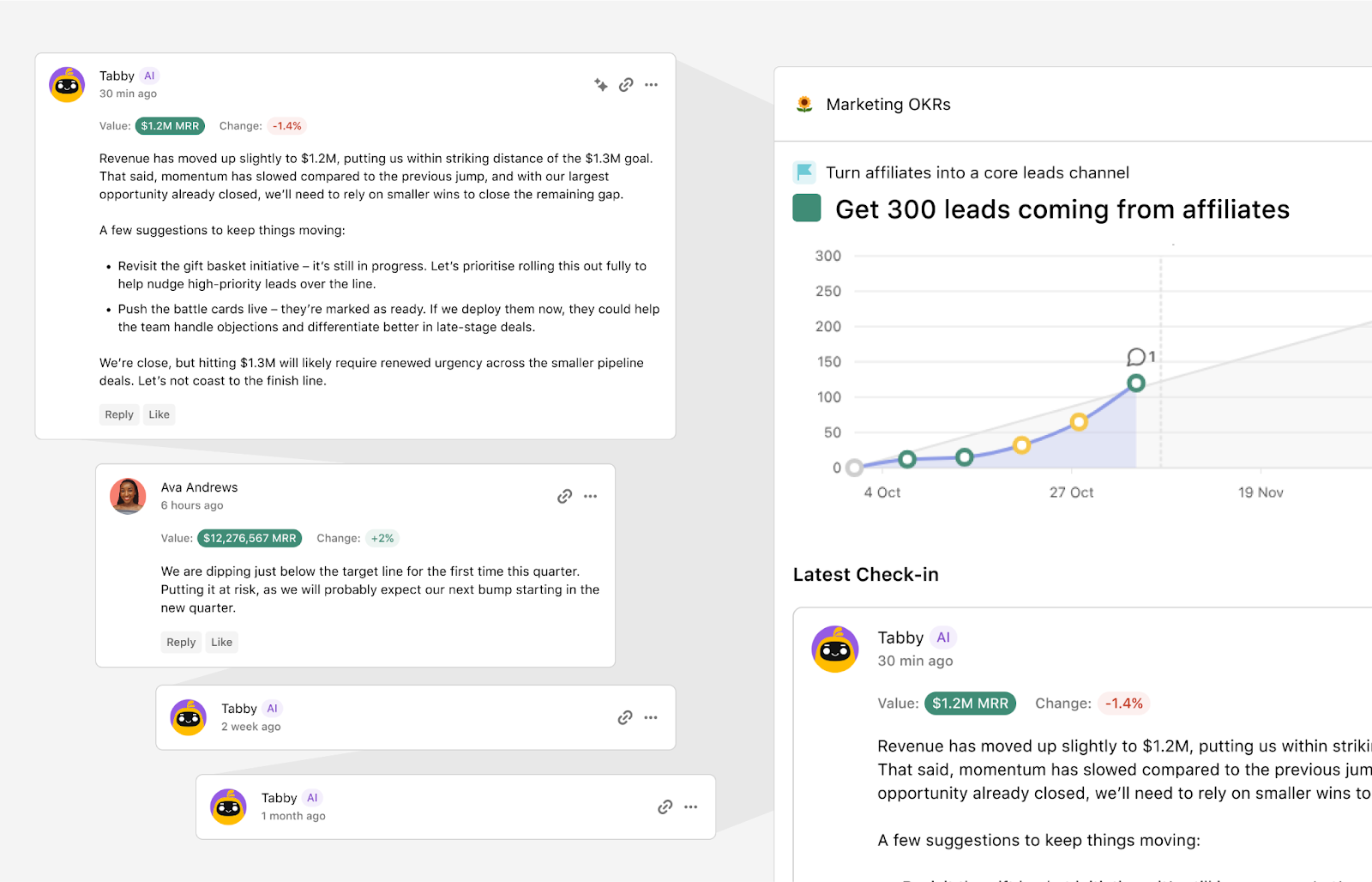
The tracking itself? Also automatic, if you want it to be. Connect your data sources and our OKR agent handles the scoring, the commentary, and the confidence level based on your progress. Check-ins are written with actual context about what the number means, not just what it is.
And because the agent scores continuously, drift gets flagged the week it starts: a goal quietly losing confidence shows up in your scheduled report, not in your quarter-end post-mortem. The week-four check-in death stops being your problem.
Scaling the team with agents: delegate goals, not just tasks
Before: every goal needs a human to own it, run it, and report on it. Your ambitions are capped by headcount, and the ritual decays every time the person running it gets busy.
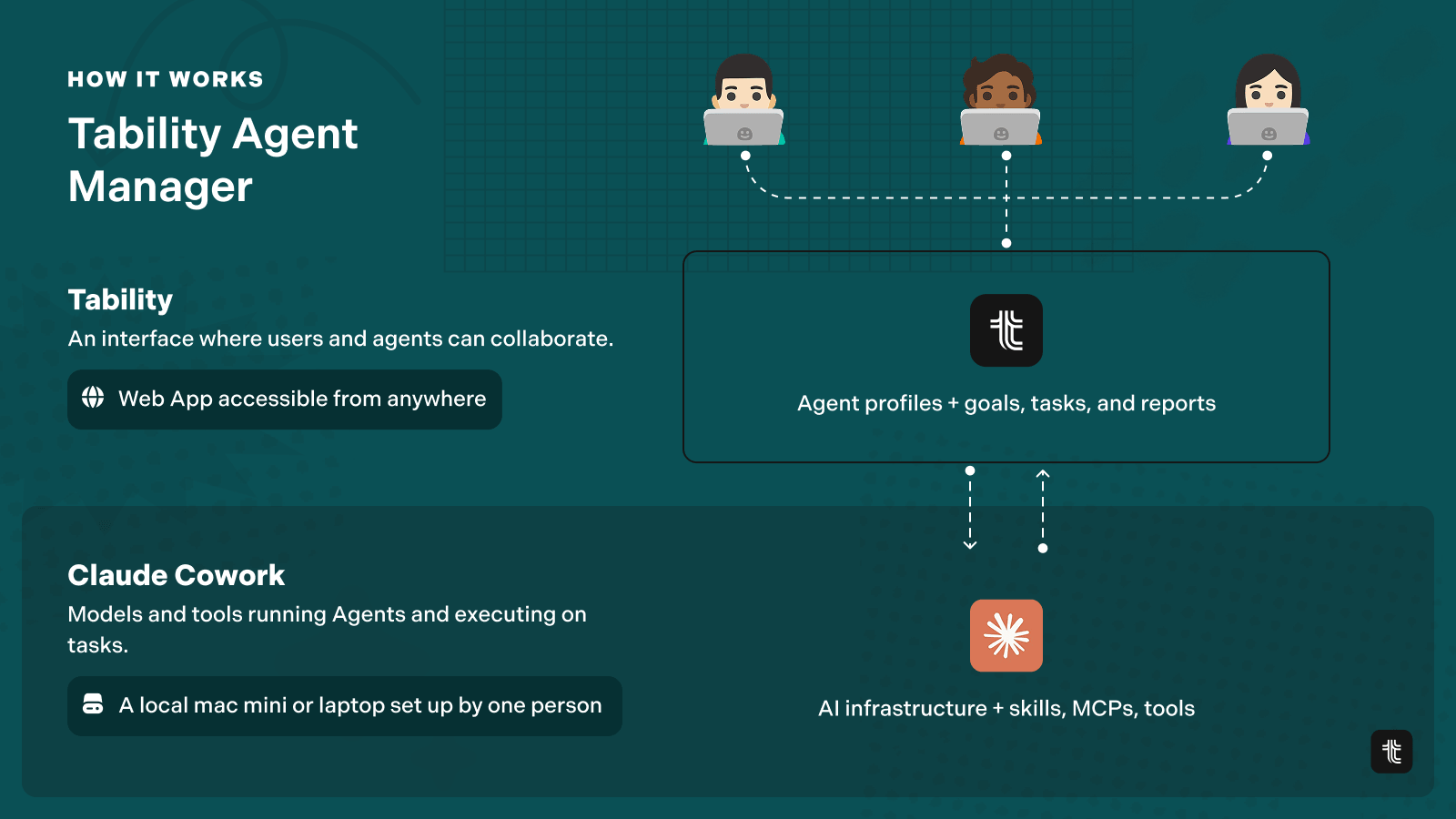
After: you build a virtual team. The agents module lets you create AI teammates, give them operating instructions, and delegate goals and initiatives to them the way you'd delegate to a person. They self-organise, do the work, and report back. They can publish their own check-ins on the key results they own.
And you manage them the way you'd manage any other team in your org: a dedicated dashboard shows what each agent owns, what it completed, what it reported, and how its goals are progressing. It’s no longer a black box living on someone’s computer – it’s a true team with a work log.
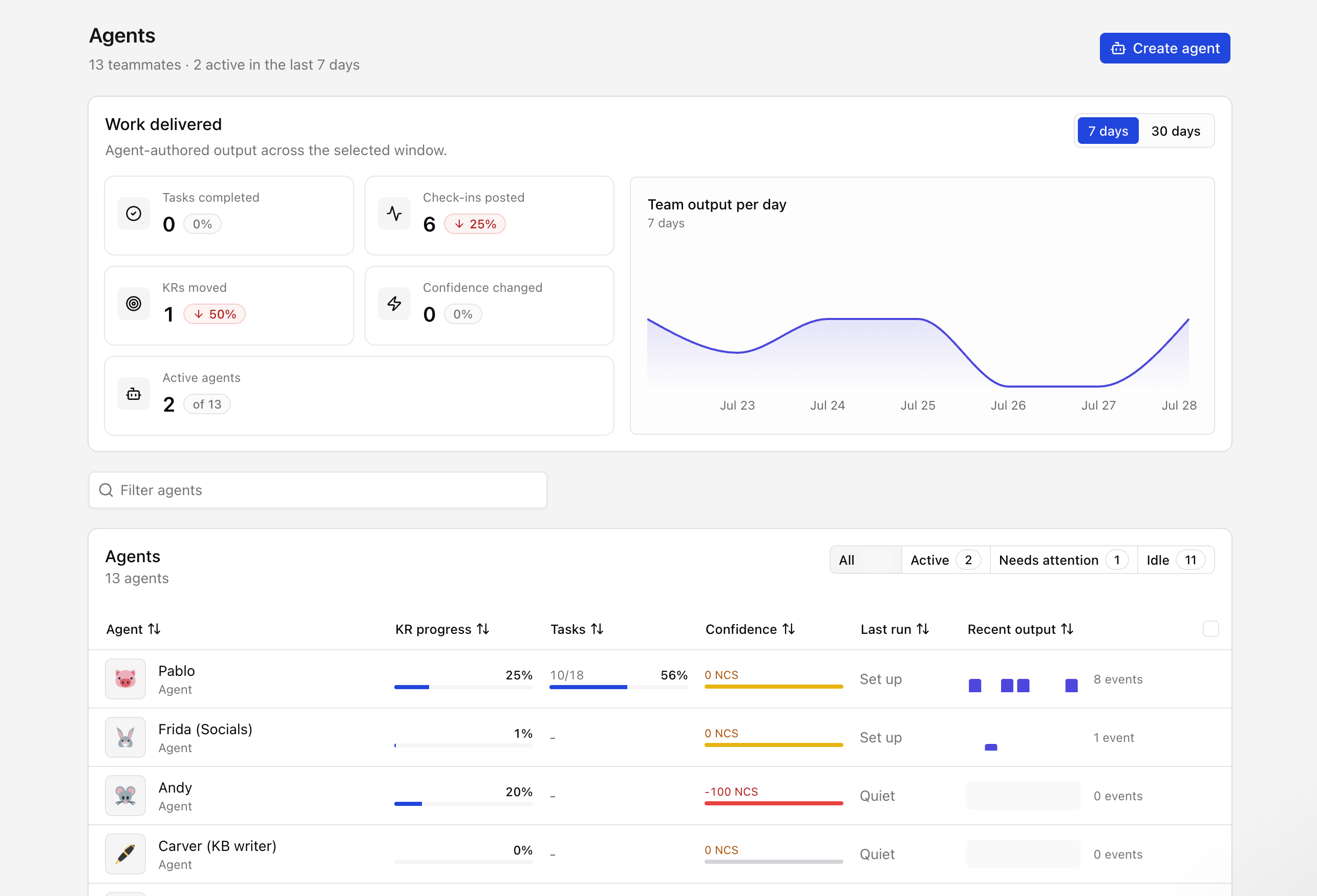
This is the part we think changes the category: you set the direction, and a mix of humans and agents keeps the rhythm. Most of our competitors haven't shipped their first AI feature. We're already building virtual teams.
Talk to your data from Claude, Codex, Gemini and more
Your OKR data shouldn't be locked in our tab either.
The Tability MCP server brings your goals into whichever AI client you already live in – Claude, Codex, Gemini, ChatGPT, Copilot. And because it ships both read and write tools, your assistant isn't just browsing: it can search plans, inspect progress, create check-ins, and manage work directly from the conversation.
That unlocks more use cases than we could ever build as features. Preparing your QBR from a single prompt. Pressure-testing your strategy priorities against live progress data. Automating check-ins that depend on complex data your assistant can reach but a simple integration can't. Your strategy becomes something your AI already knows – which makes Tability one of the most powerful platforms for actually delivering it, not just writing it down.
Where to start
Pick the job that hurts most.
If getting started is the blocker, drop your existing spreadsheet into the importer and see your live plan in minutes. If reporting eats your Mondays, schedule one executive summary and take the morning back. If tracking keeps dying, connect a data source and let the OKR agent carry the rhythm.
And if you want to see a virtual team in action – that's a 15-minute demo worth booking. Try Tability or book a walkthrough.


.jpg)



.png)