A weekly check-in is only as good as the update inside it. Too many say "good progress" or list the meetings that took place, and the reader learns nothing they can act on.
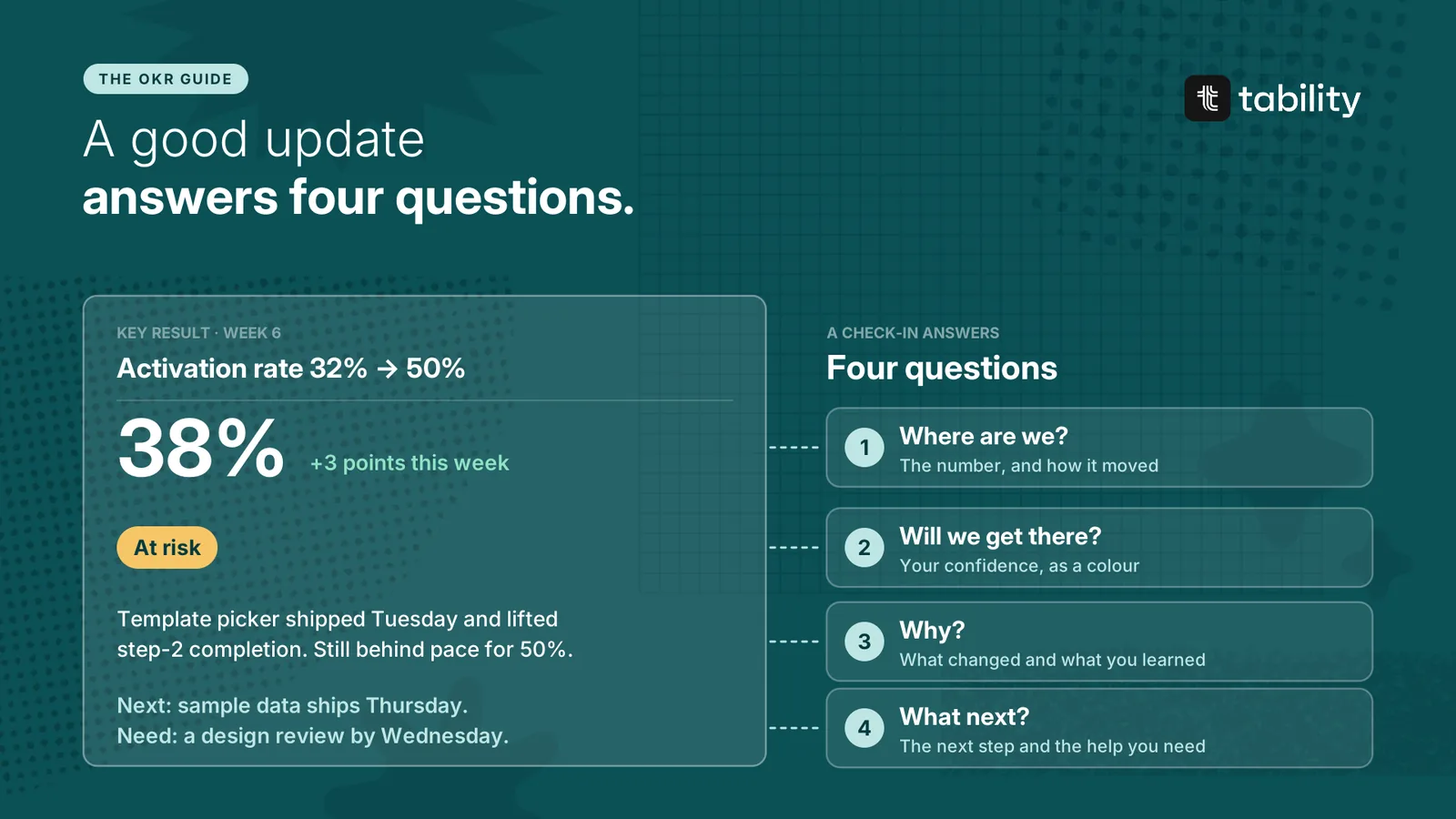
A good update is short and answers four questions. This chapter covers the questions, a template and examples for each status.
The four questions
-
Where are we? The number, and how it moved since last week.
-
Will we get there? Your confidence that the target will be hit by the end of the quarter, as a colour.
-
Why? What changed, what caused it and what you learned.
-
What next? The next step, and the help you need.
Write for a reader who has thirty seconds and was not in your meetings. That reader is your manager, someone on another team, or you in six weeks trying to remember what happened.
If your check-ins are plotted over time, the chart already covers much of the first two questions. It shows where the number is, how it has moved and whether it is keeping pace. Spend your words on what the chart cannot show: the cause, the lesson and the next step. There is no need to describe the line.
A template
[Number], up or down from [last week]. [Green, yellow or red].
[What changed and why, in one or two sentences.]
Next: [the next step and when]. Need: [the help you need, or "nothing"].
Three to five sentences. If the story needs more, link to the detail.
Weak and strong updates
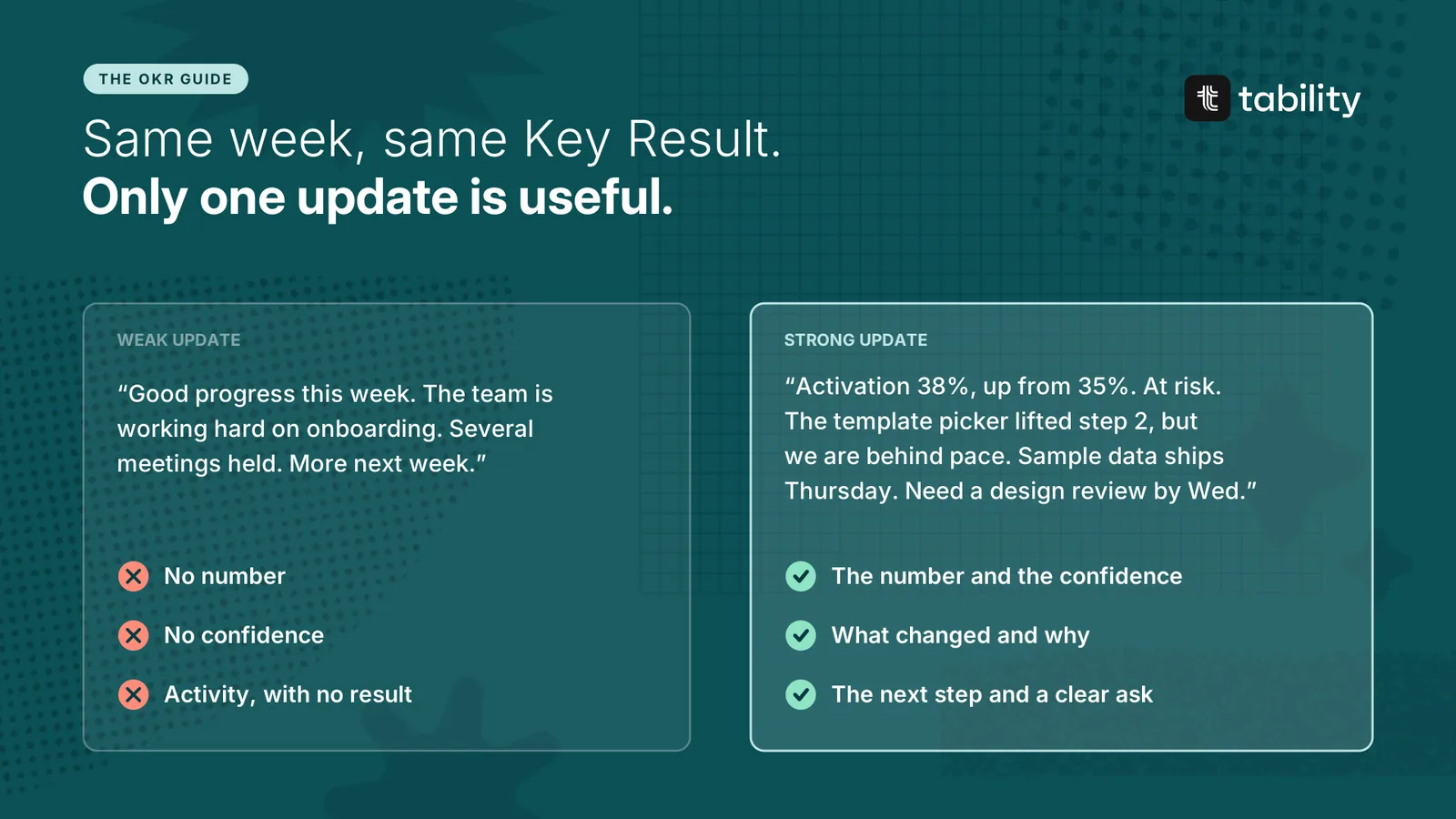
The weak update describes effort. It has no number and no view on whether the target will be met, so there is nothing for a reader to respond to. The strong update is about the same length, and a reader can act on every sentence in it.
Examples for each status
All three are for the same Key Result: activation rate from 32% to 50%.
Green – on track
Activation 44%, up from 41%. Green. The setup checklist went live for all new accounts and step-3 completion rose 9 points. Next: the day-2 email test starts Monday. Need: nothing.
Yellow – at risk
Activation 38%, up from 35%. Yellow. The template picker lifted step 2, but we are behind the pace needed for 50%. Next: sample data ships Thursday and should close most of the gap. Need: a design review by Wednesday.
Red – off track
Activation 36%, flat for three weeks. Red. Sample data shipped and made no difference, so our assumption about where people drop off was wrong. Next: five user interviews this week to find the real blocker. Need: a decision at Tuesday's review on whether to keep the 50% target.
A red update always comes with a plan or a request. "Red" on its own leaves the reader worried and unable to help.
Rules for writing updates
Lead with the number. The reader should know where things stand after the first five words.
Report results before activity. "Shipped the template picker" only matters next to what it did to the number. If it is too early to tell, say when you will know.
Say what you learned. This matters most when something did not work. A failed bet that is written down saves the next team from repeating it.
Ask for help in plain words. Name what you need, from whom and by when. "Could use some support" gets no response.
Flag risk early. Mention the dependency that might slip before it slips. Nobody should learn about a problem in the week it turns red.
Do not copy last week. If nothing changed, say so and say what you are waiting for.
Make the note and the colour agree. A green update that describes three problems is a yellow.
Common mistakes
-
The activity log. A list of what the team did, with no result.
-
The bare number. "38%" and nothing else.
-
The essay. Six paragraphs that nobody finishes.
-
Permanent green. "On track" every week, with no evidence, until the last week of the quarter.
Questions about OKR status updates
How long should an OKR status update be? Three to five sentences per Key Result.
How often should you write one? Every week, as part of the weekly check-in.
Who writes it? The owner of the Key Result.
What if there is no new data? Write the update anyway. Keep the number, review your confidence and say what you are waiting for.
For project and team status reports beyond OKRs, see What is a status report.