Everything in this guide can be run in a spreadsheet, and for a while it should be. This chapter covers when that stops being true, what to look for in OKR software once it does, and how Tability handles each point. Tability is our product, so read the last section with that in mind.
Start with a spreadsheet
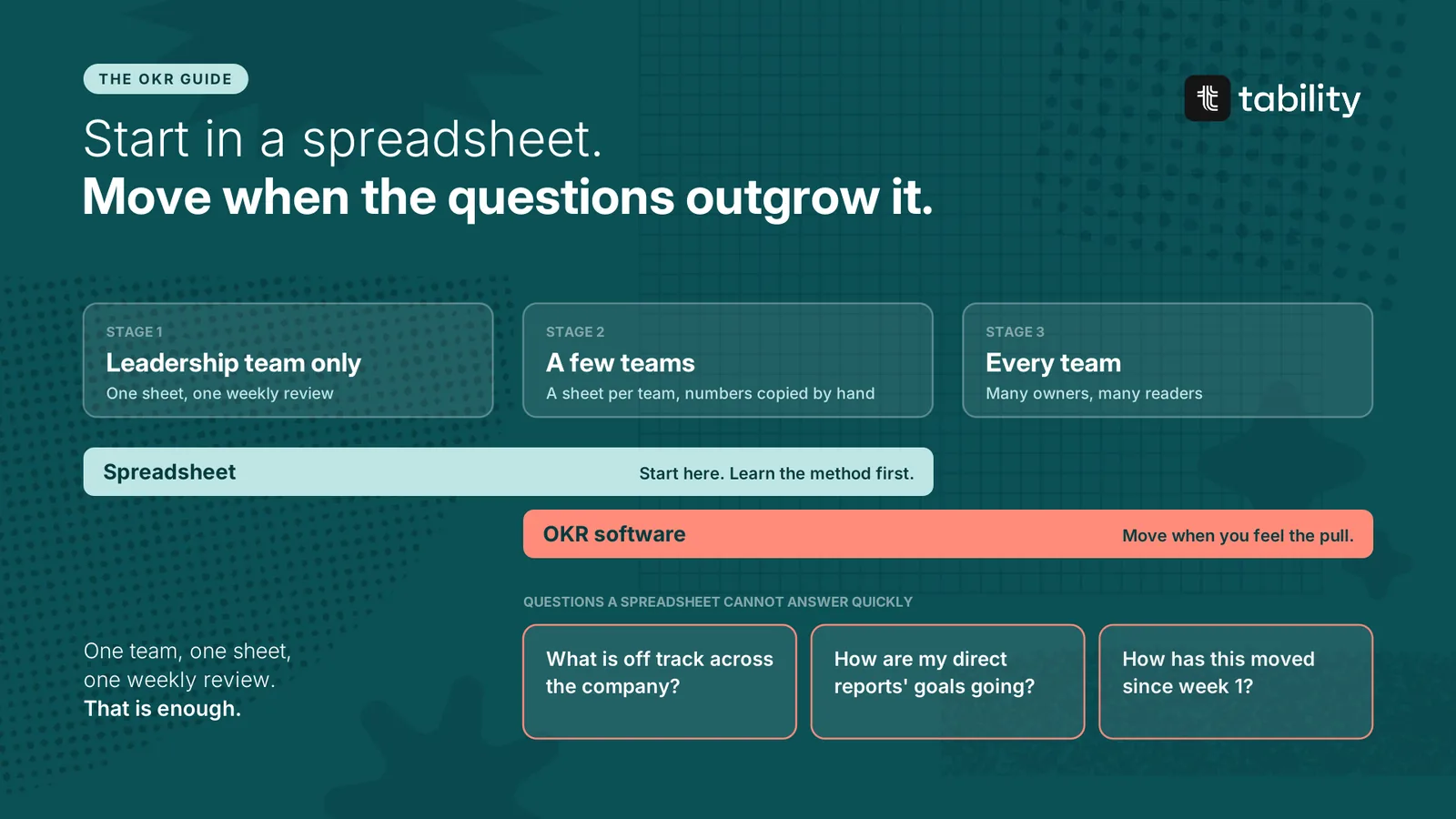
If only the leadership team is using OKRs, use a spreadsheet. One tab, one row per Key Result, and a column per week for the number and the confidence.
There are two reasons. Learning a new method and a new tool at the same time is a lot, and the method matters more. You also do not know yet what you need from a tool. A quarter in a spreadsheet will tell you.
One team reviewing its own goals once a week can stay in a spreadsheet for a long time.
When a spreadsheet stops being enough
The need shows up as questions the spreadsheet cannot answer without someone doing manual work.
-
What is off track across the company right now? Each team keeps its own sheet, in its own format.
-
How are my direct reports' goals going? You open five files to find out.
-
How has this Key Result moved since week 1? The row shows numbers and hides the trend, as the chapter on scoring explains.
-
What are we doing about the red one? The initiatives live in another tool.
-
Who has not checked in? Nobody knows until the review.
These questions arrive when several teams track goals at once. Answering them by hand is costly, and some cannot be answered at all. That is the pull towards a tool.
You do not have to force it. If the spreadsheet still works, keep it. Move when you feel the pull.
What to look for in OKR software
The seven criteria below follow the guide. Each one supports a habit from an earlier chapter.
1. Simple enough that every team uses it
This comes first. People already work in several tools, and they will not learn a complicated one for a five-minute weekly update. Look for a product that focuses on goals and leaves project management, performance reviews and documentation to the tools you already have. A new team should be able to create a plan and check in on its first day, without training.
2. Built for two kinds of people
A company running OKRs has two groups. Owners update their Key Results. Most of them have little interest in other teams' goals. They want to see what they own, update it and get back to work. Readers, such as managers and leadership, need to look across teams or the whole organisation.
A good tool serves both. Owners get a short list of what needs an update. Readers get views across plans. A product built only for readers turns the weekly check-in into a chore, and the data stops arriving.
3. Key Results connected to initiatives
A Key Result on its own tells you a number is off track. It does not tell you why, or what is being done about it. The tool should show the initiatives next to the Key Result they are meant to move, as described in OKRs vs. initiatives. Without that link, every red status sends someone digging through another system.
4. Alignment you can see
Cascading vs aligning recommends aligning teams on Objectives and linking Key Results only where one moves another. The tool should show plans under plans, and those links, on one map. Check that it supports alignment without forcing a strict cascade.
5. Visual answers, out of the box and on request
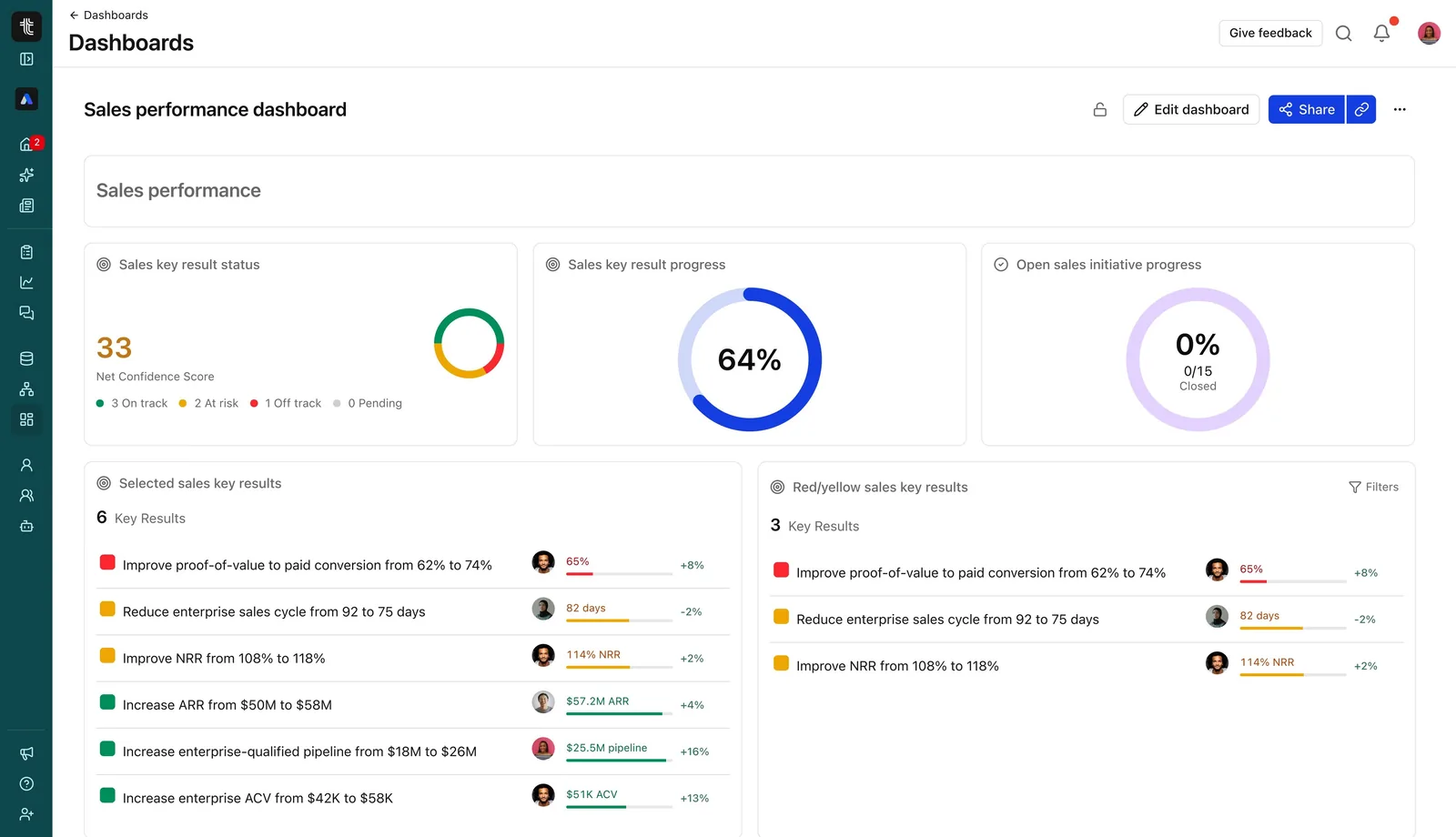
Reviews run on quick visual answers: a progress chart for each Key Result, confidence over time, a dashboard per team. These should be there without any setup.
Then check what happens when the question is unusual. Filters and custom dashboards cover some of it. Asking the platform in plain language covers more. "What is at risk in sales this week?" should return an answer drawn from the check-ins.
6. Automation for the numbers
Many Key Results are measured in another system. As OKRs spread across the company, typing those numbers in by hand becomes the main source of stale data. Look for data connectors to the tools you use, and an API for the rest.
7. Ready for AI
This is the newest criterion, and Part 6 explains why it matters. Ask three things.
-
Can you connect it to your assistant? Claude, ChatGPT or Copilot should be able to read your OKRs and write check-ins when asked.
-
Is there intelligence inside the product? Summaries, risk detection and drafted updates save people time every week.
-
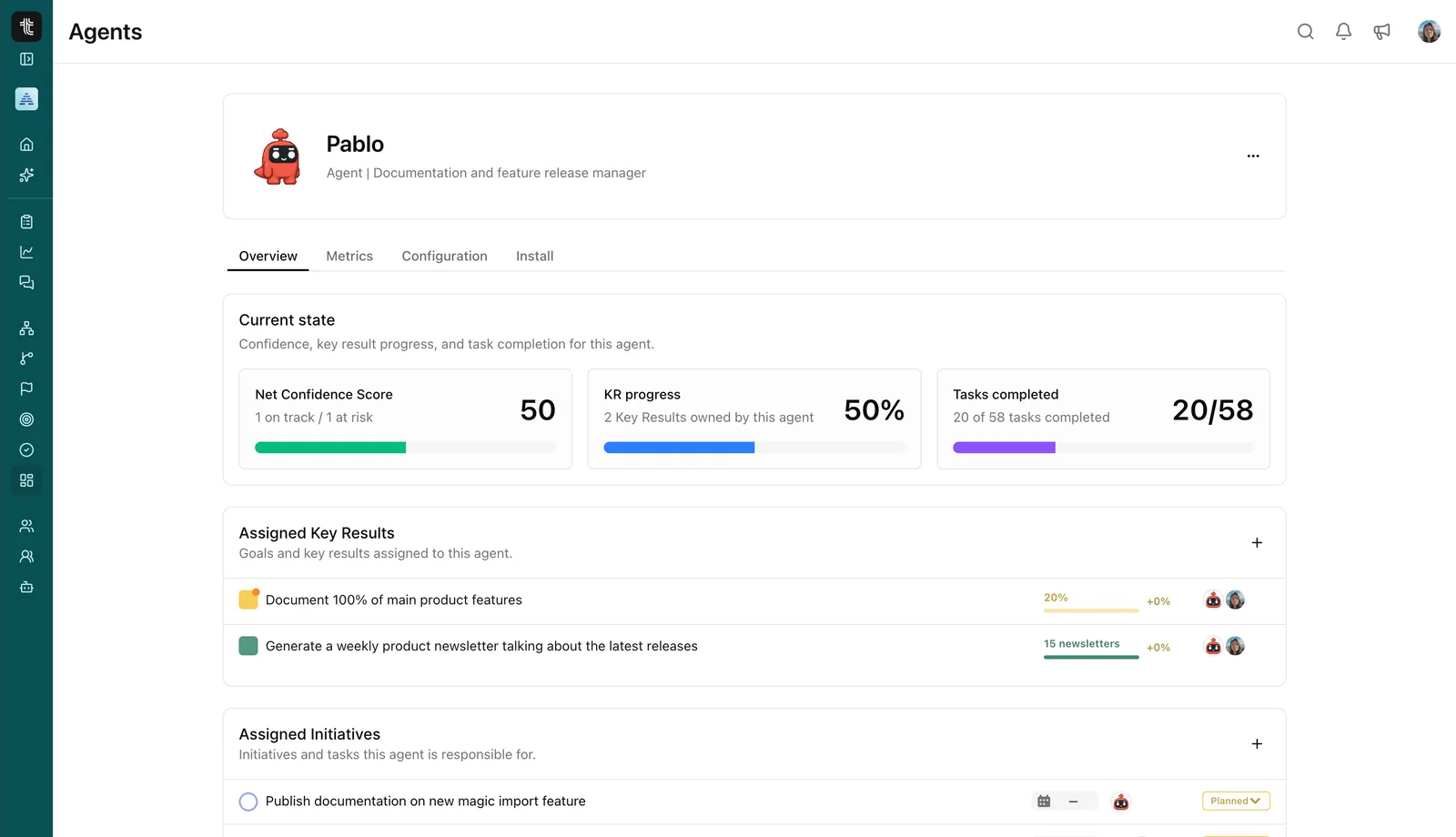
Can agents own goals? Teams are starting to give agents work of their own. The platform should let an agent find the goals it is responsible for and report on them like any other owner.
What changed post-AI
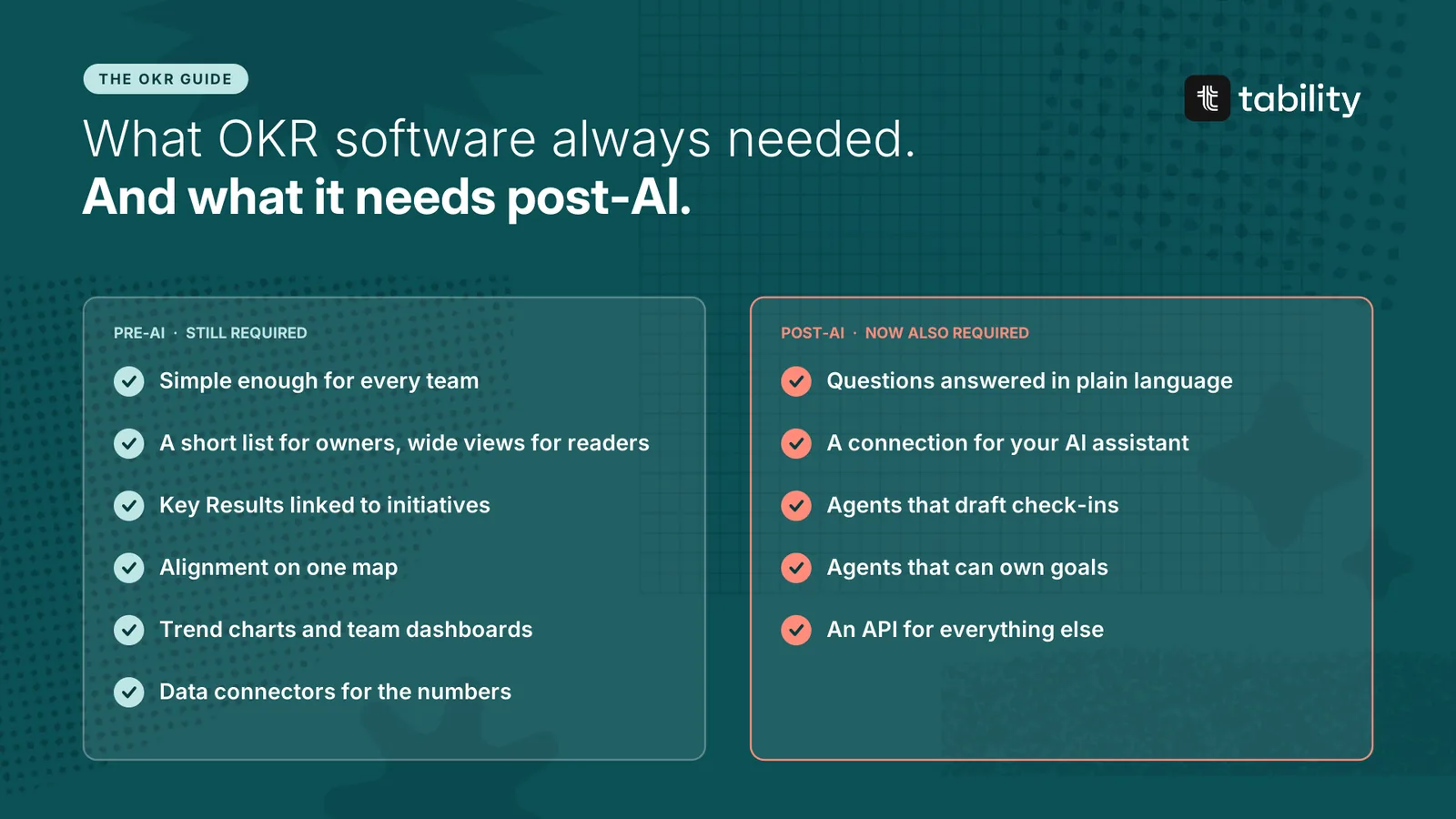
| Pre-AI | Post-AI | |
|---|---|---|
| Check-ins | Easy for people to write | Also drafted or posted by agents, with a human review |
| Reporting | Dashboards you build | Dashboards, plus answers in plain language |
| Data | Integrations for the numbers | Integrations, an API and a connection for AI assistants |
| Owners | People | People and agents |
| Volume | A few goals per team | Many more bets to track against the same goals |
The pre-AI requirements still apply. A tool that is hard to use does not become useful because it has an assistant.
Questions to ask in a demo
| Criterion | Ask to see |
|---|---|
| Simplicity | A new user creating a plan and checking in, without help |
| Two kinds of people | What an owner sees on Monday morning, then what a leader sees |
| Initiatives | A red Key Result and the work attached to it |
| Alignment | Company and team plans on one map |
| Visual answers | The trend for one Key Result, and a question typed in plain language |
| Automation | A Key Result updating itself from a data source |
| AI readiness | A check-in written from Claude or ChatGPT |
How Tability covers each point
Thank you for making it this far into the guide. We have tried to keep every chapter before this one tool-agnostic, so you can run the method in whatever you already use.
We have also built a platform that embraces everything presented so far, and that platform is Tability. We believe it can help you if you are trying to scale OKRs and strategy in a post-AI world. Here is what it brings you, point by point.
Simplicity. Tability does one job: goals, their check-ins and the work behind them. A plan takes minutes to set up.
Two kinds of people. Each person has a My focus page that lists their Key Results and the check-ins that are due, with a bulk update for people who own several. Leaders use plan pages, custom dashboards and maps.
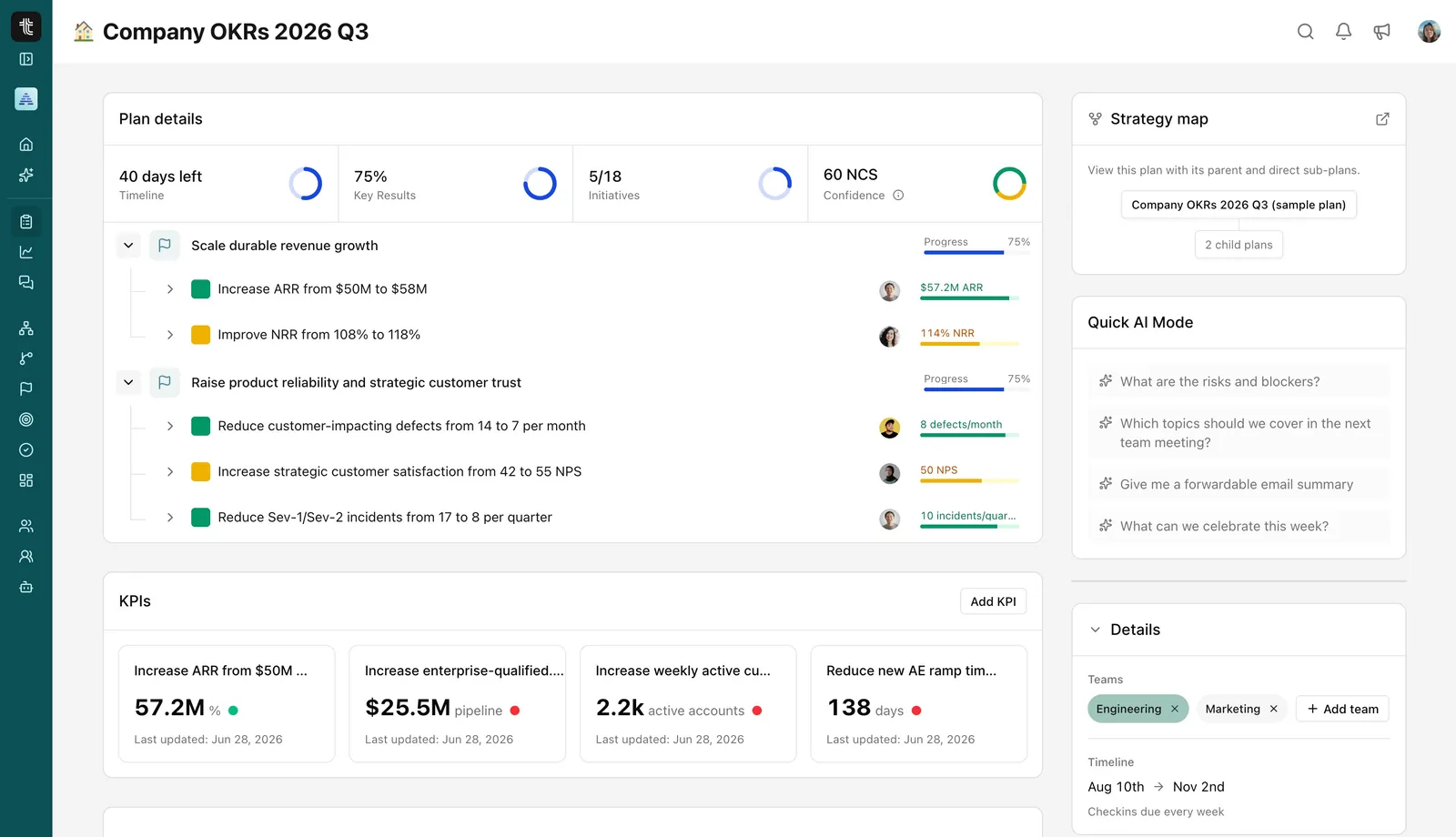
Initiatives. Initiatives sit under the Key Result they support, and each plan shows how many are done.
Alignment. The Strategy map shows plans and sub-plans together. The Cascading Map shows the links between Key Results.
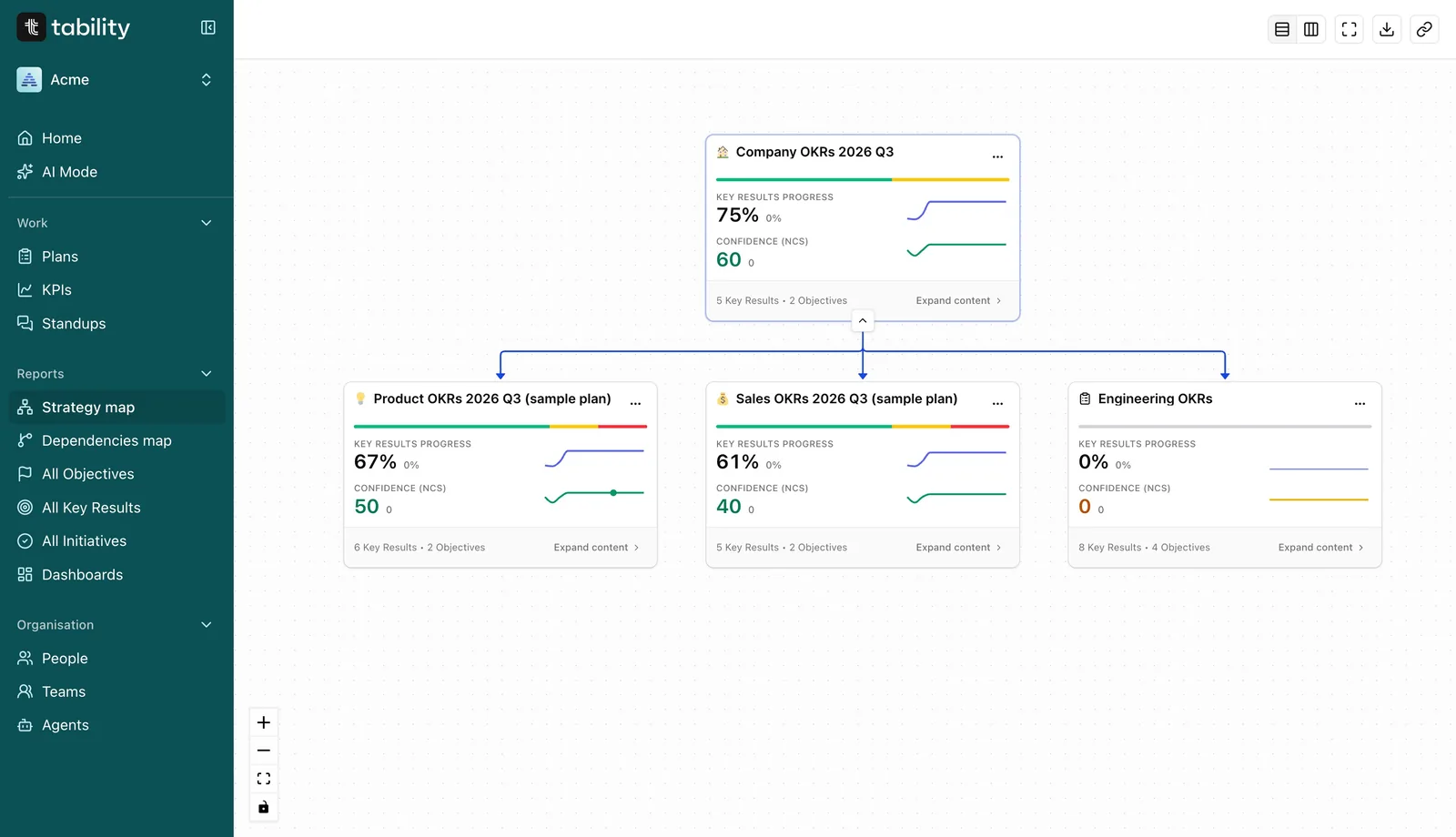
Visual answers. Every Key Result has a progress chart against its target line and a timeline of check-ins. Custom dashboards combine summaries, confidence and progress on one page. AI Mode answers questions in plain language, such as "What are the risks and blockers?"
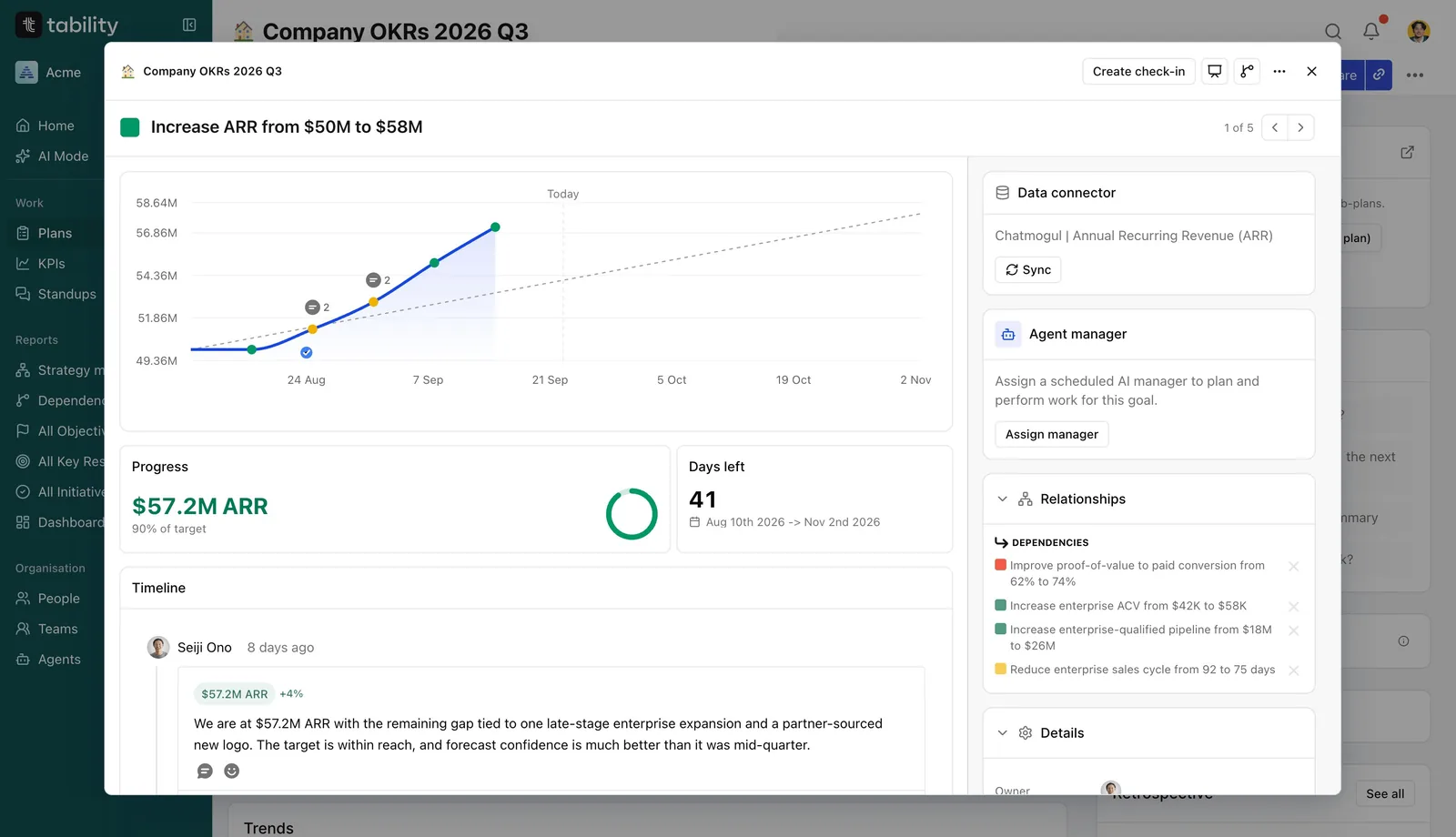
Automation. A Key Result can be connected to a data source so the number updates itself. There is an API for everything else.
AI readiness. Tability has an MCP server, so Claude, ChatGPT and other assistants can read plans and write check-ins. Agents can be assigned to Key Results and initiatives, and each agent has a page showing its confidence, progress and completed tasks. Connect your OKRs to your AI tools shows the setup.
Questions about OKR software
Do I need OKR software? Not at the start. One team can run OKRs in a spreadsheet. The need appears when several teams track goals and people want to see across them.
Can I run OKRs in Excel or Google Sheets? Yes, for a leadership team or a single team. It gets expensive once you want trends, cross-team views or reminders.
When should we move from a spreadsheet to a tool? When you keep asking questions the spreadsheet cannot answer quickly: what is off track across the company, how a number has moved over the quarter, who has not checked in.
Can we use our project management tool? Project tools track the work. OKRs track whether the work changed a number. You need both views, connected to each other.
What does AI-ready mean for an OKR tool? Assistants can connect to it, it has intelligence built in, and agents can own and update goals.
How do we switch without losing a quarter? Move at the start of a quarter, when the OKRs are being rewritten anyway. Create the new plans in the tool and leave the old quarter in the spreadsheet.