
It’s the last Friday of the month, and the leadership team needs a status summary by EOD.
🫠🫠🫠🫠🫠🫠
You review the team’s OKRs, but:
- The goals aren’t updated
- People aren’t writing great updates
- Work is getting done, but the impact is unclear
- You haven’t had time to go through all the check-ins, work, and supporting data spread throughout all your tools
- And you definitely don’t have time to turn all of that into a clean report (or presentation)
So you have no idea what’s really going on, and getting that report to leadership today is going to be an absolute scramble.
This is the pain most people feel around OKRs. It’s so hard to get right. Luckily, today we have so many AI tools at our disposal to help us get it right.
In this article, we’ll cover the AI workflow that will give you the data you need to have meaningful discussions and make smart decisions.
First things first: WEEKLY check-ins are critical to OKR success
You’re likely not going to complete your goals in a week.
The weekly check-in may become tedious and annoying because you haven’t seen enough progress. The truth is: Most teams that give up on the OKR process don’t do so because they didn’t meet their targets; they give up because they didn’t keep up with their check-ins.
But WEEKLY check-ins are critical to OKR success.
Weekly check-ins are like a GPS for your goals. With frequent check-ins, you’re able to calibrate, reflect, and navigate toward the outcome you desire. They are also markers where you’ll go back and see, week by week, what happened to get to the result you ended up at.
This weekly check-in will become the central source of data input that helps inform all the reports and decision-making that comes down the line.
.png)
Your check-ins inform monthly reviews, your monthlies inform quarterlies. It’s not rocket science. But hopefully this illustrates how important it is to write good updates at every level. Your check-ins become the molecules that inform everything down the line so be sure to write good check-ins or else you have nothing for your monthly and quarterly reviews (or QBR) to look at.
Consistent, quality updates are essential because they build upon each other: your daily or weekly check-ins feed into monthly reviews, which in turn inform your quarterly reports. This isn't complex, but it highlights the critical importance of good updates at every level. Your check-ins are the foundational "molecules" for everything that follows, so ensure they are well-written. Without solid check-ins, you'll lack the necessary information for meaningful monthly and quarterly reviews.
The AI-first OKR workflow
When your team does their weekly check-ins, everything else falls into place.
The entire OKR workflow looks something like this:
- Set goals and decide direction
- Drive a consistent cadence of check-ins with team (Important)
- Take results and compile summaries and reports periodically to monitor
- Summarise monthly, then quarterly. Usually driven by leadership team and their needs.
- Take all the knowledge from check-ins and reports to drive next decisions.
.png)
Let’s deep dive into each step of the process and show you how an OKR software can help you drive this process.
Automate check-ins with AI
There are really two problems to solve here.
- The first is driving a weekly check-in cadence. It’s not easy getting your whole team to stop what they’re doing and write meaningful updates every week can feel like herding sheep.
- The second challenge is the “meaningful” part. Even if you manage to get your team writing updates weekly, getting them to write good, insightful updates is another battle entirely.
See: How to write better weekly check-ins
This matters because a check-in that simply says “we’re on track” doesn’t become useful data later. When you’re trying to understand why a quarter went the way it did, vague status updates give you nothing to work with.
So what can you do?
⚠️ Nothing beats real human input, prioritise empowering your team first
Your check-ins will always be better if you have a person genuinely reflecting on the work — as good as AI is, it’s not as skilled at connecting the dots and telling the full story. There’s also a lot of context and data that AI simply can’t access. Team engagement in your OKR process is the best way to be successful with your OKRs if you’re able to get full buy-in from the team.
In Tability, weekly check-in reminders are sent automatically, so you don’t have to nudge anyone yourself. The process is designed to be quick; you shouldn’t need to spend more than 5 minutes on your check-in every week.
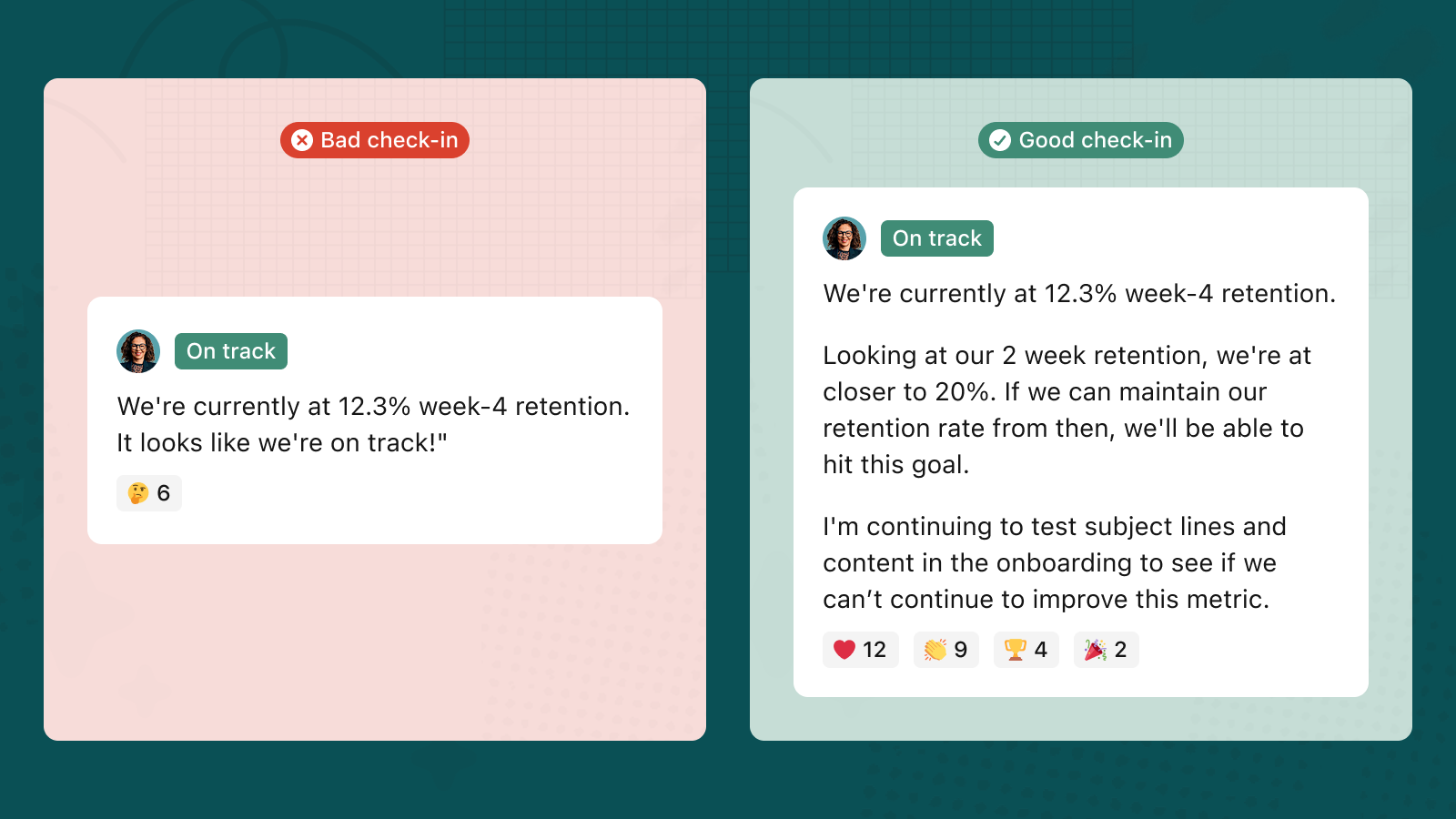
You can also set custom prompts in your Tability check-ins, so that you can ask the questions that you think will provide the most context and value to the team’s reporting.
Use AI check-ins to fill in the gaps
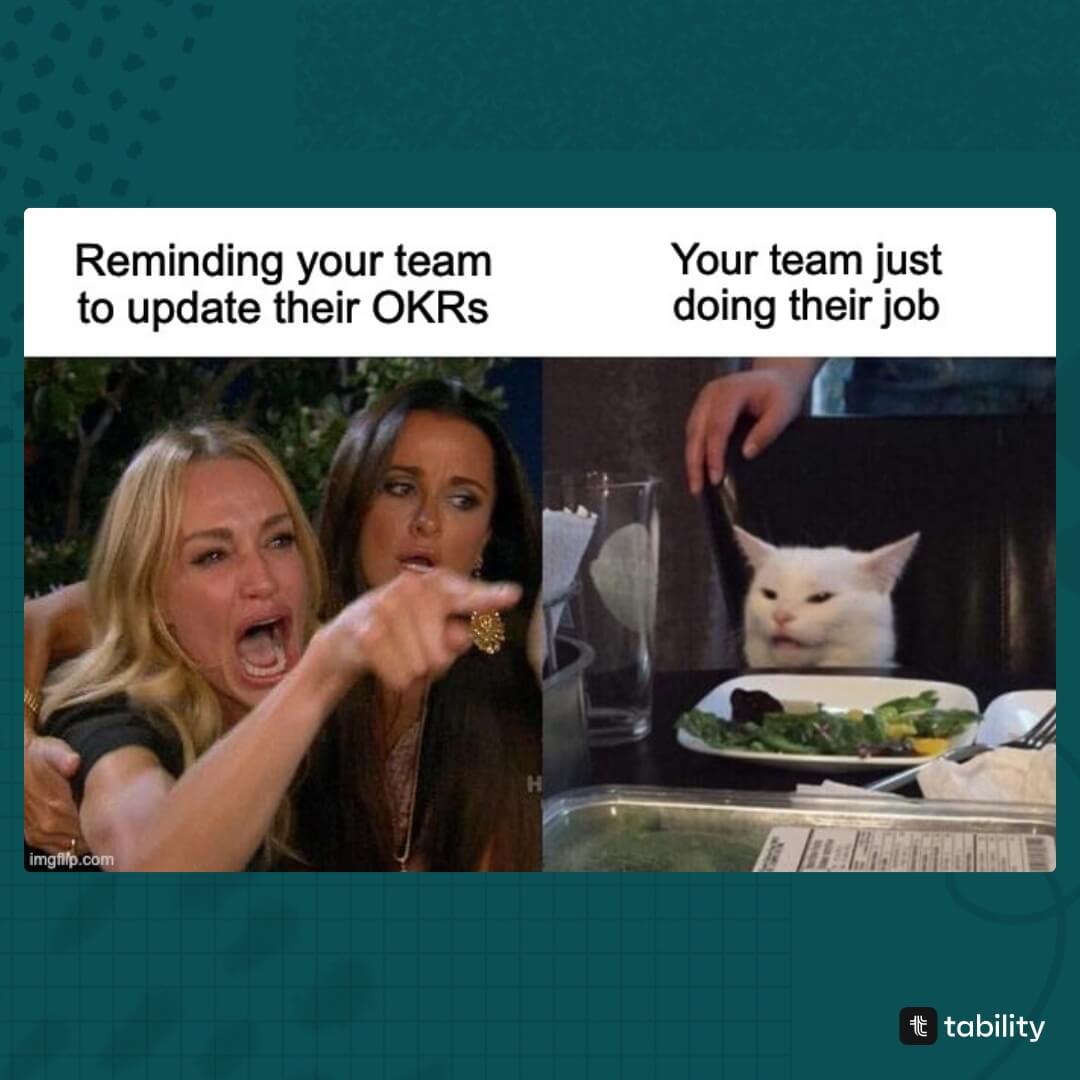
If getting your team to engage in OKRs becomes too cumbersome, that’s when AI can come in handy. You don’t want to get to a point where you’re ruining your relationship over this…
While AI can’t replace your teams insight, AI can help fill in the gaps where your team may have missed a week or didn’t give all the context on a check-in.
Using automated check-ins with our OKR agent, you can automate a weekly check-in to be made every week. The agent pulls data from your data connector, analyses the change from this week to last, looks at previous comments and makes an analysis to keep note of what’s currently happening around the outcome.
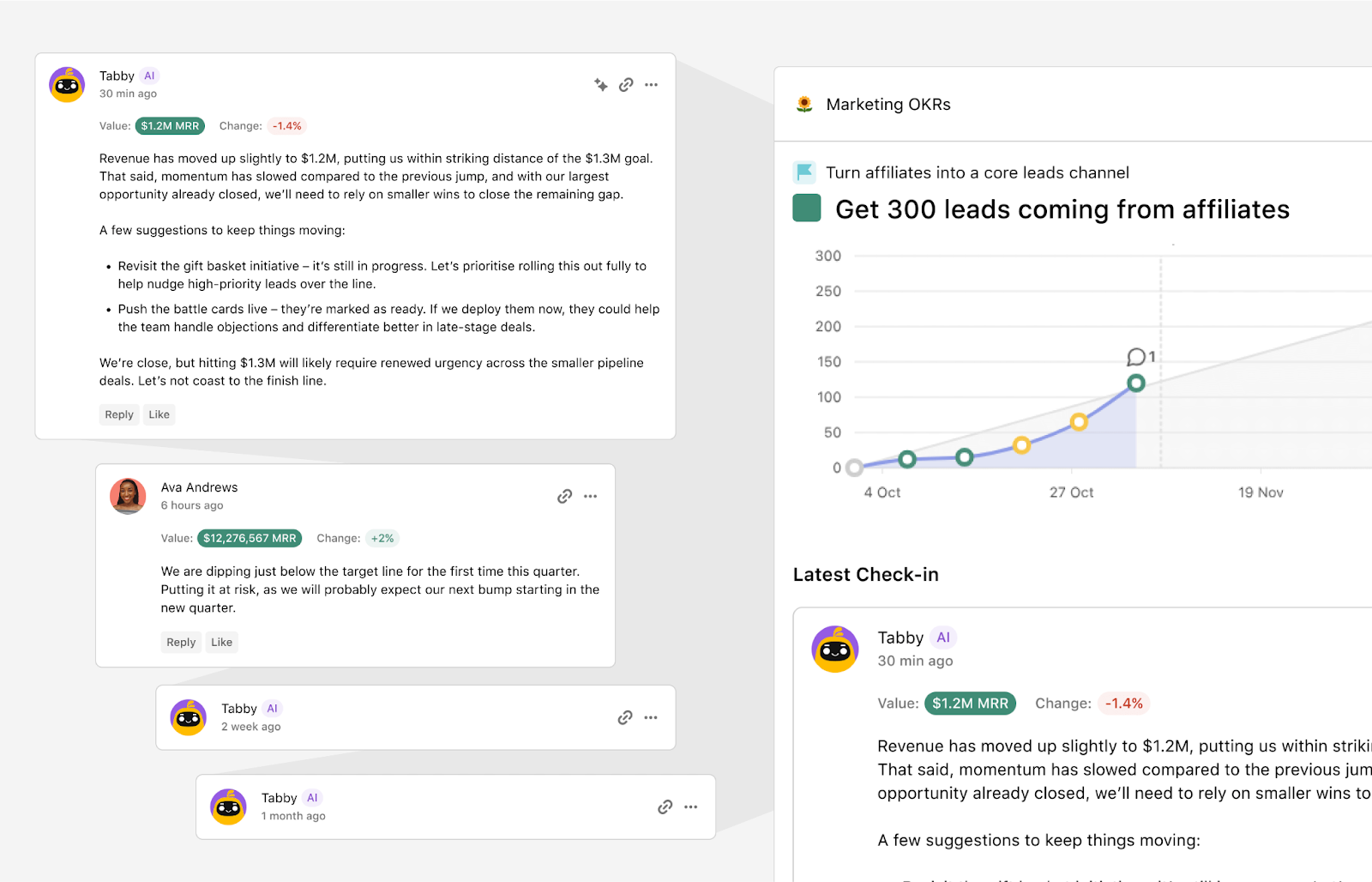
It’s easy to overwrite or have the team come in and correct any mistakes or add any human context, but just having an automated note every week helps maintain momentum on a goal and keep context fresh.
Automate reporting with AI
This is where you start to see the beauty of this reporting snowball effect. Doing check-ins every week with great detail gives you a growing wealth of data to work with. This is exactly where AI shines.
What AI is incredibly good at is taking a large volume of information and synthesising it into something coherent and useful. When your team has been consistently logging updates, Tability can turn all of that into beautiful, shareable reports in seconds.
It’s smart enough to understand what’s important, what’s not, and how it all ties together — so instead of you spending hours writing a status report, it surfaces the story the data is already telling.
Key things Tability does to keep reporting simple:
Custom dashboards, presentation and insights
There are several OKR dashboard views in Tability that help you digest a huge amount of data quickly and visually. At the click of a button you can turn a list of recent check-ins into a chart or presentation to share in your meeting.
AI-generated retrospectives
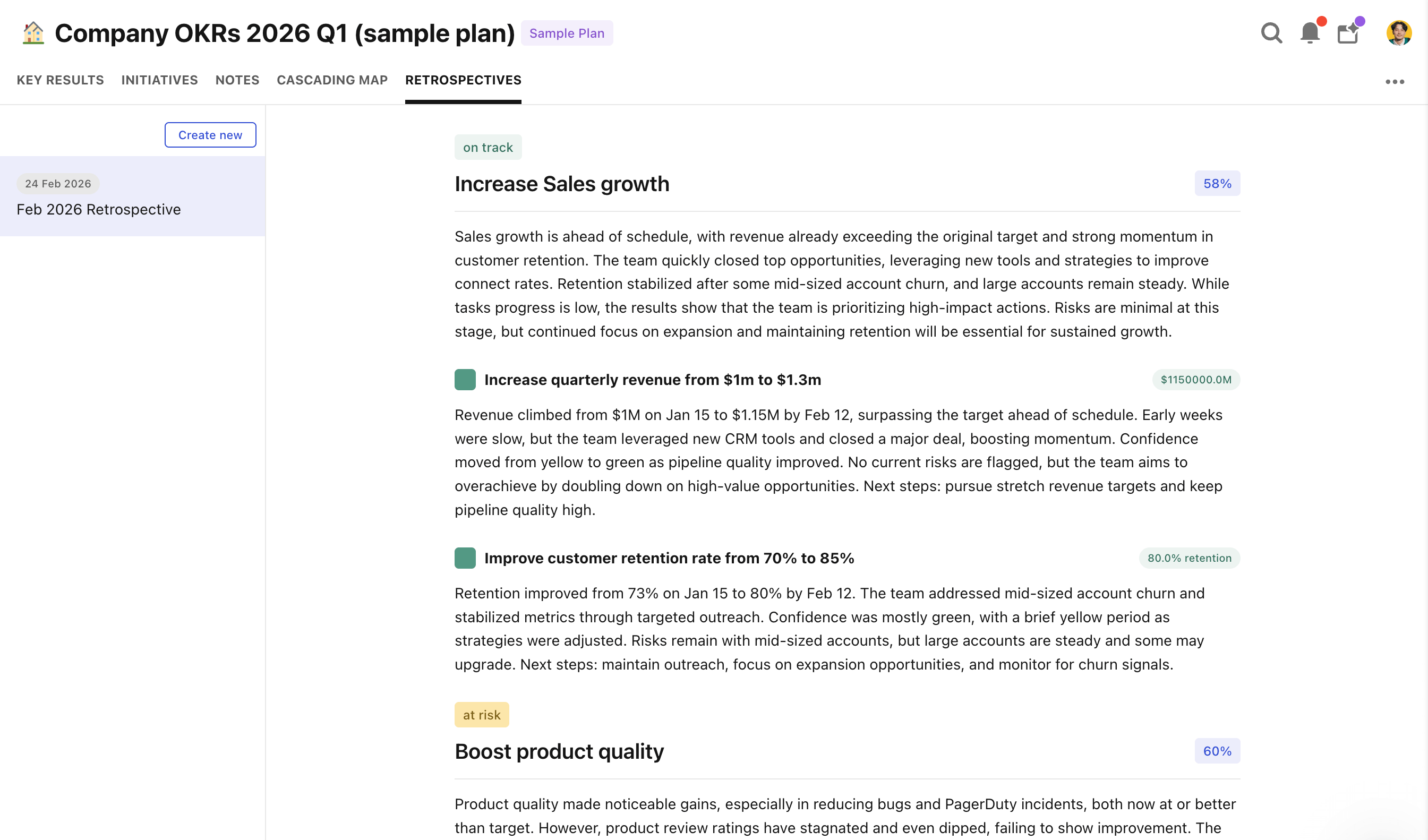
Now this is the magic stuff. AI can digest and summarise all your check-ins and tell you what you need to know and what’s in the green or red.
With a single click, a tool like Tability can take all the recent check-ins your team has made and turn it into a single highlighted report that you can send to leadership.
Guide: How to cut reporting time by 80% with Tability
Dig deeper with AI-Mode/MCP Servers
This is where you feel the benefit of having more data. More data the better.
Beyond writing reports, you can tap into AI-Mode or plug your Tability instance directly into your LLM of choice using the Tability MCP Server. What this unlocks is the ability to ask whatever questions you want about your OKR data — digging into the details, spotting patterns, or getting a deeper analysis than a standard report would give you.
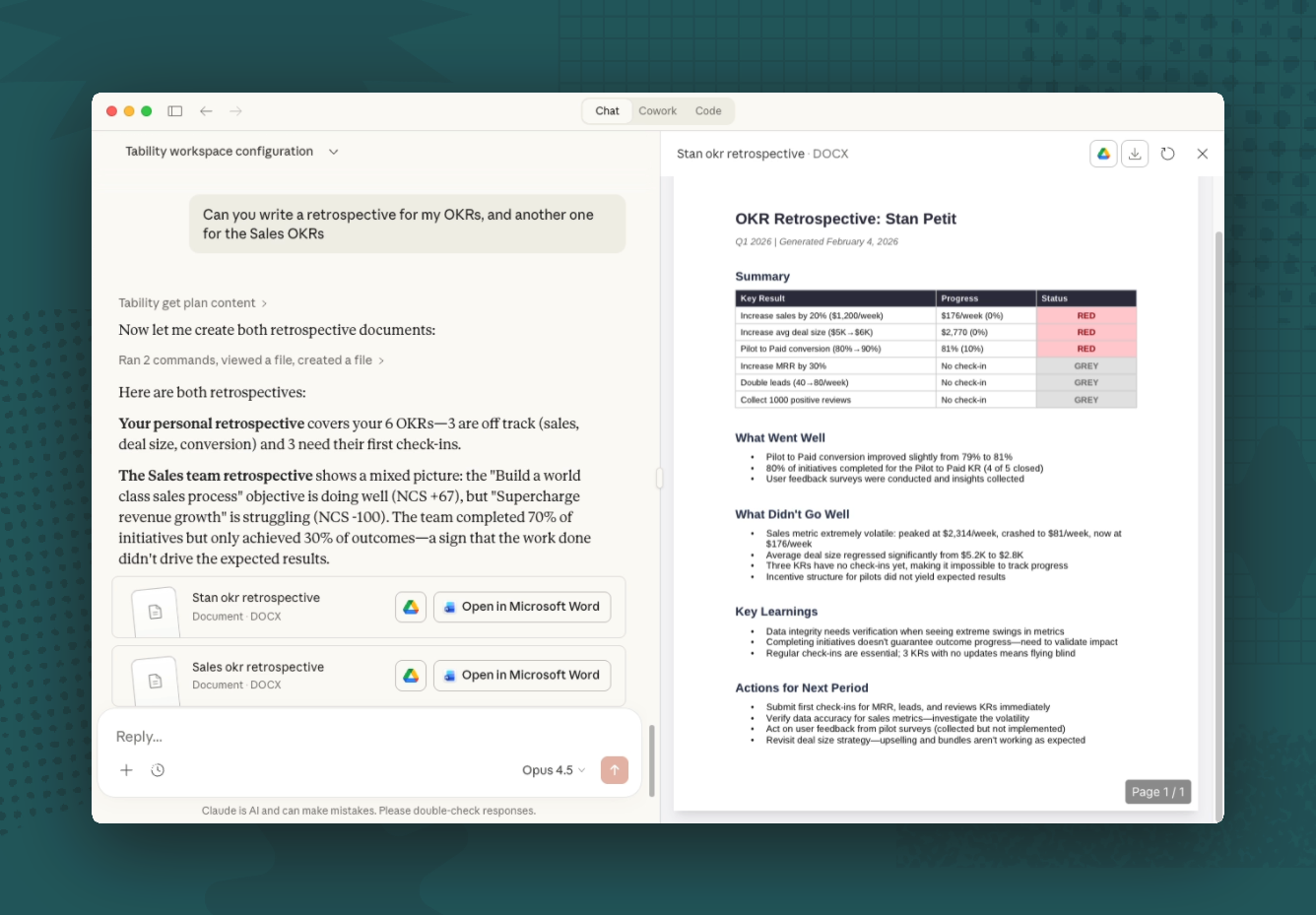
It takes just a few minutes to connect your favourite LLM — whether that’s Claude or ChatGPT — directly to the Tability MCP server. Once connected, your AI has live access to your plans, OKRs, check-ins, and initiatives. No more context-switching to a dashboard to find what you need.
This is where it goes beyond what automated reporting can surface. The AI reports in previous sections are great at producing the weekly summary — but sometimes you need to dig further. Think of it as having an analyst who knows every OKR in your company and never gets tired of your questions.
Some prompts worth trying:
"Which teams have fallen behind on check-ins in the last two weeks? I want to know where engagement is dropping before it becomes a delivery problem."
"Draft a quarterly progress update for the board based on our current OKR data."
"Summarize the check-ins from the last two weeks across all teams. What are the most common blockers or themes I should flag?"
"Compare this month's progress to last month — are we accelerating or slowing down?"
"Which tasks are overdue across all active goals? Group them by owner."
"Which of my key results are furthest from target? What tasks are assigned to close the gap?"
"Write a quick progress update I can share with my manager for our 1:1 today."
The best OKR process is one that gives you answers. At the end of all the work and tedious processes, you want to know: How is our business going?
With MCP server connection, the tasks and questions you can ask of it are basically limitless.
Learn more about how to set up Tability’s MCP server
Completing the cycle
Lastly, what do you do with all this information? We’re not gathering reports for reporting's sake.
If you’re at the end of your quarter now, you can use that quarterly retrospective to inform your next quarter. What you don’t want to do is start thinking about what to do next without examining first: Did the thing we did before work? What needs to change?
Once you’ve got the results from the last quarter and have had a proper think about what you want to start, stop, and continue into this next quarter, you can start writing your next goals using goal-setting software like Tability.
In this stage, you’ll again rely a lot on your human knowledge. Leadership typically takes the wheel here, setting the direction of the company and high-level objectives for the whole team to build around. But that doesn’t mean they’re on their own.
AI tools for goal-setting
- Goal generators: generate draft goals based on text prompts or using previous OKR cycles.
- AI import: Bring your OKRs from another tool or CSV file to import into a proper okr tracking software using AI
- Metric analysis: Quickly turn your goals into KPIs and measurable items in the software
- AI Smart suggestions and QA: Gives feedback to your plan to make sure all your goals are well-written, assigned to someone, and measurable
All these AI-powered features are available in most of the best OKR tools these days and each help you make faster decisions and take some of the tedious work off of your plate.
At the end of the day, a good goal-setting tool should empower you to make the best decisions for your company, not make them for you.
🎯 Compare different OKR tools to understand what each tool has to offer.
AI has changed the way we do OKRs
OKRs work when the process works — and the process works when it's consistent, simple, and supported by the right tools.
The workflow we've outlined here isn't about replacing human judgment with AI. It's about removing the friction that causes most OKR processes to break down. When your team writes weekly check-ins, AI handles the heavy lifting of turning that raw data into reports, retrospectives, and actionable insights. The result is a virtuous cycle: better check-ins lead to better reporting, better reporting leads to better decisions, and better decisions lead to better goals.
AI is a powerful amplifier in this process, but only if you give it something to work with. Start with the fundamentals — get your team checking in consistently, write goals that are clear and measurable, and close each quarter with a proper retrospective.
The goal was never more reporting. It was always better decisions. Tability brings this entire AI-powered OKR workflow to life in one place, so your team can stop scrambling and start focusing on what actually matters.


.jpg)

.png)