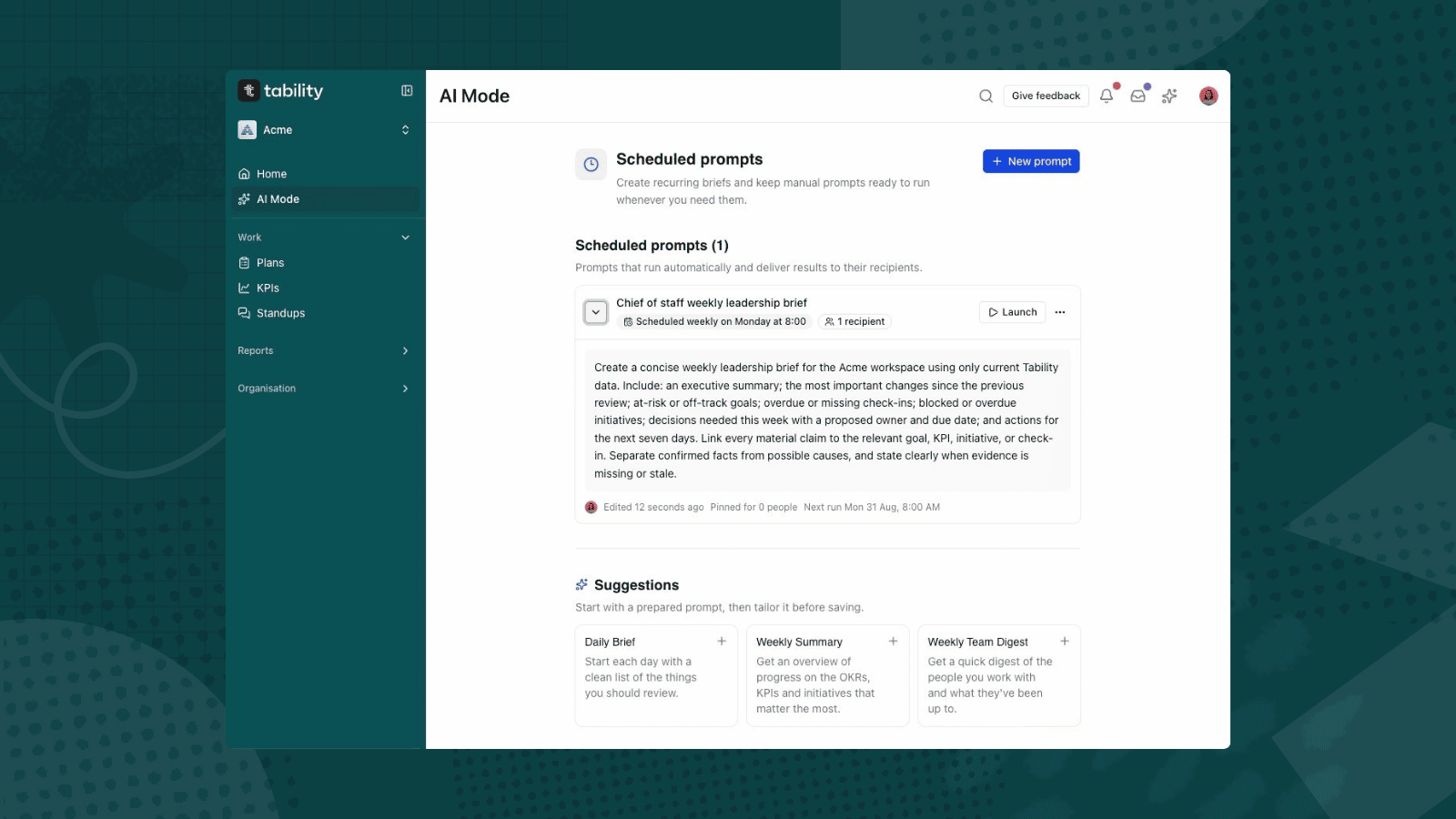
A chief of staff should not spend Monday morning rebuilding the same leadership brief from scattered updates. If goals, KPIs, initiatives, and check-ins are already current in Tability, AI Mode can turn that evidence into a concise first draft. Scheduled Prompts can then run the same brief every week in your workspace timezone and deliver it to selected recipients.
The important word is draft. AI Mode can make mistakes, so the chief of staff still verifies every material statement against its linked source before the brief guides a decision.
Ready to build the workflow in your own workspace? Start with Tability.
What you will build
By the end of this guide, you will have:
- a reusable leadership-brief prompt;
- an AI-generated summary linked back to live Tability evidence;
- a weekly schedule in your workspace timezone;
- named recipients for the recurring result; and
- a short verification routine for the leadership meeting.
This workflow works best when your workspace already contains active goals, measurable outcomes or KPIs, initiative owners, due dates, and recent check-ins.
The questions a useful leadership brief should answer
A leadership brief is not a catalogue of every goal. It should help the leadership team decide where to focus. Aim to answer six questions:
- What changed since the previous review?
- Which goals or KPIs are at risk or off track?
- Which updates are missing or stale?
- Which initiatives are blocked or overdue?
- What decisions are needed this week?
- Who owns the next action, and by when?
Keeping those questions stable makes the weekly output easier to scan and compare.
Before you ask AI Mode
The quality of the brief depends on the quality of the workspace evidence. Before the first run:
- Open the plans and KPIs covered by the leadership review.
- Confirm that goal owners have posted their latest check-ins.
- Check that progress, confidence, and commentary reflect the current situation.
- Review open initiatives for an owner, status, and due date.
- Resolve obvious duplicates or stale items that could distort the summary.
Do not ask AI Mode to invent progress for missing updates. A missing check-in is itself useful evidence and should appear as a gap to resolve.
How to create your chief of staff brief
Step 1: Generate the brief in AI Mode
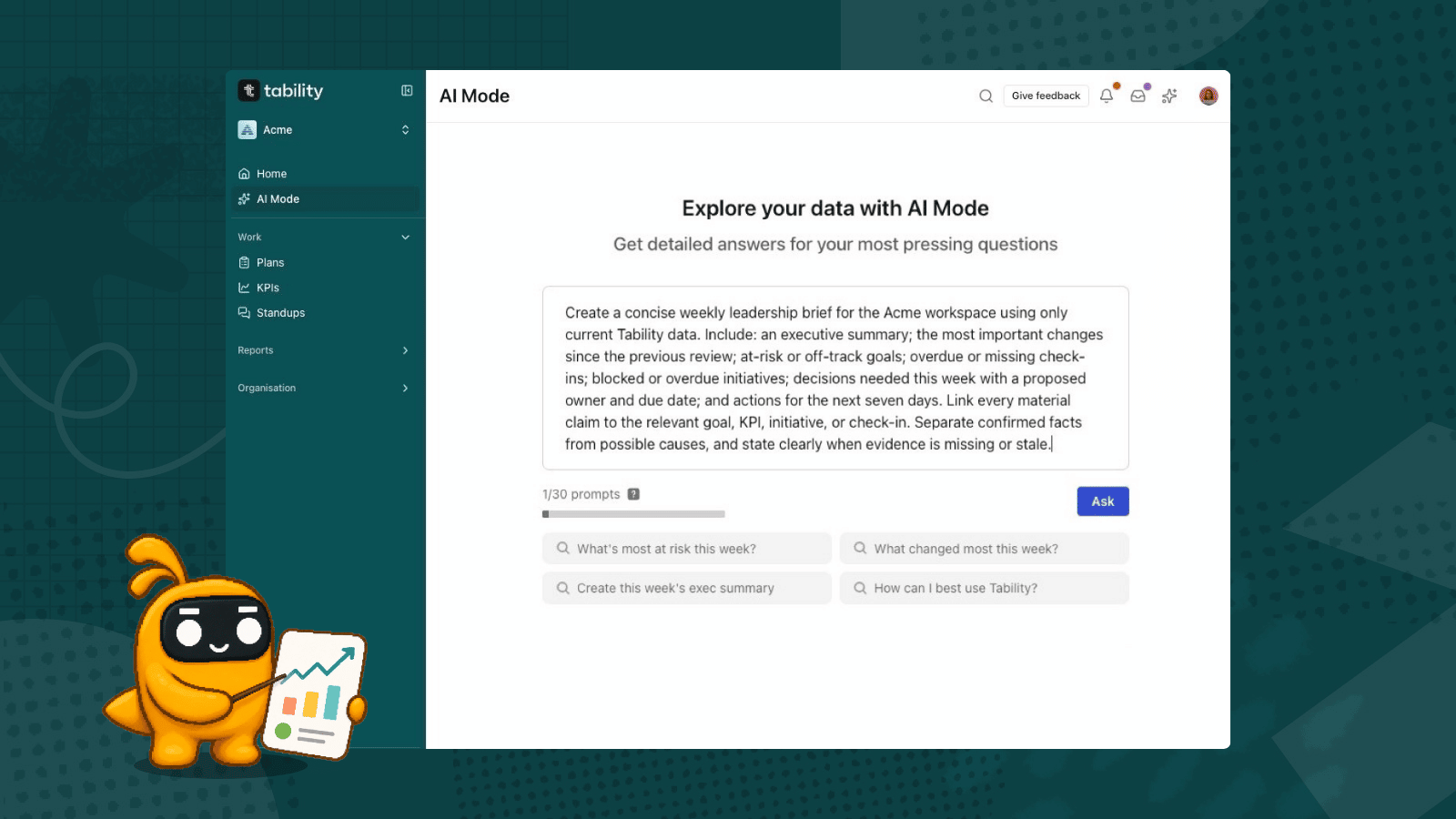
Open AI Mode in your Tability workspace and start a new prompt. Use a precise structure so the answer is consistent from week to week.
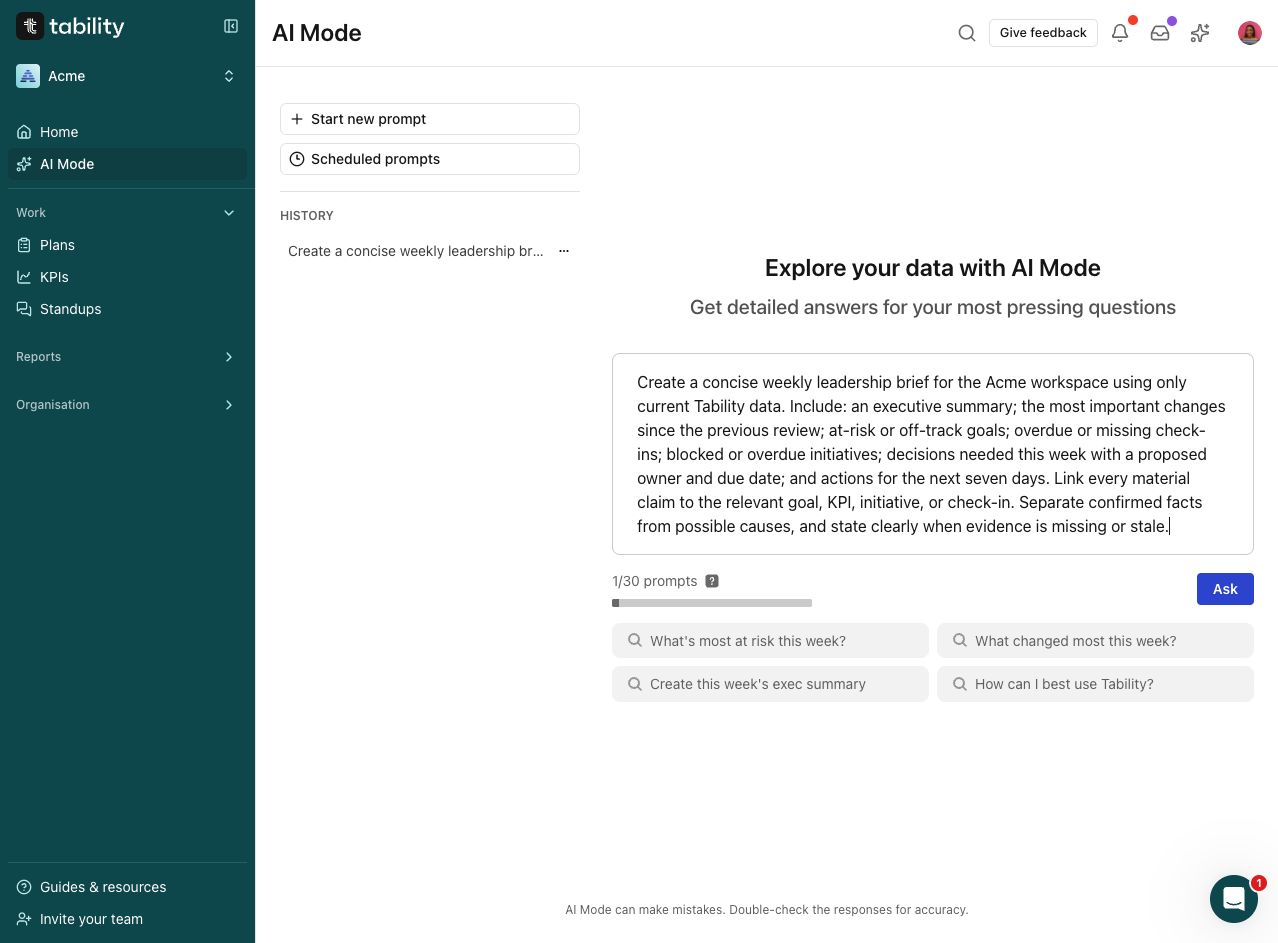
Copy this prompt
Create a concise weekly leadership brief for the Acme workspace using only current Tability data.

Include:
  - an executive summary
  - the most important changes since the previous review
  - at-risk or off-track goals
  - overdue or missing check-ins
  - blocked or overdue initiatives
  - decisions needed this week with a proposed owner and due date
  - and actions for the next seven days.

Link every material claim to the relevant goal, KPI, initiative, or check-in.
Separate confirmed facts from possible causes, and state clearly when evidence is missing or stale.
Replace “Acme” with your workspace name if needed. Keep instructions about delivery, cadence, timezone, and recipients out of the prompt itself; those belong in the schedule settings.
Step 2: Verify the generated evidence
AI Mode can return a structured response with source links to the goals, KPIs, initiatives, and check-ins behind its claims. In the Acme test, the response separated confirmed facts from possible causes, highlighted at-risk results and blocked or overdue initiatives, and proposed next actions.
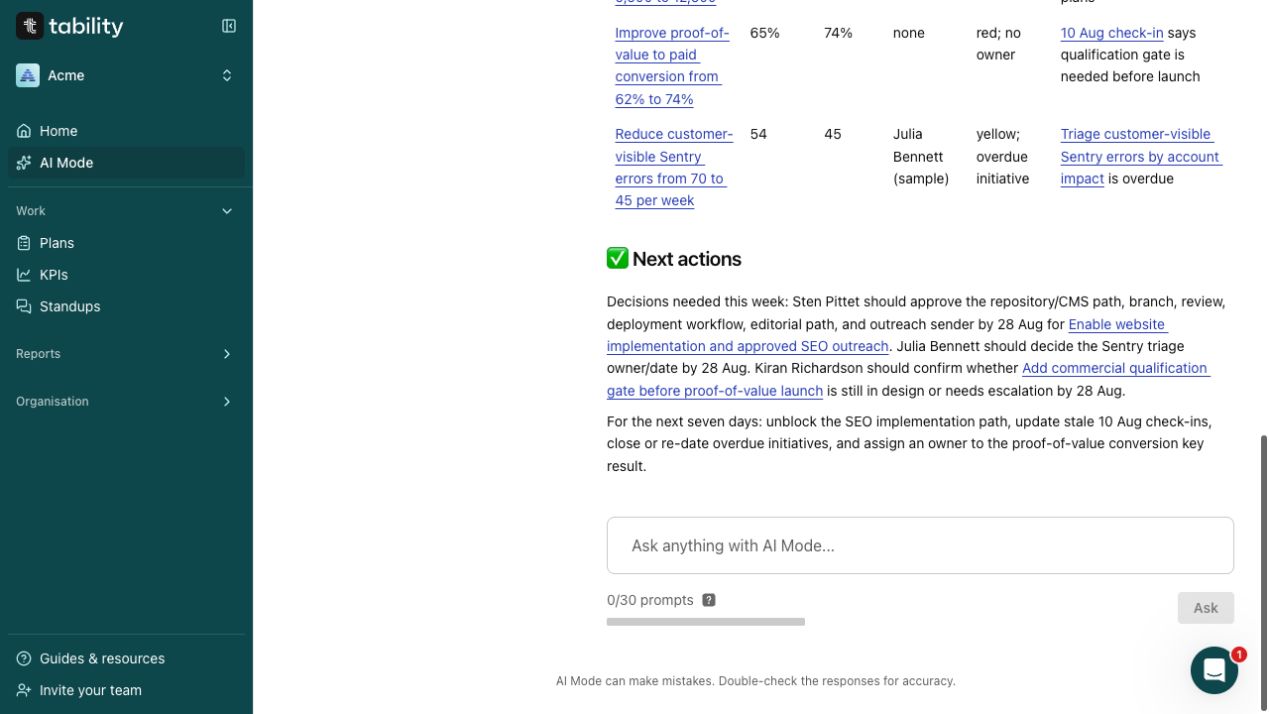
Before sharing the brief:
- Open each linked item behind a material claim.
- Confirm that its latest check-in is current and belongs to the review period.
- Check the metric value, confidence, owner, and due date.
- Treat suggested causes and proposed owners as review material, not established fact.
- Remove or rewrite anything that is unsupported, stale, or too speculative.
The brief should make uncertainty visible. “No current check-in” is safer and more actionable than a confident explanation based on old data.
Step 3: Save it as a weekly Scheduled Prompt
Open Scheduled prompts, choose New prompt, and paste the validated prompt. Give it a recognisable title such as “Chief of staff weekly leadership brief.”
Tability supports Manual, Daily, Weekly, Monthly, and Quarterly saved-prompt cadences. For this workflow:
- Choose Weekly.
- Select the day and hour that leave enough time for verification before the leadership meeting.
- Add at least one recipient. A recurring prompt cannot be saved without a recipient.
- Check the displayed next run.
- Confirm the workspace timezone shown beneath it.
In the Acme example, the brief is scheduled for Monday at 8:00 AM in Australia/Sydney.
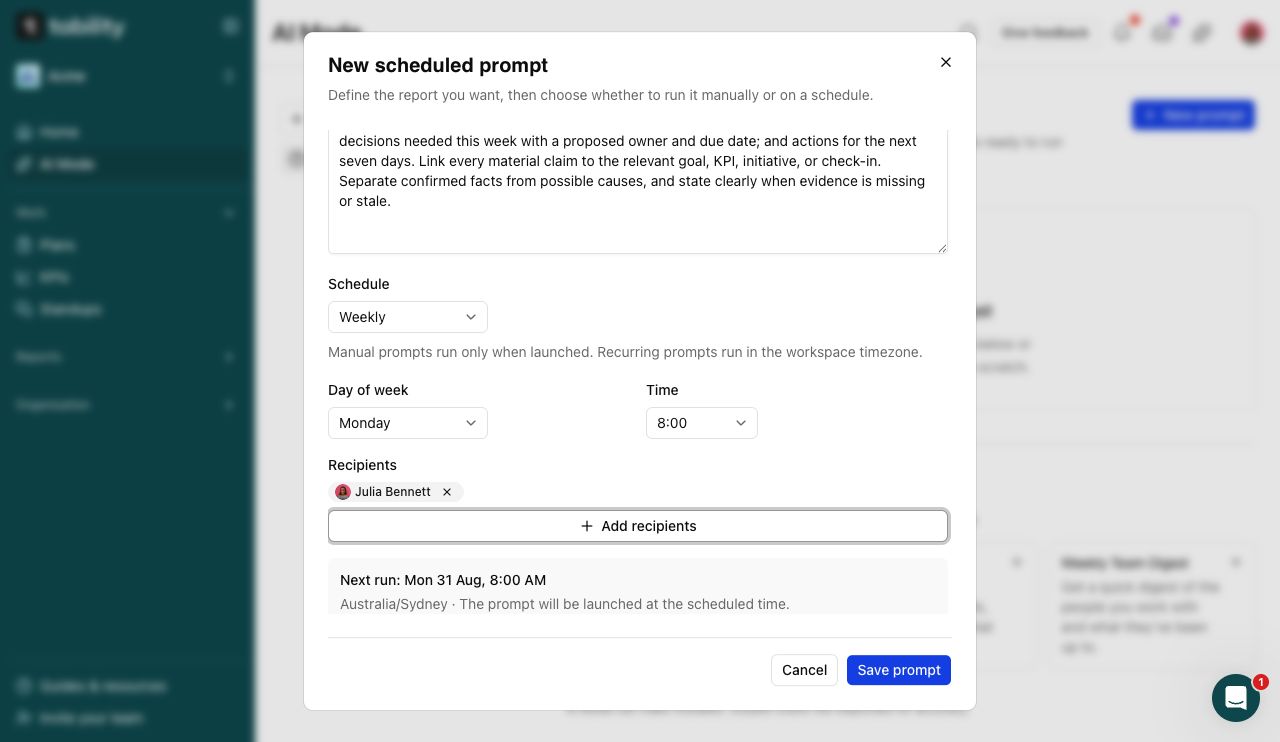
The schedule uses the workspace timezone. If your leadership team spans regions, choose a time that gives the chief of staff a practical review window and document which local timezone governs delivery.
Step 4: Confirm the saved prompt and next run
Save the prompt, expand its details, and verify the cadence, recipient count, full prompt, and next-run timestamp. This final check catches the most common configuration mistakes before the first automated run.
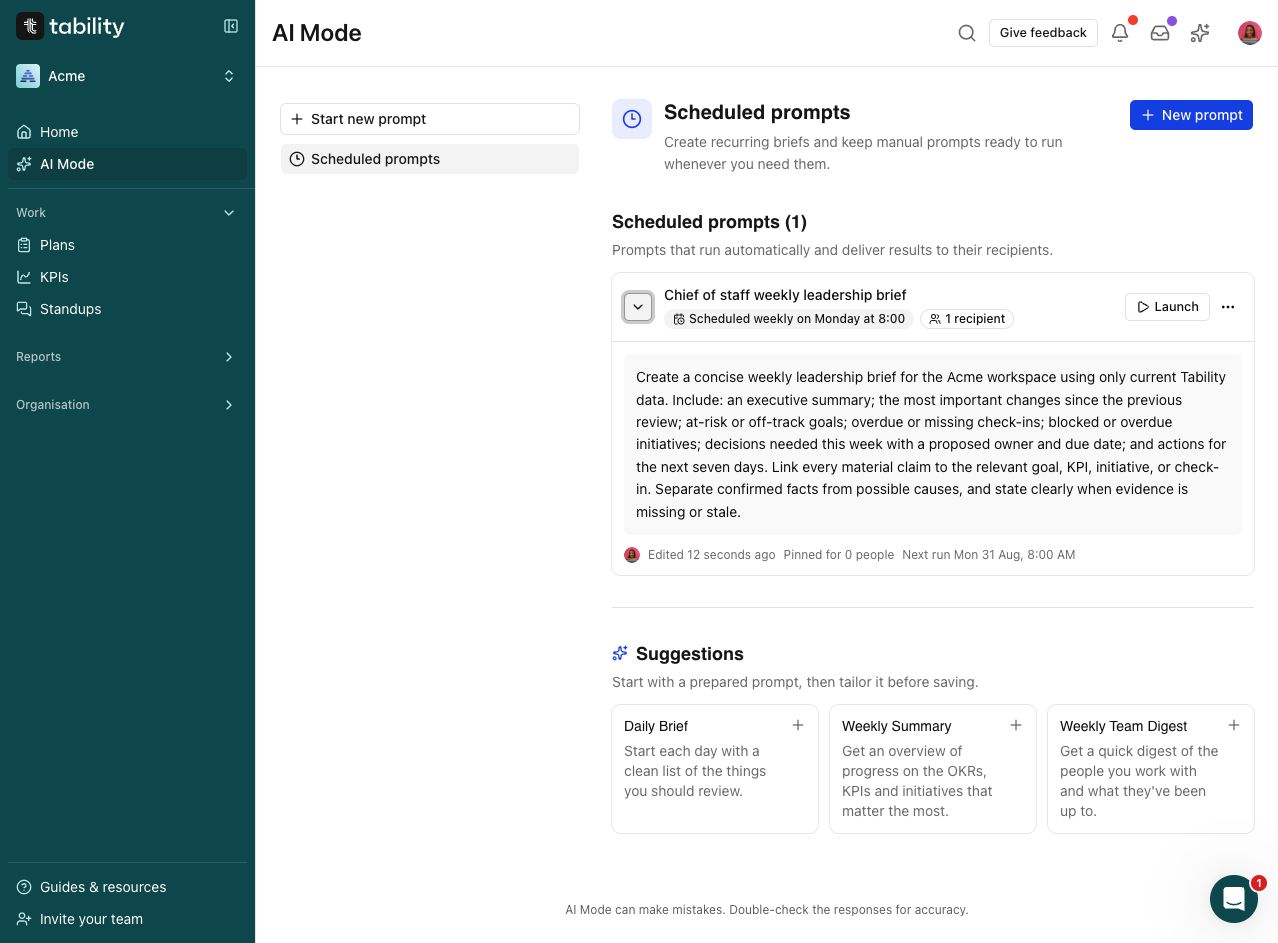
If you later change the workspace timezone or the meeting rhythm, edit the saved prompt and confirm the new next run. Scheduled results are generated at run time, so current workspace data and recipient eligibility still matter.
Step 5: Use the brief in the leadership meeting
Turn the result into a decision sequence rather than a readout:
- Start with material changes since the last review.
- Review at-risk and off-track goals with current evidence.
- Resolve missing or stale updates.
- Discuss blocked and overdue initiatives only where they affect an outcome.
- Record each decision, owner, and due date in the relevant Tability item.
- Finish with the few actions that must happen before the next review.
The linked evidence lets leaders move from the summary to the underlying goal or check-in without rebuilding context in another document.
Limitations and guardrails
- AI Mode is a synthesis layer, not the source of truth. Goals, KPIs, initiatives, and check-ins remain the evidence.
- The system can summarise stale or incomplete data faithfully; it cannot repair missing ownership or missing updates on its own.
- Proposed causes, decisions, owners, and dates require human judgement.
- Scheduled delivery depends on an eligible workspace and recipient. Review the first run rather than assuming it was delivered.
- Keep sensitive material within the audience and permissions approved for the leadership review.
For a broader overview of the capability, see Tability AI features explained and New AI Mode: chat to your OKRs.
Build the next brief from live goals
A reusable prompt removes the weekly assembly work. A short evidence check keeps the output trustworthy. Together, they give the chief of staff more time to prepare decisions instead of collecting status.

.jpg)


.png)
(1).png)