We’re introducing Chirpy, our new customer feedback solution for SaaS teams. It gives your users a place to share what’s working, show you what isn’t, and follow the improvements you make, right inside your product.
Users can send a message, dictate a voice note, or record their screen while talking you through a problem. Your team can ask follow-up questions, organise related requests, share a roadmap and announce what has shipped. The conversation stays connected from the first report to the final update.
Why we built Chirpy
We built Chirpy because we wanted a shorter path from hearing about a problem to shipping a fix. The feedback tools we tried put too many steps between our users and our team. We wanted to remove that friction in four ways.
Keep the experience inside the product. Other solutions we tried asked users to create a separate account just to give us feedback. With Chirpy, feedback, conversations and the roadmap live inside the tool they’re already using. No extra account, no separate destination to check for progress.
Make the feedback loop faster. Our goal is simple: get from request to shipped as quickly as possible. We’re removing the copying, context switching and disconnected updates that slow that journey down, so teams can spend more time improving their product.
Make it easier to show us. Typing is so 2025. Sometimes the easiest way to explain a problem is to record your screen or talk through it. Chirpy supports screen and audio recordings, and can transcribe and translate submissions so language doesn’t have to get in the way either.
Build for teams working with agents. Connect Chirpy to tools like Claude Code, Codex, Cursor and other MCP-compatible tools so your agents can investigate customer feedback and help ship fixes faster. Less time relaying context, more time moving the fix forward.
Chirpy is a separate product from the team behind Tability. You can use it in your own SaaS product, whether or not you use Tability.
Let users show you what happened

Some feedback is easy to write. Other problems take three paragraphs, two screenshots and a follow-up call to explain.
With Chirpy, users choose how to share feedback: text, voice, or a screen recording with narration. They can attach screenshots, and page and device context help your team understand where the problem happened. They don’t need to create a separate Chirpy account.
Recordings and screenshots stay private to your team. Users choose what to share.
Once feedback arrives, Chirpy helps transcribe, translate and summarise it. Smart topics organise requests around the product areas your team cares about, while keeping the original feedback close so you can check the details.
Turn a report into a conversation
Imagine a user tells you: “My filters disappear when I export a report.”
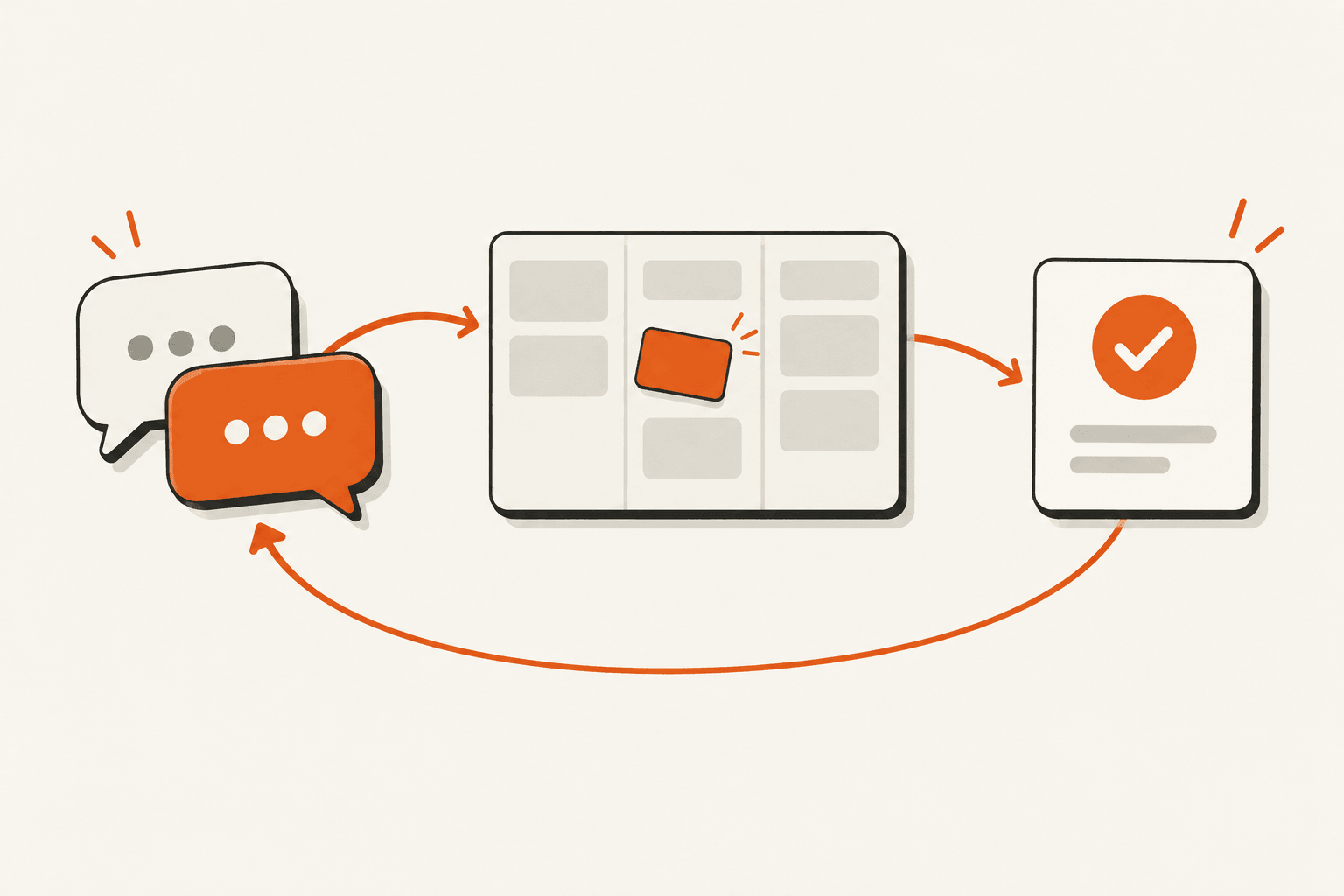
They record their screen to show you the steps. Your team replies with a question: “Does this happen with CSV exports too?” You discuss the issue with teammates, connect related feedback and decide what to build.
When you’re ready to work on it, the public roadmap shows that it’s moving into Building. Once the fix ships, you publish a changelog update: “Your filters now stay put.” Eligible followers who have opted into email updates can be notified.
The person who took the time to report the problem can see what happened next. Your roadmap and changelog are available in the same widget as their feedback, so they can follow progress without leaving your product.
Hear from the people who don’t raise their hands

An open feedback button is useful, but it mostly tells you about the people who choose to use it.
Chirpy’s nudges help you start the conversation. Ask a focused question on a relevant page, such as “What would make reports more useful to you?” Choose who sees it using user or account traits, and control the timing, frequency and schedule.
You can see how often a nudge is shown, how many people respond and how often it is dismissed. That helps you improve the questions you ask as well as the product itself.
See how well you’re following through

Collecting feedback is only one part of the job. Chirpy’s metrics help you follow feedback activity, recurring topics and shipped improvements. You can also track your team’s response rate, time to first reply and engagement with changelog updates.
For teams working with AI coding agents, Chirpy also offers MCP access. Agents can read feedback and its context to help investigate a problem or draft an update. Your team decides what to build and when to publish.
Try Chirpy in your product (it's free)
You can get started by adding a small script to your website or web app. The free plan includes 25 feedback items a month, one team seat, customer conversations, a public roadmap and a changelog. No credit card is required.
Paid plans add unlimited team seats, smart topics, nudges, metrics and agent integrations. You can compare the plans here.
Visit chirpy.so to try the live widget or start free. We’d love to hear what you think.

.png)
.jpg)