Nobody tracks OKRs just for the sake of doing OKRs.
The valuable insights and analysis you get through weekly check-ins help you understand your business inside and out, and help you make important decisions faster. In larger orgs, the amount of data and analysis can be massive. While it’s all useful, at some point, it becomes harder to filter out what’s relevant to you, and more importantly, what’s critical.
That’s the problem we’re solving with Tability AI-mode.
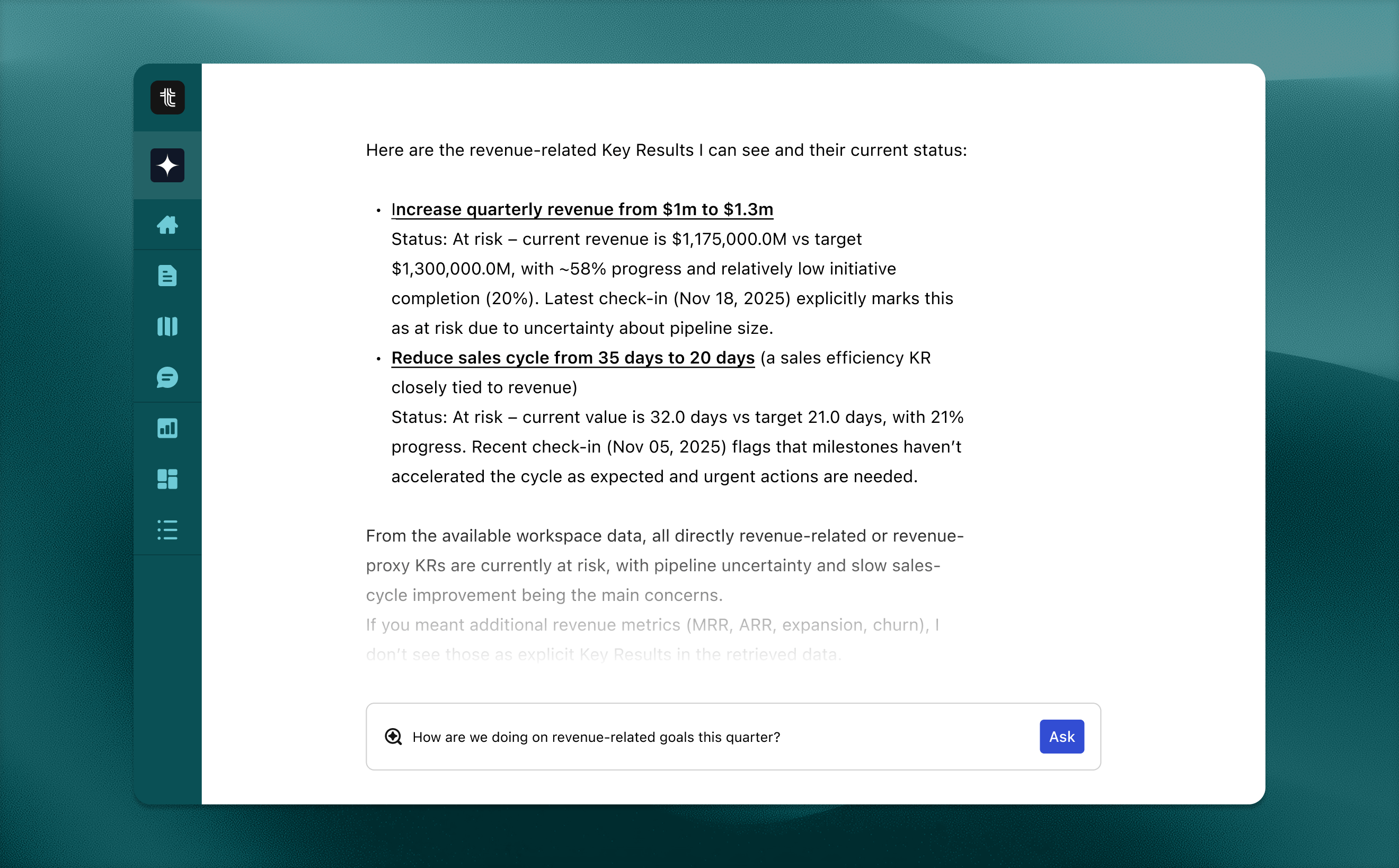
AI-mode lets you chat to all of your business data: the goals, the check-ins, the context, the work in motion. AI-mode helps you find the answers and data that actually help you make tough decisions quickly.
Why this works in Tability (and not in any random LLM)
1. It’s a central place to communicate results
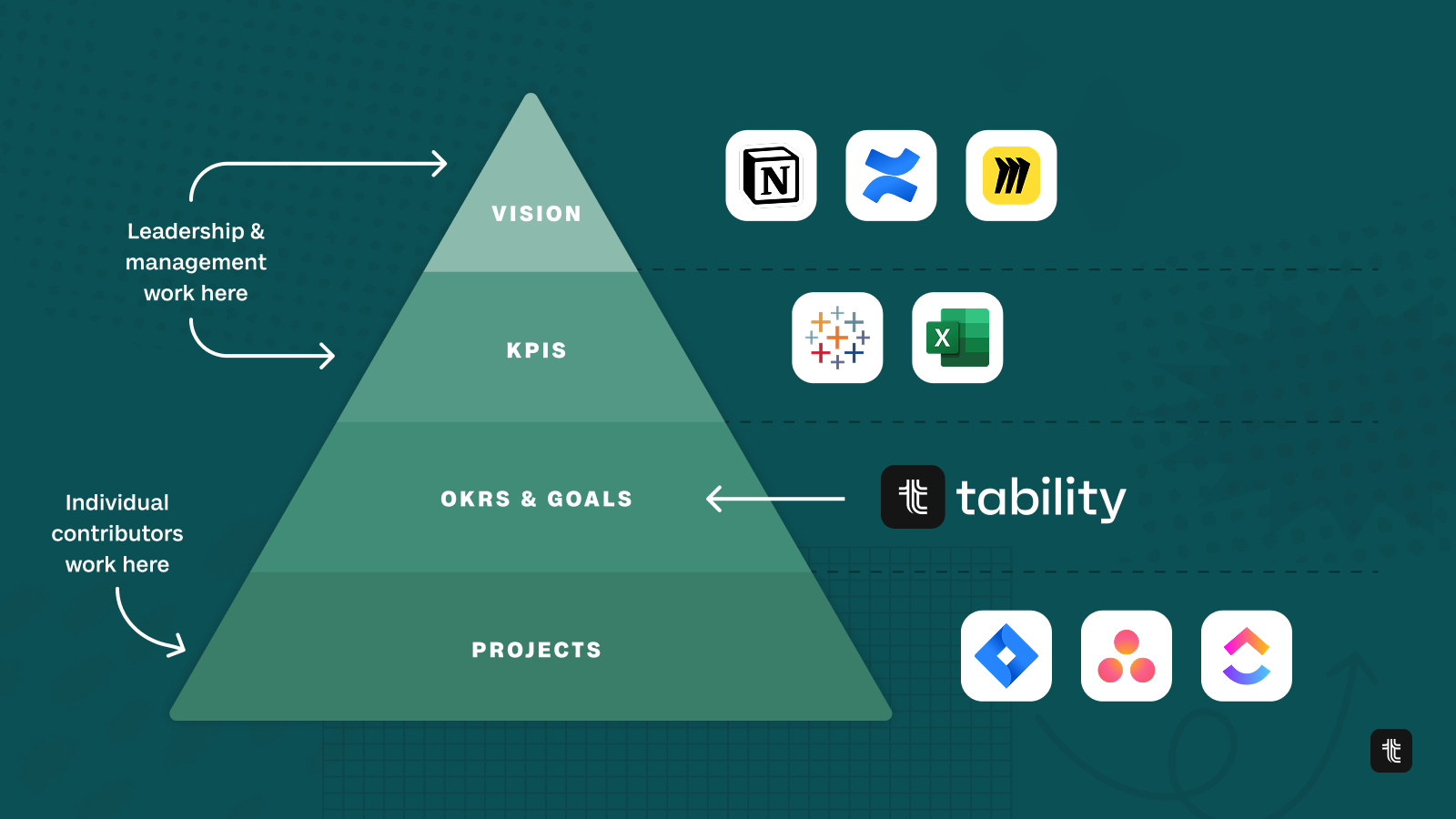
By the nature of the product, Tability is where execs, managers, and ICs come together to communicate progress toward goals. It’s the shared language layer that most companies are missing.
- ICs shouldn’t have to dig through analytics and high-level strategy to know what matters.
- Leadership shouldn’t have to fish through Jira tickets to understand what’s being done.
- Managers shouldn’t have to chase updates just to piece together a status report.
Tability becomes a central place where IC’s can communicate the results of their work and leadership can communicate the top level strategy and direction of the company. It provides a common language where you can discuss the work at a higher level without having to sift through the details to find its meaning.
2. Structured context
Tability already holds the most important part of the puzzle: structured context.
By the nature of OKRs, Tability isn’t just storing information — it’s organising and labelling it in a way that’s already optimised for understanding what matters most. OKRs create structure.

Top-level goals funnel into smaller ones, KRs feed into Objectives, and tasks contribute to KRs. With OKR, tasks, and team data being stored in one place, you get an ecosystem of data that is naturally organised by importance.
This natural hierarchy of information makes it easy for AI to navigate the data and show you what’s really important and how it affects other things in your org.
3. Real human data and weekly analysis
On top of all that, there’s the real magic of OKRs: check-ins.
When your team writes check-ins, that’s not internet fluff or generic AI filler; it’s human input from the people doing the work, in your language, with your context, tied directly to outcomes. It’s reputable source material. And the best part is, you don’t have to “go create a dataset” to get value from it.
By doing check-ins and engaging in the OKRs process, you’re enriching your own business data naturally, week after week.
That’s why AI-mode hits different in Tability — it’s built on top of the most relevant, highest-signal data your company already produces.
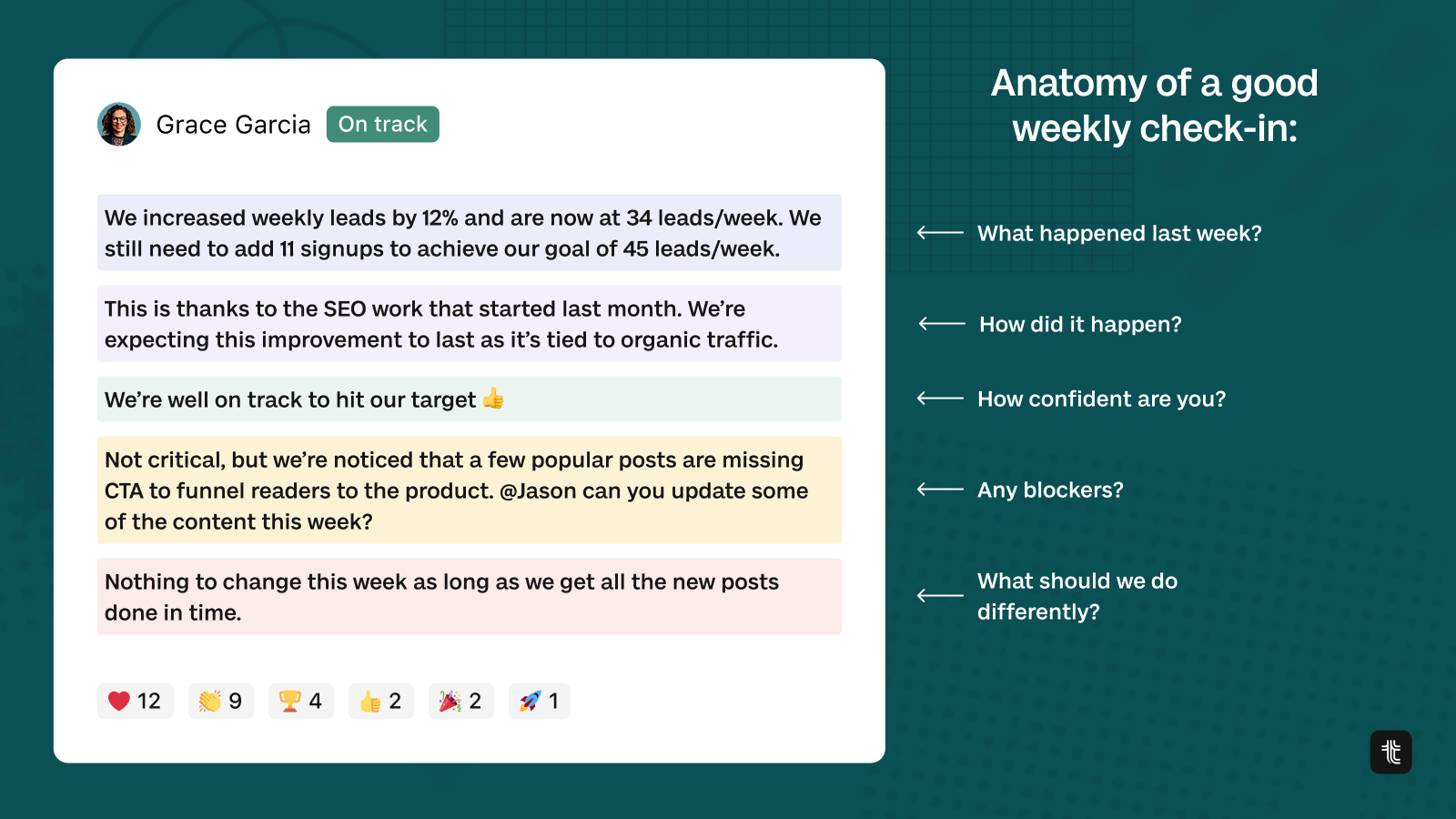
A good check-in from your team is invaluable. Having great data and real human analysis week after week enriches your data set so much. When AI-mode goes into summarising the latest check-in, it’s important that it has real data and human knowledge behind the answers it gives you.
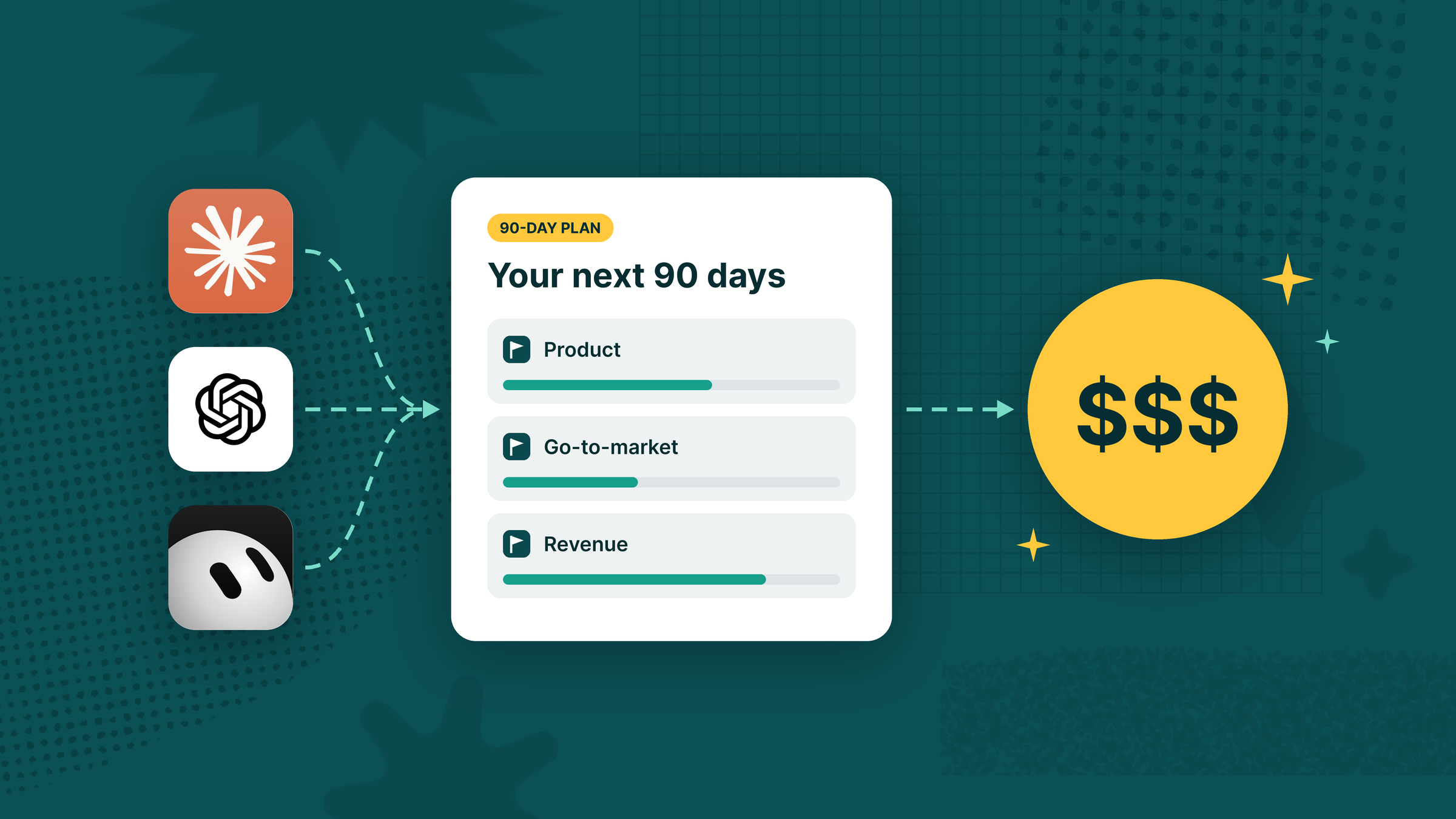
That’s also why general-purpose LLMs struggle here. And as great as your LLM might be, ChatGPT, Claude, and Gemini are going to have a much harder time accessing that without Tability — not just because the data is scattered, but because it’s missing the connective tissue that makes it meaningful.
What you can do with it
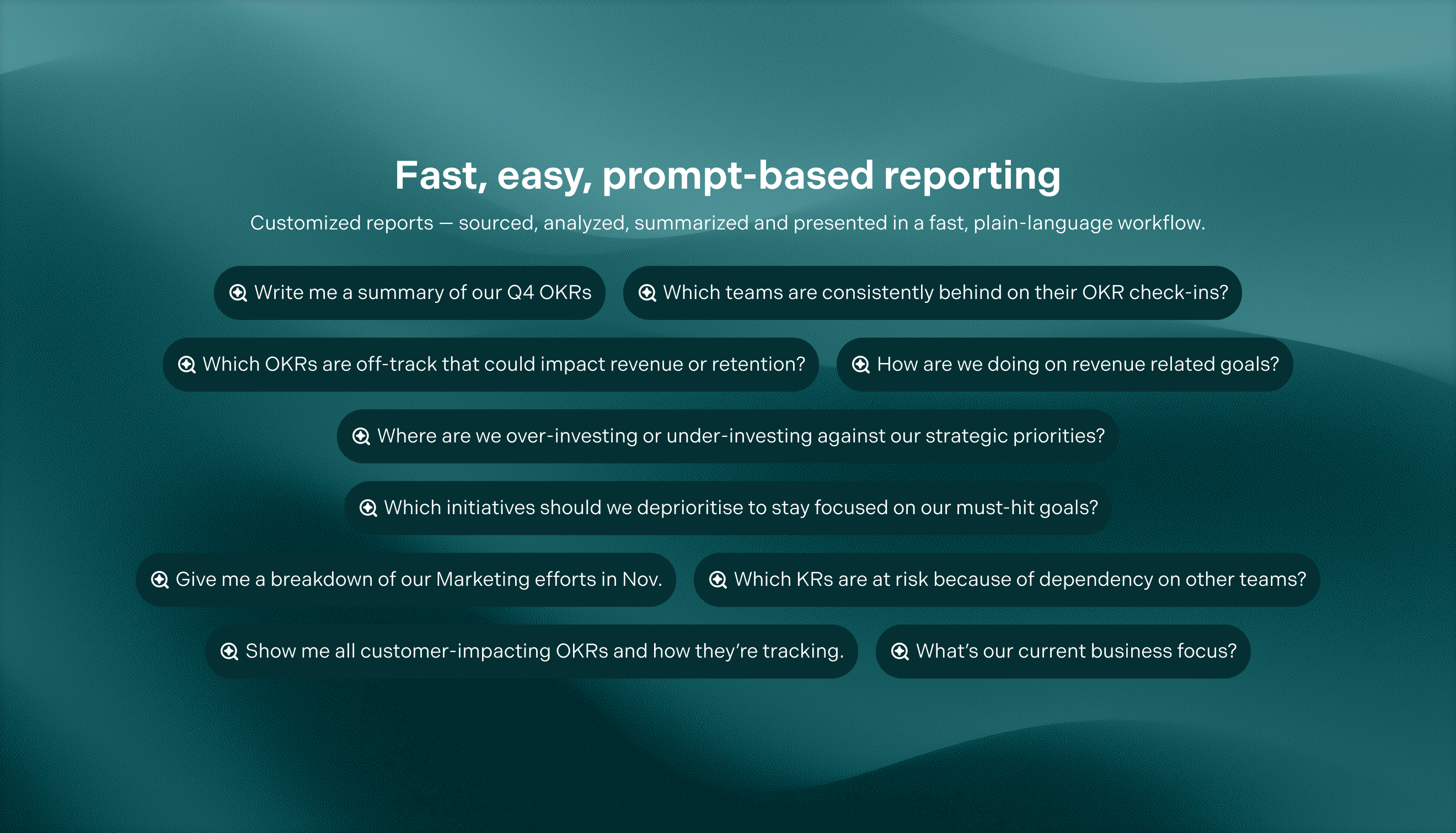
AI-mode is built for the questions you actually ask when you’re trying to run a business. But this isn’t just made for your exec-level users. It can have an impact on everyone in your org. Whether you’re the CEO or an entry-level engineer, you’ll find what you’re looking for when you have all the business data at your fingertips.
Execs are trying to get a clear, decision-ready view of the business without digging through dashboards, docs, and status meetings. They can ask:
“How’s the business doing this month — what’s on track vs off track?”
“What are the biggest risks right now, and which teams are impacted?”
“What changed since last week that I should actually care about?”
“Which objectives are drifting, and what’s causing the drift?”
“Where are we spending time with no clear impact on goals?”
“If we had to cut 20% of initiatives, what should we stop first?”
“Which teams are blocked the most — and what are the common blockers?”
“Give me a one-page summary I can send to the leadership team.”
Managers can ask:
Managers are trying to run the week, keep goals moving, remove blockers, and turn messy updates into a clean story for their team and stakeholders. Questions like:
“Build me a weekly status report for Team X based on the latest check-ins.”
“What’s blocking Objective Y, and who do I need to unblock?”
“Which KRs haven’t been updated recently, and who owns them?”
“Summarise progress for this objective and call out risks + next steps.”
“What are the top 3 priorities for my team this week based on goals?”
“Which initiatives are moving but not improving the KR numbers?”
“Draft an agenda for our OKR check-in meeting using the latest updates.”
“What dependencies are putting our goals at risk across other teams?”
ICs are trying to stay aligned and execute confidently — knowing what matters, what’s changed, and where their work connects to outcomes.
“What should I focus on this week to move our KRs?”
“What’s the latest update on Project Z and what’s needed next?”
“How does my work ladder up to our team objective and company goals?”
“What did we commit to this quarter, and what’s my part in it?”
“Summarise the latest check-ins for the goals I contribute to.”
“What are the biggest blockers mentioned in recent updates for my area?”
“Which tasks or initiatives are most urgent based on goal progress?”
“Draft a check-in update for my KR based on what’s happened this week.”
The goal isn’t just answers — it’s signals over noise. AI-mode helps surface what changed, what’s at risk, what’s drifting, and what needs attention before it becomes a fire drill.
And importantly, it’s not a black box. The answers are tied back to what’s actually in your workspace — so you can quickly sanity check, add context, and keep things grounded in reality.
Connected context (integrations & data connectors)
This gets even more powerful with connectors.
With native OKR integrations across PM tools like Jira, Asana, and ClickUp, plus documentation platforms like Confluence and Notion, Tability can pull in the surrounding context that usually lives elsewhere.
That means you’re not just chatting to a static set of goals — you’re chatting to the real picture of execution: What’s happening? What’s stuck? What’s changing? And what it means for the outcomes you care about.
Less chasing updates. Less “can someone paste the latest here?” More clarity, faster.
Experimental access
For Tability customers:
AI-mode is now in experimental access. We’re currently rolling it out in stages while we dial in quality and gather feedback.
“Experimental” means it’s real, it’s usable, and it’s evolving fast. You should expect improvements, tweaks, and the occasional rough edge — and if you’re in early, your feedback will directly shape what AI-mode becomes.
Request access now, or book time with us and we’ll get you set up.
.jpg)
.png)