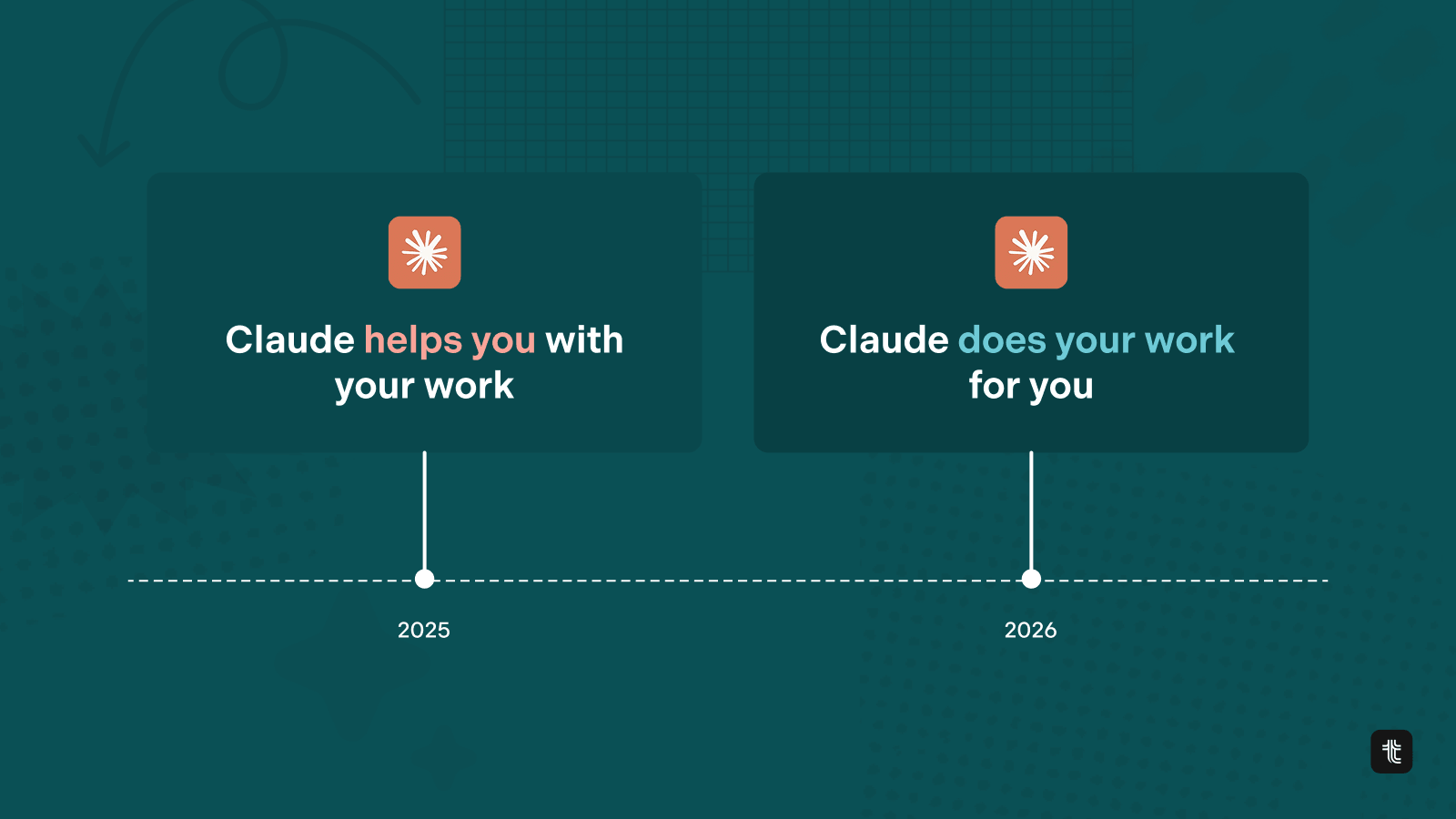
If 2025 was the year where agents helped us with our work (assisted mode), 2026 will be the year where agents can do the work for us (autonomous mode).
We all know how to use Claude to be a lot more productive individually. Pick up a task. Open up Claude. Use it as a super assistant that helps you do your work much faster and better than you’d do it by yourself.
Using LLMs at work has become standard practice.
But, there’s a new –huge– level of productivity that can be unlocked when Claude stops being a tool you consult and starts being a teammate you delegate to. One that can fully own goals, that can pick up work from a queue, and reports back with what it did.
What using Claude to run agent teammates gets you
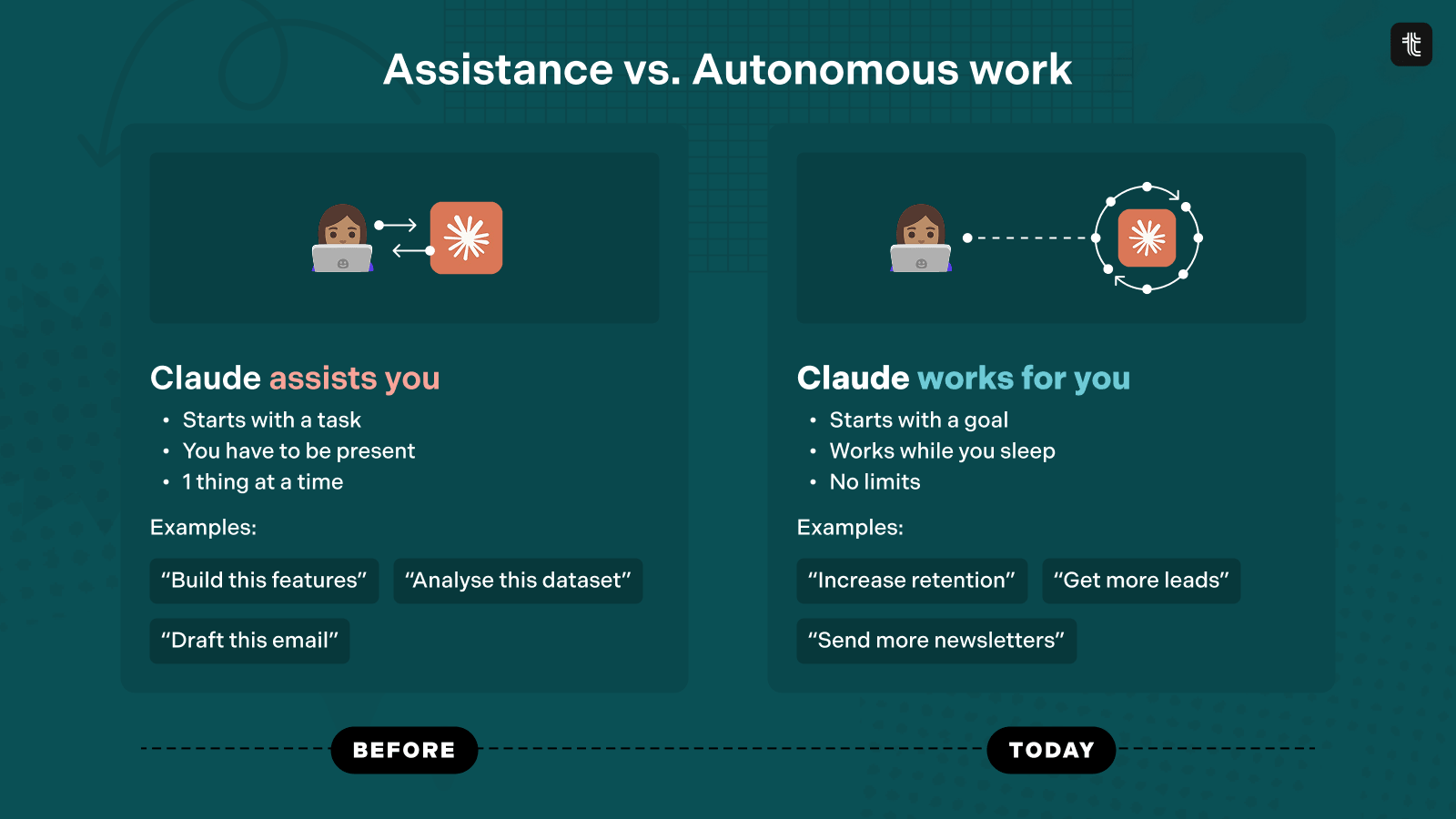
There are 3 major benefits to running autonomous agent teammates:
- Work on bigger goals: instead of tackling individual tasks (build this feature, draft this email…) you can assign complete goals to agents (reduce churn, manage our newsletter campaign…).
- Work gets done while you sleep: no need to be prompting back-and-forth. The agents can break goals into tasks, perform the work, and report on their progress.
- Unlimited scale: instead of having to be present to use Claude, you can have dozens of agents (hundreds) working on goals in parallel.
You can think of this as creating your own remote team, except that it’s made of agents instead of people. But the way you’ll interact with them is the same.
How this works
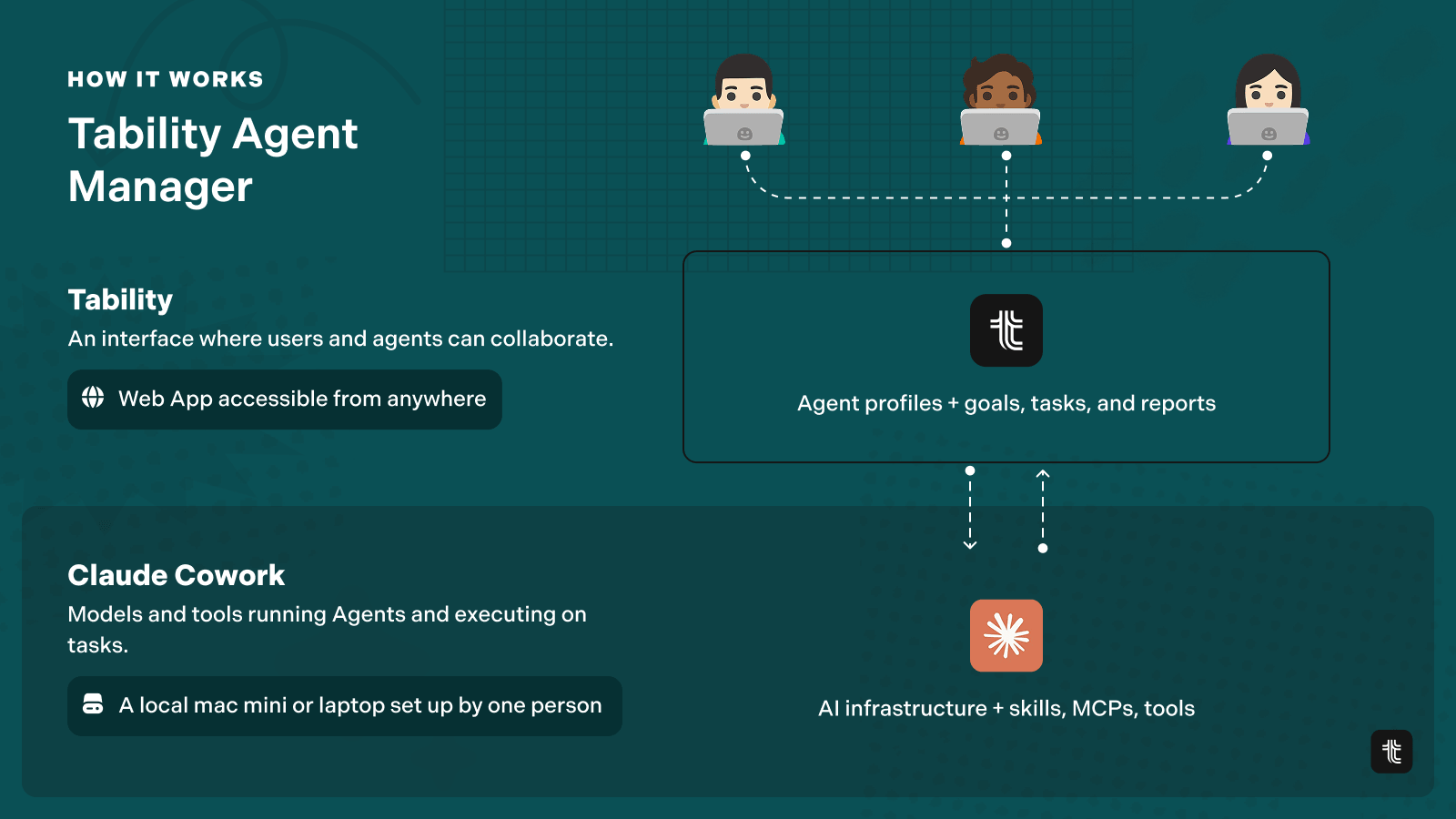
What you need:
- Claude Cowork
- Tability with agents enabled (request access here)
Clade Cowork is used as the AI infrastructure. You only need to set it once, and it can run on a mac mini or an old laptop.
The more sophisticated you make Cowork by giving it access to tools and MCP servers, the more your agents will be able to do.
Tability is the collaboration layer. This is where agent profiles are defined and where you’ll assign goals and initiatives to the agents.
End-to-end setup video: making an agent manage your newsletter
In the video below you’ll see an end-to-end setup where an agent takes over a simple goal: “Send 20 awesome newsletters”.
In the video you’ll see how to:
- Create an agent-ready goal in Tability
- Create the agent profile with its job description
- Connect Claude Cowork to Tability
Then, the exciting stuff! You’ll see:
- How the agent picks up the goal, creates initiatives, and reports back to me
- How I can provide feedback asynchronous
- How the agent can build the newsletter content and store it in a Google Drive folder that our team can access
The whole thing is 30mins long without cuts. This is exactly how much time it’d take for you to get your first agent teammate.
Then, once you have one you can easily scale up and the only limit will be your ability to manage the goals and give feedback to your new agentic team.
Get your first agent teammate running today
- Request access to Tability agents
- Get an onboarding call with our team
- Follow the video step by step
By the end of it, you'll have a working agent and a goal it owns end-to-end.
From there, scaling up is just a matter of defining more goals and creating more agent profiles. Your remote agent team is ready whenever you are.


.jpg)

.png)