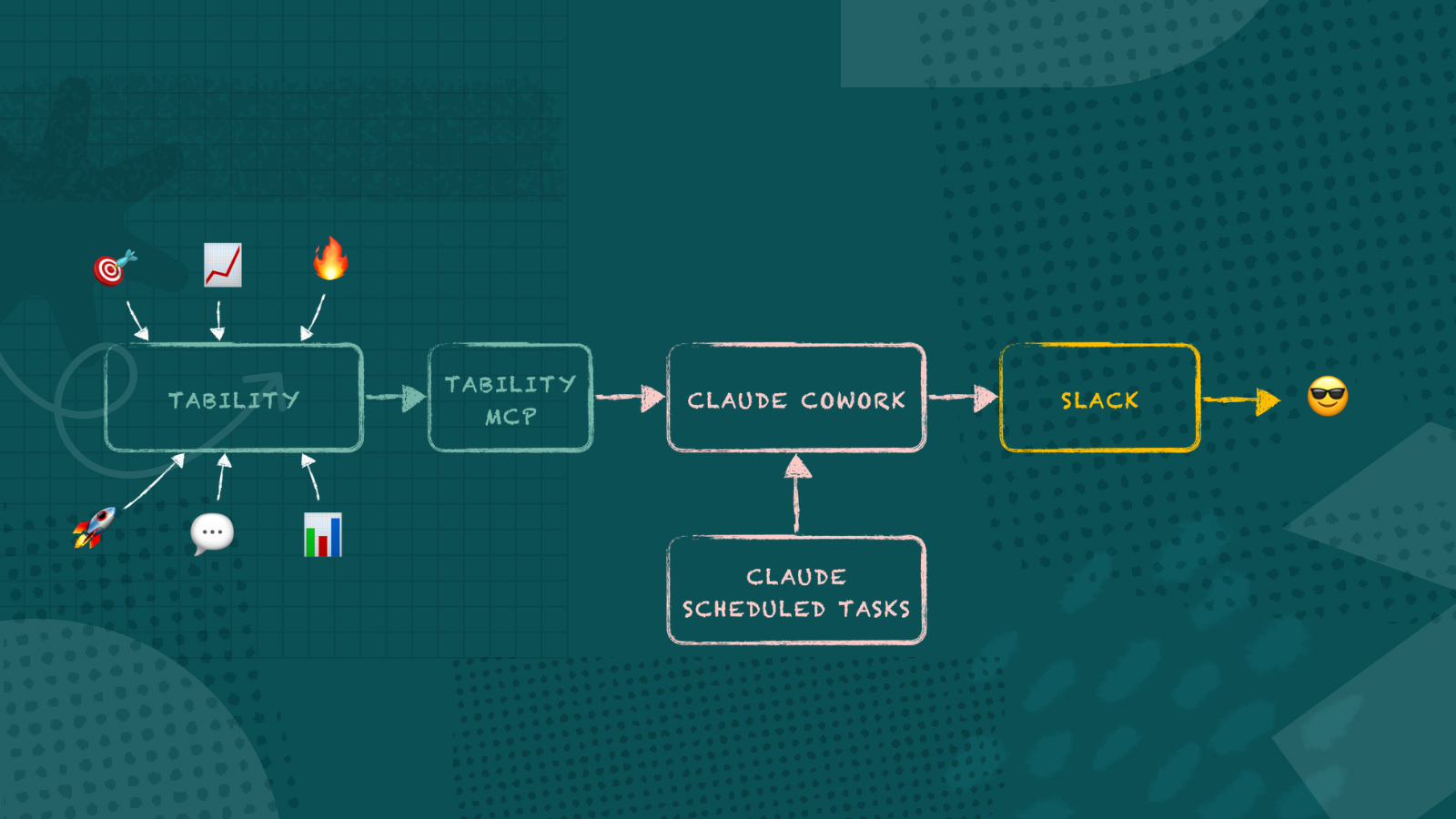
I've made a skill for Claude Cowork that sends me a daily briefing on what matters the most. It pulls live progress from our OKRs in Tability, figures out what's at risk, what's winning, and what needs our attention – then drops it straight into Slack every morning.
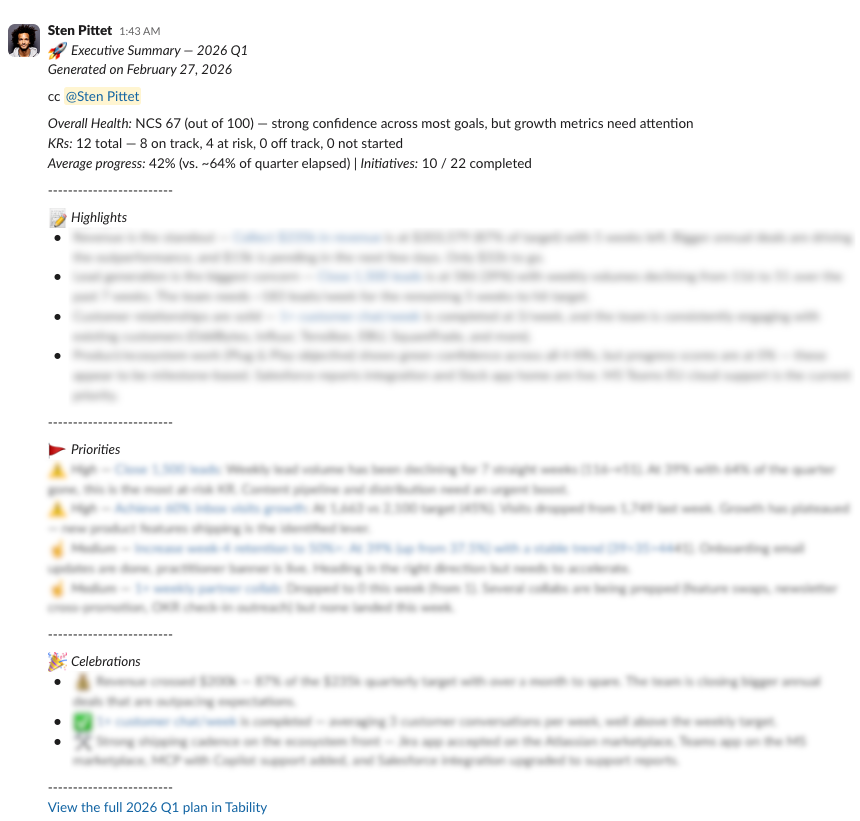
What used to take a few clicks (and logins) to do now happens in the background. And I can fully customise the output using natural language.
Our team seems to like it 😏

The model
The setup is three pieces working together.
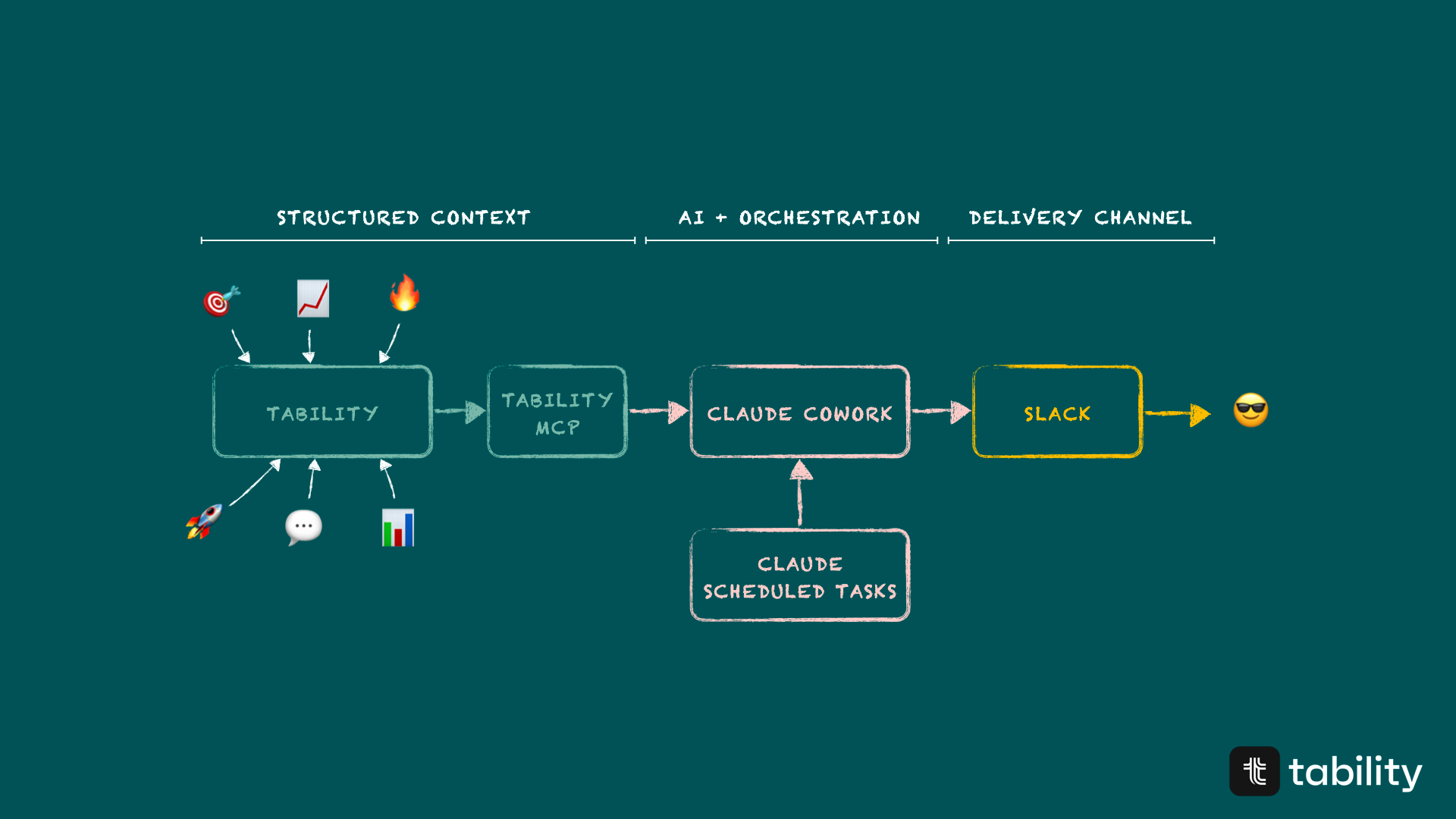
Claude Cowork is the agent. It's doing the thinking – reading plan data, analyzing confidence scores, spotting trends, and writing the summary. It's not just reformatting data. It's interpreting it, flagging what's urgent, and structuring the output so you can scan it in under two minutes.
Tability is the context. This is where your OKRs live – objectives, key results, check-ins, confidence scores, initiatives. The Tability MCP server is the connector that lets Claude pull all of this programmatically. Claude can call different tools, like tability_get_plan_content, and gets back everything it needs: progress percentages, red/yellow/green confidence, latest check-in notes, owner info, the lot.
Slack is the delivery channel. The summary lands in whatever channel you choose – #leadership, #okr-updates, your own DMs. You read it with your morning coffee, click through to anything that needs a deeper look, and move on.
How to create your Chief of Staff
Step 1: Connect the tools to Claude
You'll need two MCP connections set up in Claude Cowork:
Tability MCP – this gives Claude access to your plans, objectives, outcomes, and check-ins. You can find the connector in the Claude Cowork settings. Once connected, Claude can read your workspace data and pull live OKR progress.
See instructions to connect Claude to Tability remote MCP server.
Slack – this lets Claude post messages to your channels. Same deal – connect it through Claude Cowork's settings, pick the workspace, and you're set.
Both of these are one-time setups. Once they're connected, every skill and scheduled task can use them.
Step 2: Create the Chief of Staff skill
A skill in Claude Cowork is a reusable set of instructions that tells Claude how to handle a specific type of task. Think of it as a playbook.
For the Chief of Staff, the skill tells Claude to:
- Fetch your active top-level plans from Tability
- Pull the full content for each plan – objectives, key results, check-ins, initiatives
- Analyze what's on track, at risk, or off track
- Calculate a Net Confidence Score (like NPS, but for your goals – % green outcomes minus % red outcomes)
- Write a structured summary with Highlights, Priorities, and Celebrations
- Post it to Slack with proper formatting and links back to each key result
You can create the skill by asking Claude directly: "Create a new skill called chief-of-staff that summarizes my OKR progress from Tability and posts it to Slack." Claude will walk you through it. Or you can write the SKILL.md file yourself if you want full control over the instructions.
The key sections in the summary are:
- Highlights – the 3-5 things a leader needs to know right now. Specific numbers, not vibes.
- Priorities – ranked by severity. Critical (red confidence, way behind pace), High (yellow and declining), Medium (yellow but stable), Low (no check-in or minor flag). Each one links directly to the key result in Tability.
- Celebrations – completed outcomes, strong progress, wins worth recognizing. Name the people responsible.
Every key result mentioned is a hyperlink. A summary without links is a dead end – leaders who want to dig deeper should be one click away from the detail.
Download my chief-of-staff-skill.md
Step 3: Create a scheduled task
This is where it goes from useful to automatic.
In Claude Cowork, you can schedule tasks to run on a cron. Ask Claude something like: "Schedule the chief-of-staff summary to run every weekday at 8am and post to #leadership."
Claude will create a scheduled task with the right cron expression (0 8 * * 1-5 for weekdays at 8am) and a self-contained prompt that includes everything needed to run autonomously – which workspace to check, which skill to use, which Slack channel to post to.
From that point on, your briefing shows up every morning without you lifting a finger.
How to customise your Chief of Staff
The skill is just a set of instructions in a markdown file. You can edit it to match exactly what you need.
Here are some ideas for sections you might want to add:
People to connect with:
Give me the 2 people that I should connect with today according to the priorities.
Prepare a quick forwardable message for each person.
This is useful when your priorities involve outcomes owned by other people. Instead of just flagging the risk, Claude can draft the nudge for you.
Individual goal summaries:
Include a summary of all goals owned by XXX at the bottom.If you're managing a team and want a per-person view of how their key results are tracking, add this to the skill. Claude will filter outcomes by owner and give you a focused breakdown.
Custom thresholds:
You can adjust what counts as "behind pace." The default skill compares progress against time elapsed in the plan period. But maybe your team front-loads execution, or you want tighter thresholds for Q4. Edit the analysis logic in the skill to match your cadence.
Different delivery channels:
Nothing says it has to go to Slack. You could adapt the delivery step to create a weekly email draft, generate a PDF report, or build a slide for your Monday standup. The analysis stays the same – just swap the output format.
--
The whole point of tracking goals is to make better decisions faster. But if nobody's looking at the data regularly, the tracking doesn't help. A daily briefing that shows up where you already are – in Slack, in your inbox, wherever – closes that gap.
If you're using Tability and Claude Cowork, you can set this up today. And if you're not, well – this is a pretty good reason to start.

.png)
.jpg)