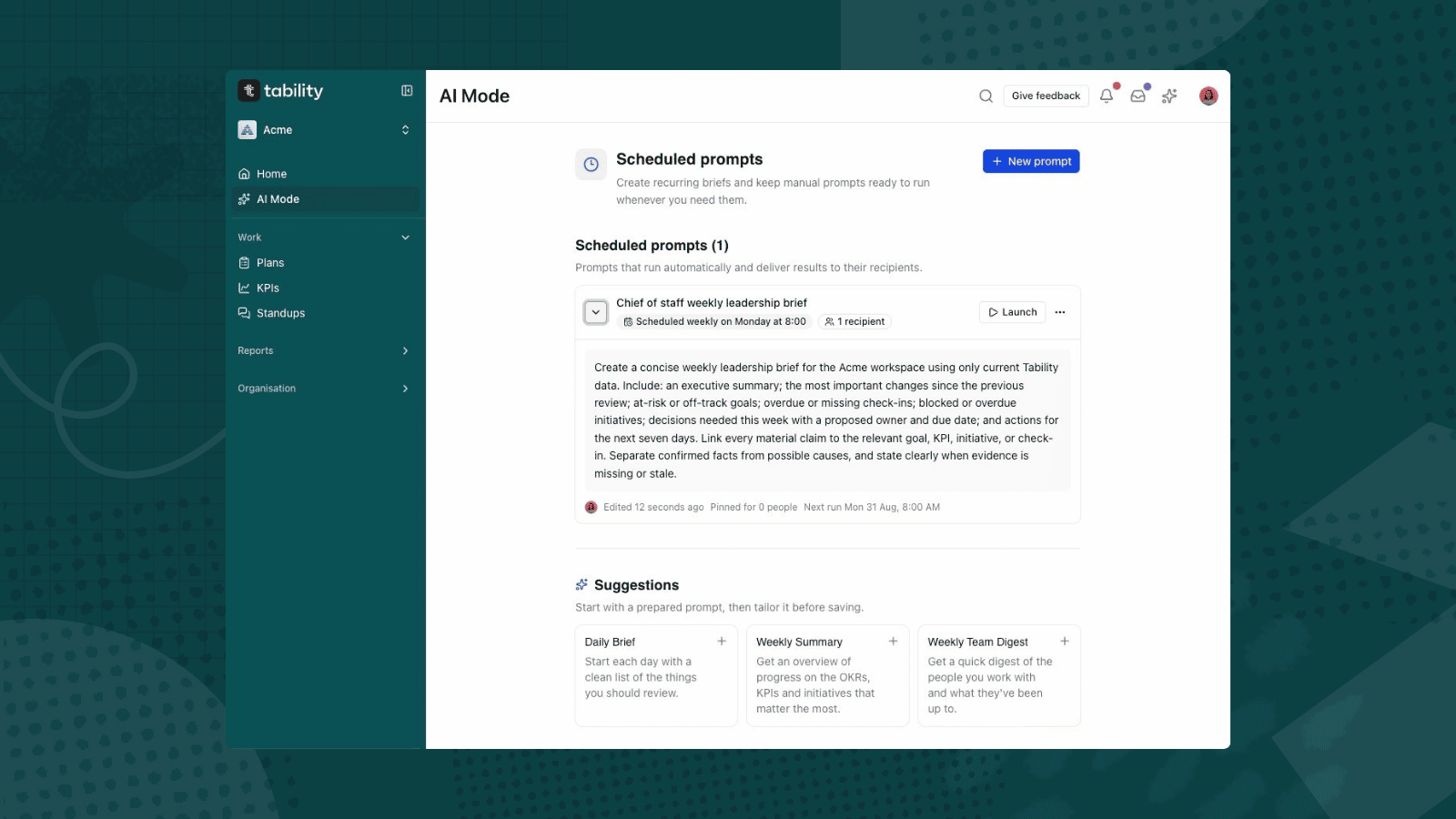
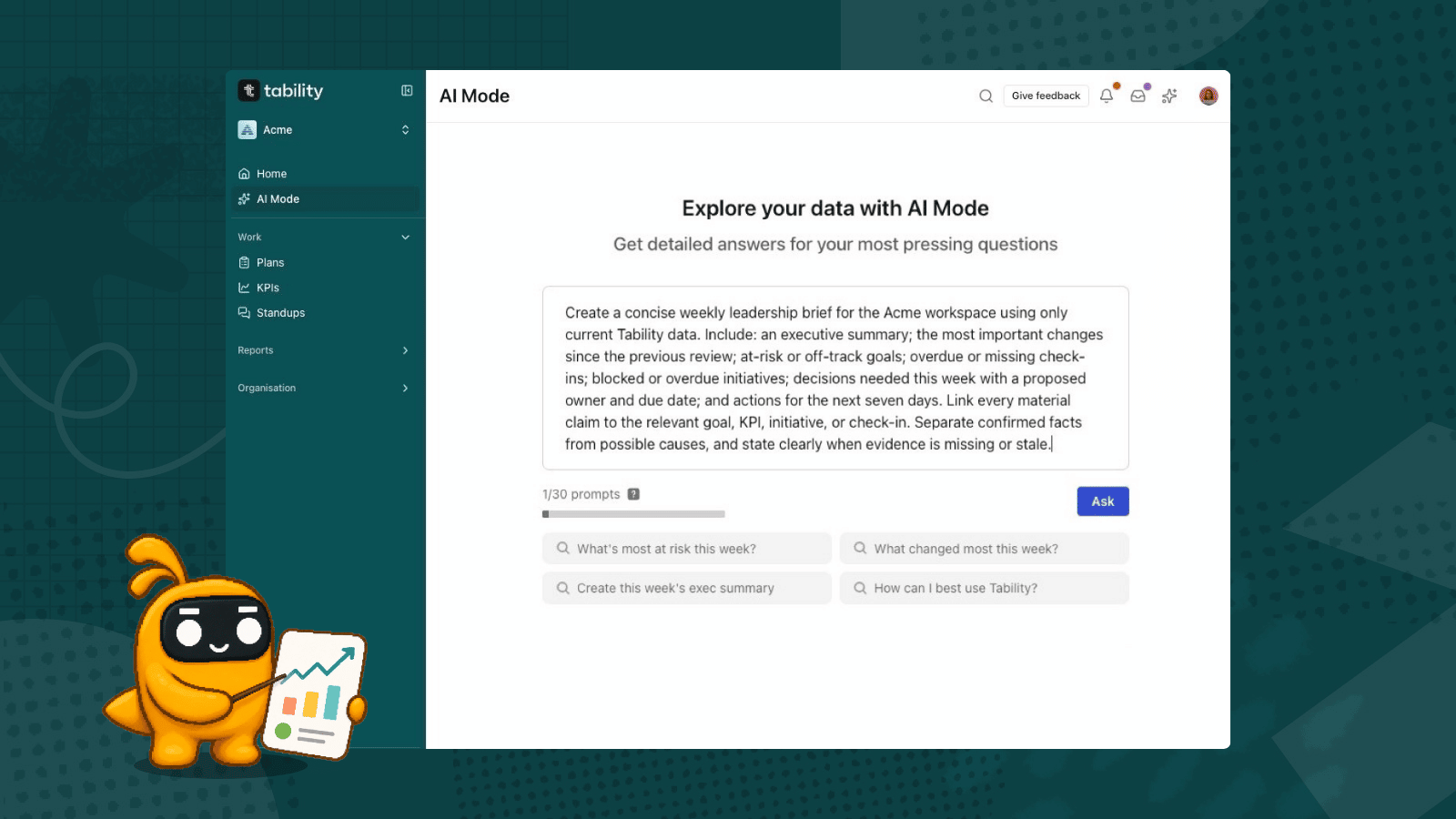
.png)
The AI-revolution is not just about all the new AI-native platforms that can generate great content for you. It’s also about all the new capabilities that existing platforms can develop thanks to AI. We can all unlock new levels of productivity for our users by tackling use cases that would have felt impossible to address a couple of years ago.
This is exactly what we did this year when we launched automated KR reporting in Tability. We iterated quickly to turn a simple data connector into an AI that can evaluate progress on key results and write human-grade status reports.

What started as a small thing is now quickly becoming a popular feature that allows busy teams to delegate part of their reporting to our OKR agent. Tabby AI is on track to be managing ~20% of the check-ins volume by the end of the year.

This post is here to explain how this works and share some of our lessons learned working with LLMs.
Before we start: Always be GDPR-ready
Rules before we get into this:
- Always anonymise your data
- Be explicit about your use of AI
Context: Tabby AI is a Chief of Staff agent for OKRs
Before jumping into the technical parts, I need to explain what Tabby AI is (I’m going to refer to it a few times in this post).
We’re not an AI-native platform like ChatGPT, Jasper, or Sora. We’re first and foremost an OKR platform and our main job is to keep teams focused on what matters the most. Once you add goals to Tability, we’ll make sure that (a) you don’t forget about them, and (b) you know right away when things are getting off track.
This is a simple mission that does not involve AI on the surface.
But, as we started to experiment with LLMs (ChatGPT in particular), we realised that we could leverage AI to facilitate many of the sub-jobs involved in the OKR process:
- We could help teams write better OKRs
- We could suggest the right metrics to track
- We could analyse progress and estimate confidence
- We could actually write the weekly check-ins
A new world opened up, but we had to find a simple way to package these features in a way that would make sense for our users.
And, the easiest way was to personify these capabilities into our own OKR agent: Tabby AI

We also wanted to give our agent a clear job. Calling it an OKR agent was a bit reductive in our opinion as it doesn’t really help people understand what it can do (apart from the fact that it relates to OKRs). We stepped back to think from a first principle perspective and it became quite clear that Tabby AI was quite close to a virtual Chief of Staff:
- It stays on top of the most important goals
- It coordinates execution
- It keeps leadership in the loop
Ok. So now you know about Tabby AI, let’s dive into how the reporting works.
The reporting problem
The OKR framework is a simple methodology that makes it 100x easier for teams to define strategic priorities and monitor execution.
- You use objectives and key results to outline what success looks like.
- You use weekly check-ins to track progress and identify risks early
Setting the OKRs can be sometimes difficult (you need to get everyone on the same page), but it only needs to be done once at the beginning of the quarter.
Tracking progress diligently is where teams usually struggle. People are busy working on their projects, specs, campaigns, emails, etc… It’s hard to keep the strategic in mind when you’re focused on the tactical. There can also be a tooling problem. No one wants to comb 50 spreadsheets to find their OKRs and then have to go through 12 MFA screens to get their metrics.
The #1 reason why people hate OKRs is because the reporting sucks.
But without regular updates you’re running blind and your OKRs have effectively become useless (you may know what you’re trying to achieve, but you have zero insights on whether or not you’re getting there).
So, we decided to build a system that would take care of that on behalf of the user.
How automated KR reporting works
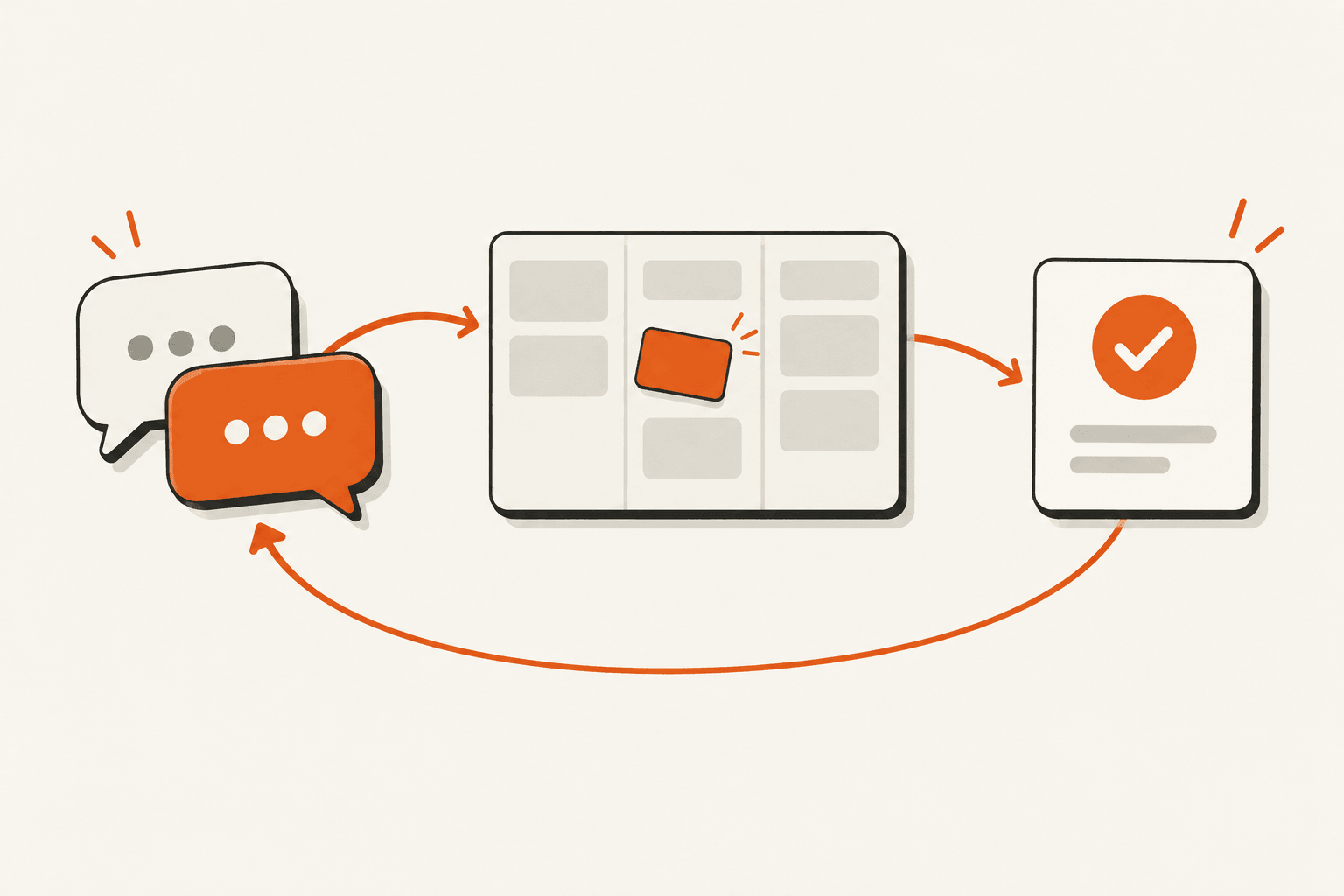
At a high-level the flow chart for the automated KR reporting feature looks like this:
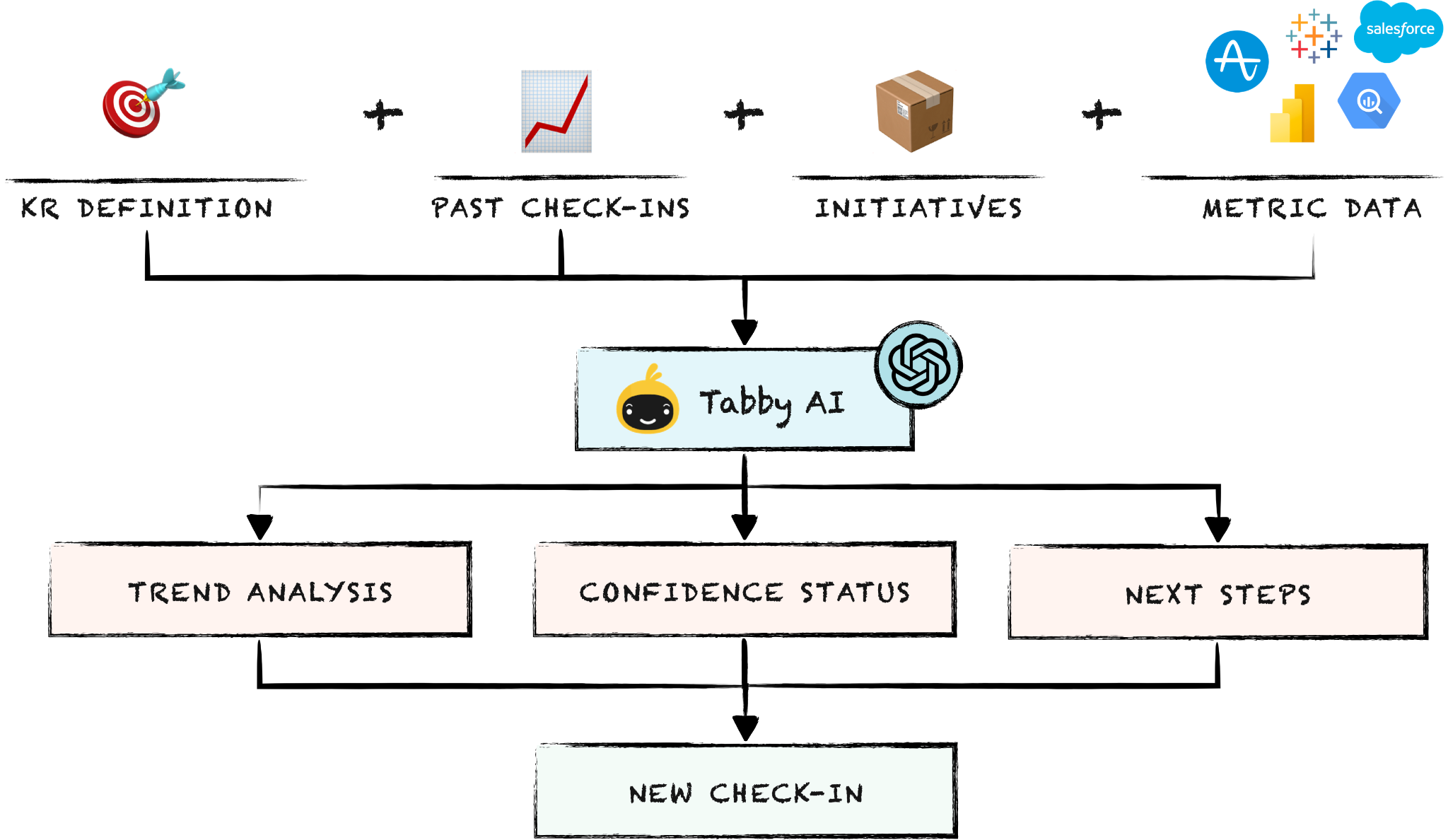
- Tabby AI takes the KR definition, past check-ins, existing initiatives, and the metric value as inputs
- It leverages OpenAI API to get trend analysis, confidence status and next steps
- Finally it bundles all that information to create the new check-in.
This diagram is quite simple, but it has a few moving parts under the hood.

We have a YAML builder that transforms Tability data in a prompt-ready YAML string, a data connector that fetches the latest KR value from data sources (Salesforce, Google Sheets, Tableau, etc…), an OpenAI connector that handles interactions with the LLM, and finally we have Tabby AI that orchestrates the whole thing to produce a check-in.
Here are more details about the entire process.
Step 1. Prepare the KR context with the YAML builder
The better your label your data, the better results you will get from the LLM.
This can feel annoying as you have to fetch data from multiple sources (key result, parent plan, initiatives, check-ins) and then construct your final YAML manually, but it’s for the best.
Here is an example of transformation we do:
- We take the `finish_date` of the plan
- We take the `starting_value` and `target_value` of the key result
- We create a new variable called `key_result_goal` string set as “go from <starting_value> to <target_value> by <finish_date>
This increased significantly the relevance and accuracy of the feedback instead of sending the raw variable names with their value.
The final YAML object looks similar to the content below.
---
objective: Power up Product growth
key_result: Increase MAUs from 15k to 17.5k
key_result_goal: go from 15000.0 MAUs to 17500.0 MAUs by 2025-11-06
checkins:
- checkin_date: '2025-08-21'
  comment: User engagement campaigns have been successfully implemented, but we are
    still waiting to see the impact on MAUs. The team is still optimistic about meeting
    the 15% target.
  progress: 14900.0 MAUs
  confidence: on track (green)
- checkin_date: '2025-08-28'
  comment: Despite feature enhancements, the MAU is not yet picking up. Additional
    analysis reveals user feedback indicating specific concerns that need addressing
    to meet the target.
  progress: 14800.0 MAUs
  confidence: off track (red)
initiatives:
- title: Create and Execute Social Media Ad Campaigns to Attract New Users
  status: design
- title: Analyze User Feedback and Implement Top-Requested Features
  status: in_progress
- title: Introduce Gamification Elements to Boost User Interaction
  status: planned
- title: Launch a Monthly Newsletter to Engage Existing Users
  status: done
Step 2. Get the current value of the metric attached to the KR
Now that we have the context ready, we need to get the current value for the key result. This is managed by our data connector that can pull metric data from external sources (HubSpot, Salesforce, Google Sheets, PowerBI, etc…).
Step 3. Use the LLM (o3-mini) to analyse the current progress
LLMs are extremely powerful today. It’s really good at general knowledge, but it’s also great at analysing data series (see the article How we built a churn agent with ChatGPT).
In this case, we prepare a prompt using the KR context and latest KR value that look like a version of this 👇
Write a progress check-in for this key result.

1. You are an OKR analyst. You review past updates, current progress, target, and timeline. You are not the person doing the work.

2. Tasks:

   * Summarise recent progress.
   * Forecast if the team will hit the goal by the deadline.
   * State confidence as: on track / at risk / off track.
   * Give next steps to fix or accelerate.

3. Rules:

   * Tone: direct, action-focused, professional, supportive.
   * Be specific. No fluff.
   * Max 120 words.
   * Use short paragraphs.
   * Add bullet points for next steps.
   * If confidence is on track, keep next steps minimal.
   * If at risk or off track, propose 1–2 new initiatives that would help.

4. Output format:
   Then return a JSON object with this shape:

   {
   "status_color": "green" | "yellow" | "red",
   "comment": "<your full check-in in markdown, including next steps as bullet points>"
   }

Inputs:

* Today’s date: [TODAY]
* Current progress: [CURRENT_PROGRESS]
* Key result details and history:
  [PASTE KR + HISTORY HERE]
We then use the o3-mini model to get the result.
Our OpenAI connector is also here to add an additional layer of security. We don’t expose the LLM response directly to the user. We first check that it fits our expected response format, and pass the response to the Tabby AI module that will create the final check-in
Step 4. Record the new check-in
At this stage we have:
- The current KR value provided by the data connector
- The check-in confidence and comment provided by our OpenAI connector
We can use these to create the new check-in and add Tabby AI as the author. From the user perspective it looks like a proper check-in in the app with full context and advice on how to make further progress.
Step 5. Broadcast the new update
The final step is to make sure that this new check-in goes to the right people. For this we use the existing notification system in Tability to send the update to:
- The KR owners and contributors
- People that are subscribed to the KR updates
- People that are subscribed to the parent plan
- Webhooks attached to the KR
The future of autonomous agents is this close 🤏
Today you can delegate goal reporting to Tability. Personally I like to keep doing updates for critical OKRs, but I’ve got about ~8 goals that are fully managed by Tability. It takes no additional effort from the rest of the team, and we still get timely alerts if anything is getting off track.
This is super cool.
But there are some new use cases that are even more exciting.
Tabby AI can analyse the performance of your agents (via specific goals defined by you), and send that performance data not only to you, but also back to your agents.
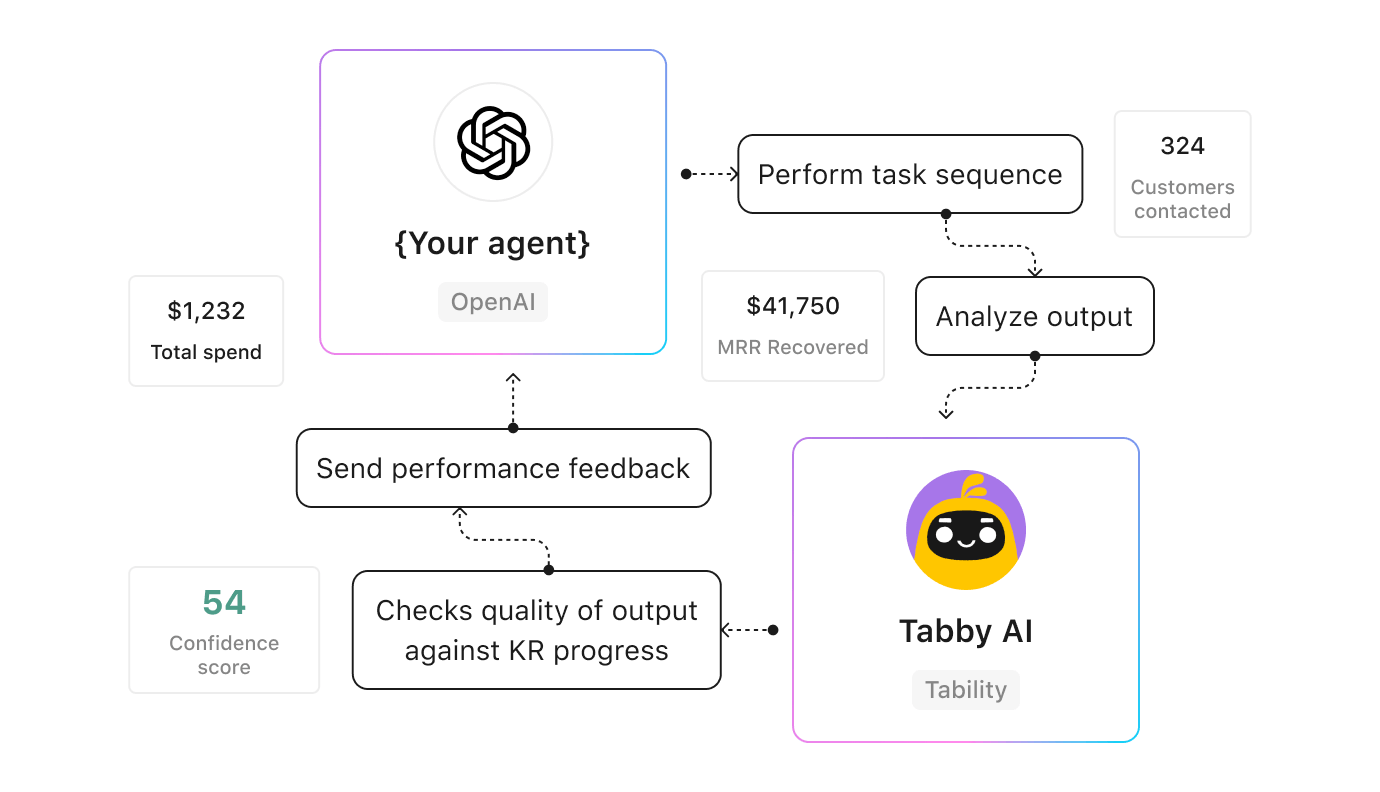
This means that if you have a learning capability in place for your agent, you will be able to create fully autonomous systems.
Ex:
- You create an agent designed to improve user retentions through targeted campaigns
- You set the corresponding goal in Tability and delegate reporting to Tabby AI
- Tabby AI sends daily or weekly performance reports back to your agent
- Your agent uses the performance feedback to improve the campaign
You now have a self-learning system that will quickly figure out the best way to improve retention!
How to enable automated KR reporting in Tability
This next guide here is for existing users of Tability that want to leverage this feature. Here are the steps to follow to delegate KR reporting to Tabby AI.
First, we need to add a data source. Click on any KR in Tability and then click on Connect a data source in the top-right corner.

Follow the steps to connect your KR to the right data source. In this example I’ve used the Amplitude chart connector.

Now, enable Sync progress with the data source and then Enable deep analysis with Tabby AI.
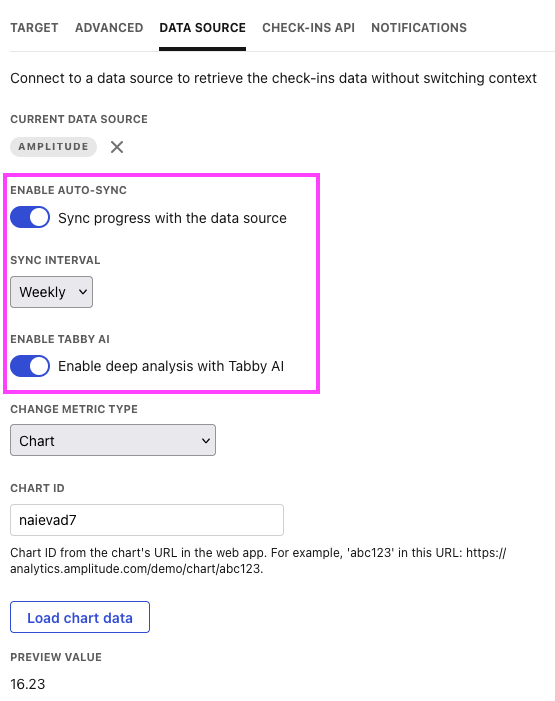
That’s it! You can save the configuration to go back to your KR panel. You can now test that this works by clicking on Generate check-in in the Ask Tabby panel.

This will trigger the Tabby AI sync and you will see a new check-in published!

That’s it!
Got feedback or questions?
We’re always happy to chat. Please reach out to us at [email protected] (or you can contact me directly on X at @stenpittet, and by email at [email protected]).

.jpg)
.png)