
Someone on Reddit posted the question:
Does anyone actually enjoy writing status updates?
Of the users who responded to the query:
- 60% hate their status reporting process.
- 25% were neutral: They don't love it but have made peace with it or found a why
- 15% of responses offered solutions to how to solve the problem
You can see that nowhere in this thread were people excited to do their check-ins, and this is mostly a group of PMs and leaders. Communication and reporting are naturally part of that job.
This issue becomes even more of a pain (and hated) amongst non-leaders/PMs. If you’re IC (a designer, coder, or content writer…) the last thing you want to do is report on your work.
Some are more upset than others:
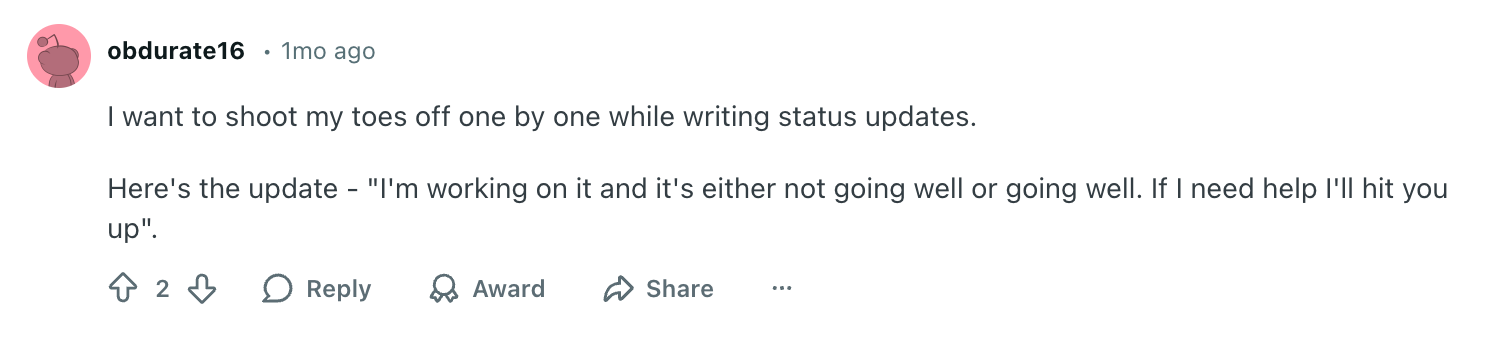
But the sentiment is there. Status reporting is broken!
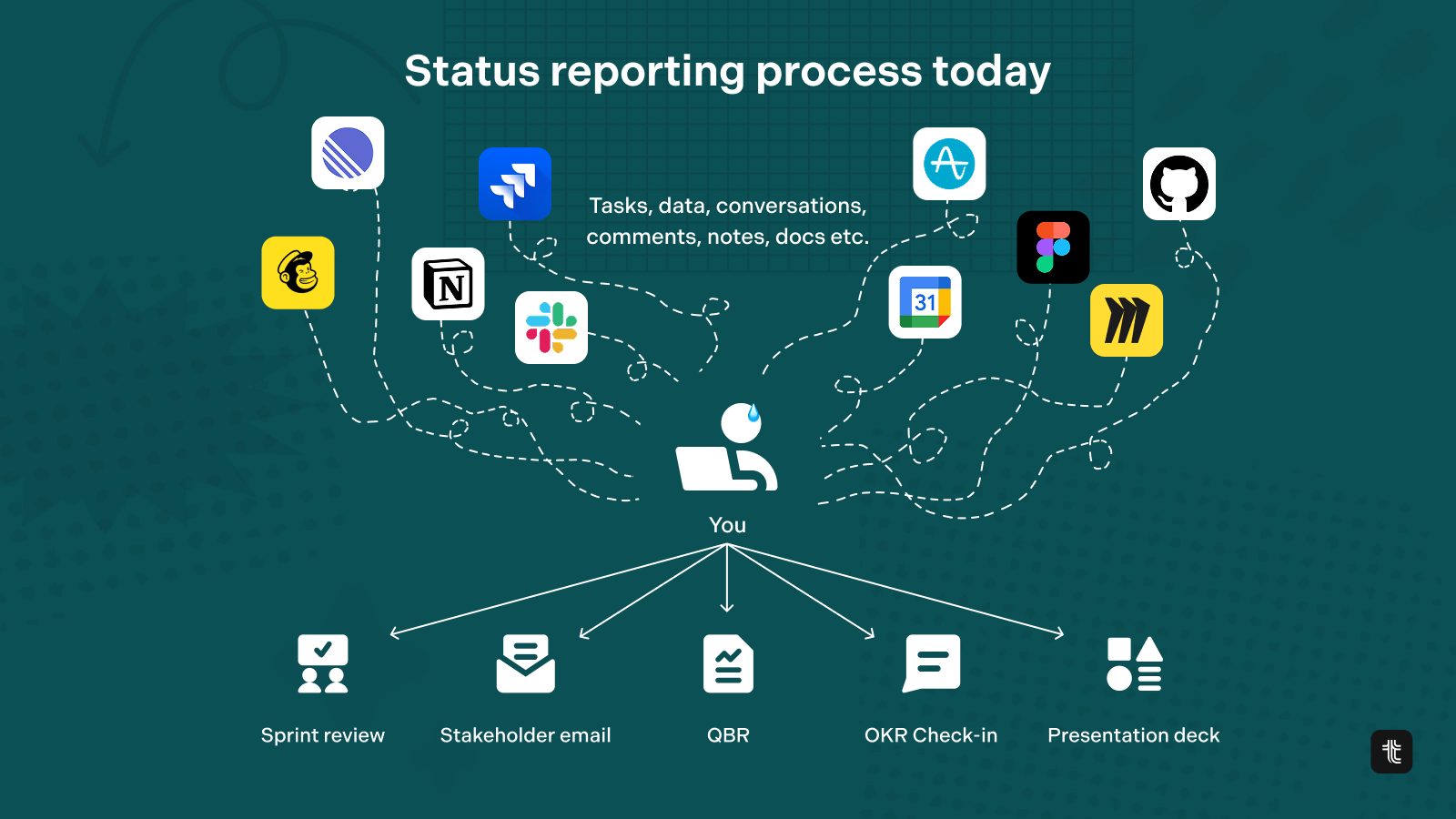
The current way check-ins are done
For most teams, checking in on progress follows the same painful ritual every week. A PM sits down, opens four browser tabs, and starts piecing together a picture that already exists scattered across Jira tickets, Linear issues, GitHub commits, and ProductBoard notes. Then they rewrite it all into coherent sentences, format it for a different audience, and send it off to people who may or may not read it.
"Every week I gotta write up what shipped, what's blocked, what's next. And it's not hard, it's just... boring as hell. Like I already know what happened, my team knows what happened, but I still gotta sit down and type it all out. The worst part? All the info already exists. It's in Jira, Linear, ProductBoard, GitHub. I'm just copying and pasting from 4 different tools and rewriting it into sentences."
This is the status quo for most organisations, and it's not a skill problem or a discipline problem. It's a process problem. The information exists. The insight exists. What's missing is a way to bring it together without the manual overhead.
The more technically savvy PMs in that same thread have started solving this themselves, pointing to MCP servers as a way to connect an AI assistant directly to their tools. It’s letting them pull live data from Jira, Linear, or GitHub and generate a first draft with a single prompt. It works, but it requires setup, technical know-how, and still puts the burden on the individual to cobble together their own solution.
How to automate status updates with an MCP server and Tability
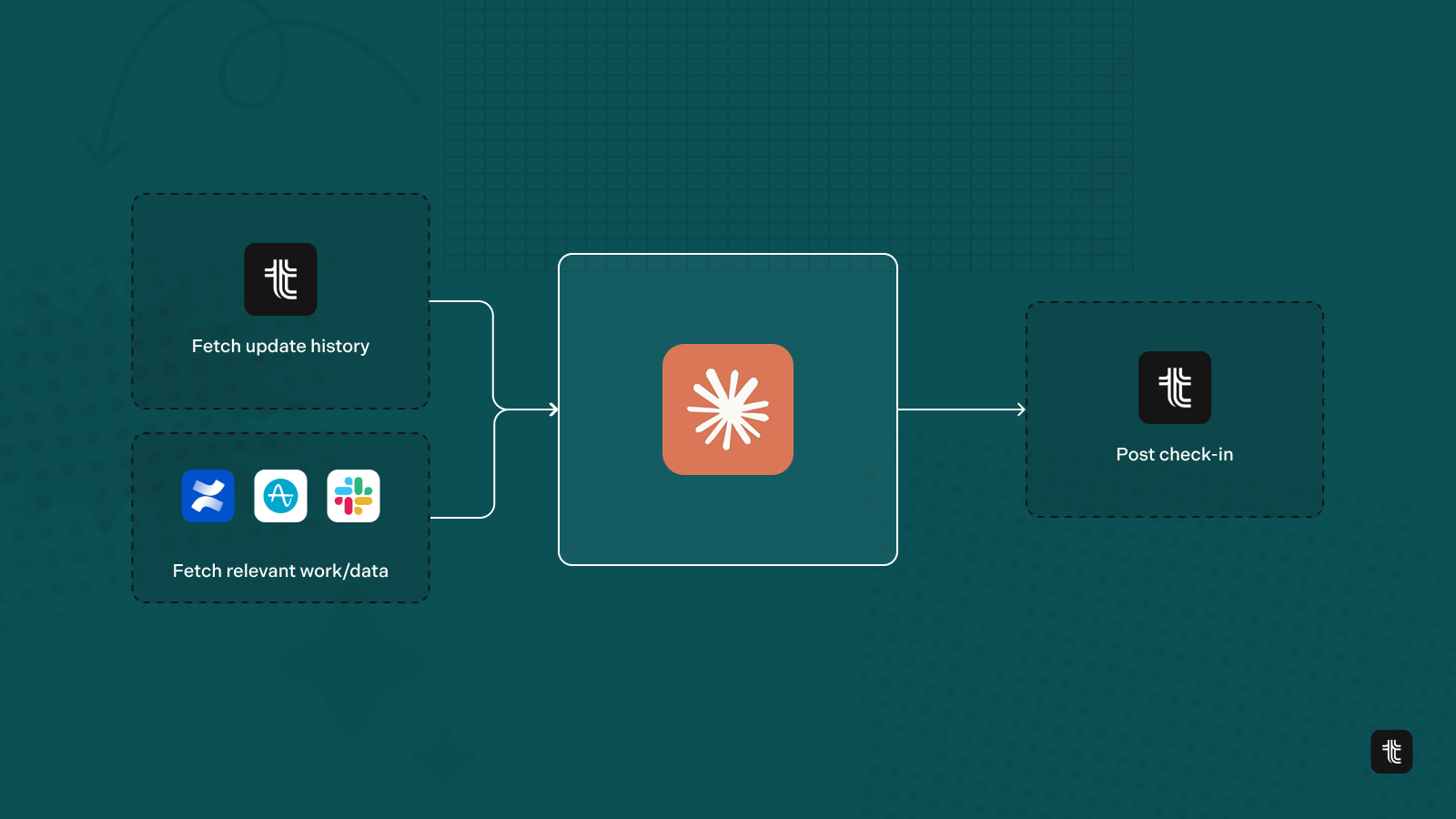
We built this workflow using Cowork, Tability’s MCP server, and two connectors: Slack and Amplitude. If you want to replicate it, here’s everything you need to get set up. Here’s what we’ll cover:
- What is an MCP server?
- How to set it up?
- Connectors
- The prompt
- How to run this weekly with scheduled tasks in Cowork
What is an MCP server?
MCP (Model Context Protocol) is an open standard developed by Anthropic that lets AI assistants connect directly to external tools and data sources. Instead of you manually copying numbers into a chat window, an MCP server lets the AI query your tools on its own. It’s reading live data, running searches, and writing results back; all as part of a single workflow.
How to set it up
You can get the Tability MCP server running in Cowork in just a few minutes. Here’s how to set it up in Tability: Tability MCP Server Documentation.
Connectors
For this example, we used 4 connectors to power this entire workflow:
- Tability MCP: This is the core connector; installed as a plugin directly in Cowork. It gives Cowork read and write access to your Tability workspace: it can pull your active goals, read check-in history, and post new check-ins back.
- Amplitude: We connected Amplitude to give Cowork direct access to the analytics charts already set up in our account.
- Slack: The Slack connector lets Cowork search channel history to find what actually happened during the week: team conversations, decisions made, and activity related to each goal.
- Confluence: We use Confluence internally for our documentation and content creation. We connected this to see if it can pull any additional context for our check-ins. Cowork did not use this connector in this example, even though it was connected.
That’s genuinely all you need for this specific workflow. But the setup isn’t limited to these three. Whatever tools your team tracks work in, those are the connectors worth adding. The more connectors you can add that connect to real things that you are working on in your day-to-day, the better.
Regardless of the tools/connectors you use, the pattern is always the same: connect the tool that holds the real number, and Cowork will go in and find it.
The prompt
First, I confirmed with Cowork that we are looking at the right goals and that the Tability MCP server is installed correctly.
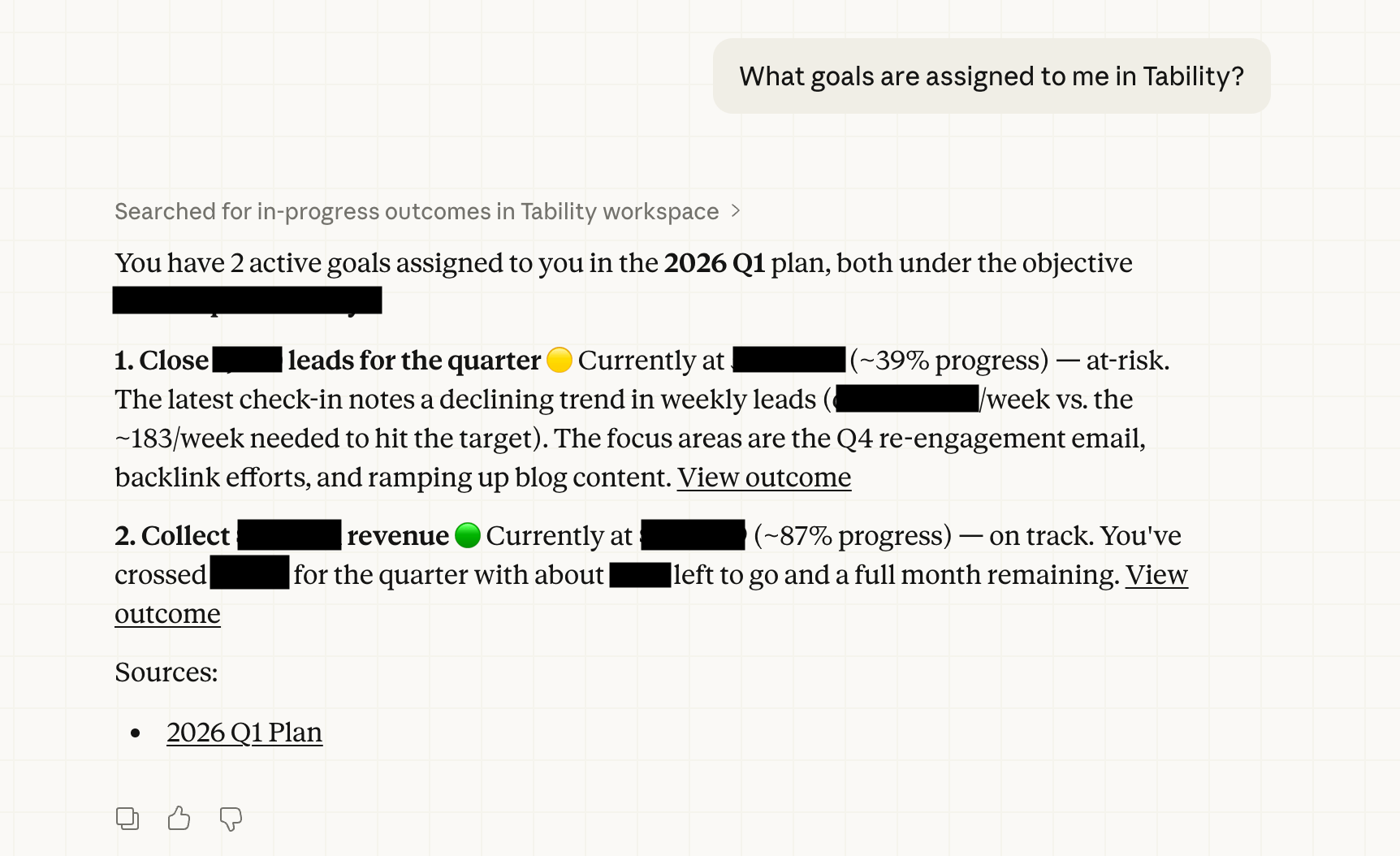
It comes back quickly with the right results and was able to read workspace data to find the goals associated with my name.
From there I ask it:
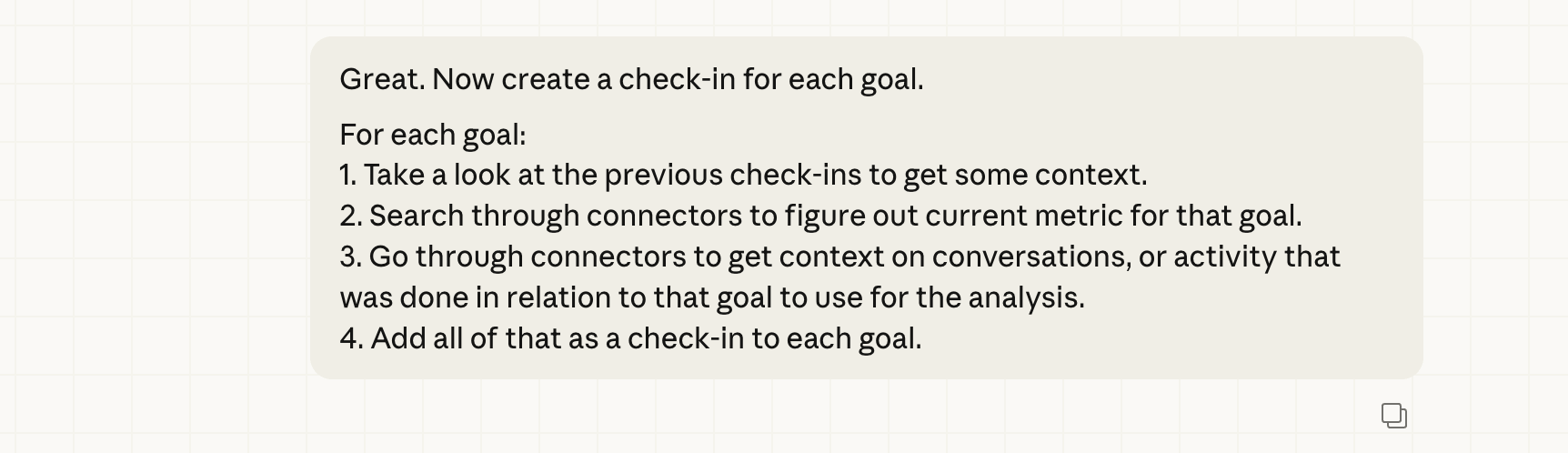
For each goal:
- Take a look at the previous check-ins to get some context.
- Search through connectors to figure out current metric for that goal.
- Go through connectors to get context on conversations, or activity that was done in relation to that goal to use for the analysis.
- Add all of that as a check-in to each goal.
The result
The rest was completely autonomous. Here’s exactly what happened.
Step 1: Reading the previous check-ins
Before touching any other tool, Cowork read the last two check-ins for each goal directly from the Tability MCP. This gave it the narrative context it needed; not just the numbers, but the reasoning behind them.
For the acquisition goal, the previous check-ins painted a clear picture: weekly volume had been declining for several consecutive weeks. The check-ins explained why: A content slowdown from the prior quarter was catching up with us. They also surfaced specific actions that had been taken to address it: SEO and site work, ramping content output, running the newsletter, and pursuing backlink partnerships.
For the revenue goal, the picture was more encouraging. The team was tracking well ahead of pace, closing deals that were outpacing the original target, with additional revenue expected to land within days.
Step 2: Finding the current metrics
This is where the connector setup pays off. Cowork didn’t ask me to go check Amplitude or pull a number from a spreadsheet. It went and found the data itself.
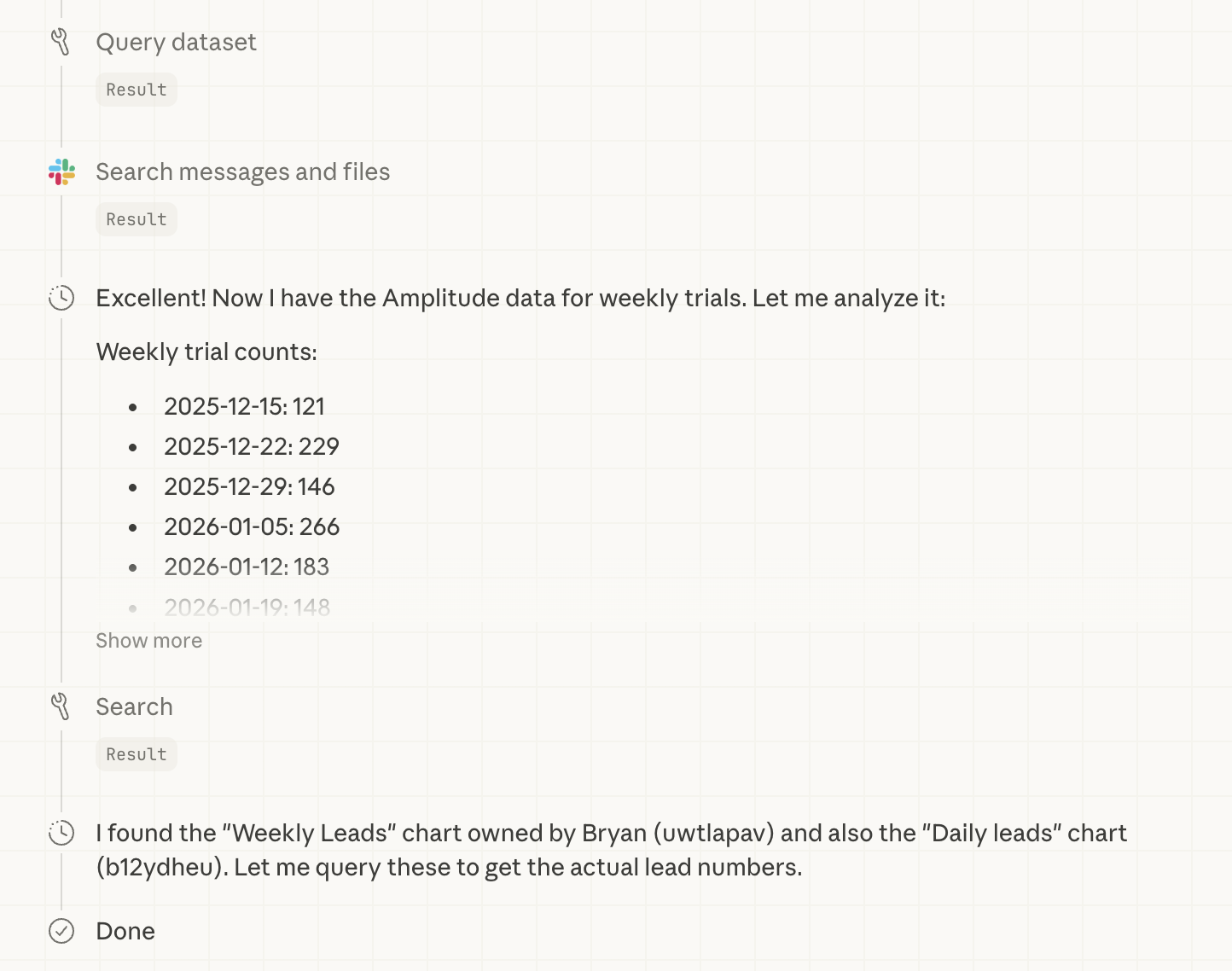
For the acquisition goal, it searched Amplitude and found the chart tracking new trial starts, the event that fires when someone creates a workspace. It pulled each day’s data for the current week and found a modest week-over-week improvement. Small uptick, but a real one and the direction had changed.
Cowork added the week’s leads to the running Q1 total and updated the check-in score field, automatically, correctly, without me opening a single tab.
For revenue, it searched Slack for recent payment-related messages and found the Q1 executive summary that had been shared with the team the day before. That summary confirmed the revenue figure was holding steady — some pending invoices had not yet cleared as of that report. Cowork kept the score unchanged and made a note of the pending amount in the check-in body.
Step 3: Gathering context from Slack
Numbers alone don’t make a useful check-in. The “why” matters just as much as the “what.” So Cowork went back into Slack to find what had actually happened this week in relation to each goal.
For the leads goal it found several relevant signals from the week:
- From Slack, it knew that a new backlink had just gone live, but I’d flagged in Slack that the placement was frustrating. The publisher had also linked to a competitor in the same paragraph, and the anchor text had a minor error. I was actively pushing back to get it fixed.
- From Slack, Cowork found a conversation where a member of our customer success team had forwarded me ownership of all backlink exchange requests coming through our Intercom chat.
- Based on an initiative linked to the goals, it knew that a new blog post had just been published to help support lead gen.
- From a Tability weekly review, found that an internal linking audit had been run using Claude Cowork to identify keyword gaps across our commercial-intent pages.
For the revenue goal, it surfaced the team’s recent customer activity: active sales conversations and engagement logs across several prospects and existing accounts. It also picked up an insight from a recent churn analysis shared in Slack: most churn is non-regrettable, but mid-size monthly accounts aren’t getting enough proactive attention. That nuance made it directly into the check-in.
Step 4: Writing and posting the check-ins
With the data gathered and context assembled, Cowork wrote both check-ins and posted them directly to Tability via the MCP.
No copy-paste. No manual entry. No switching tabs.
Here's one of the actual check-ins Cowork posted in Tability:
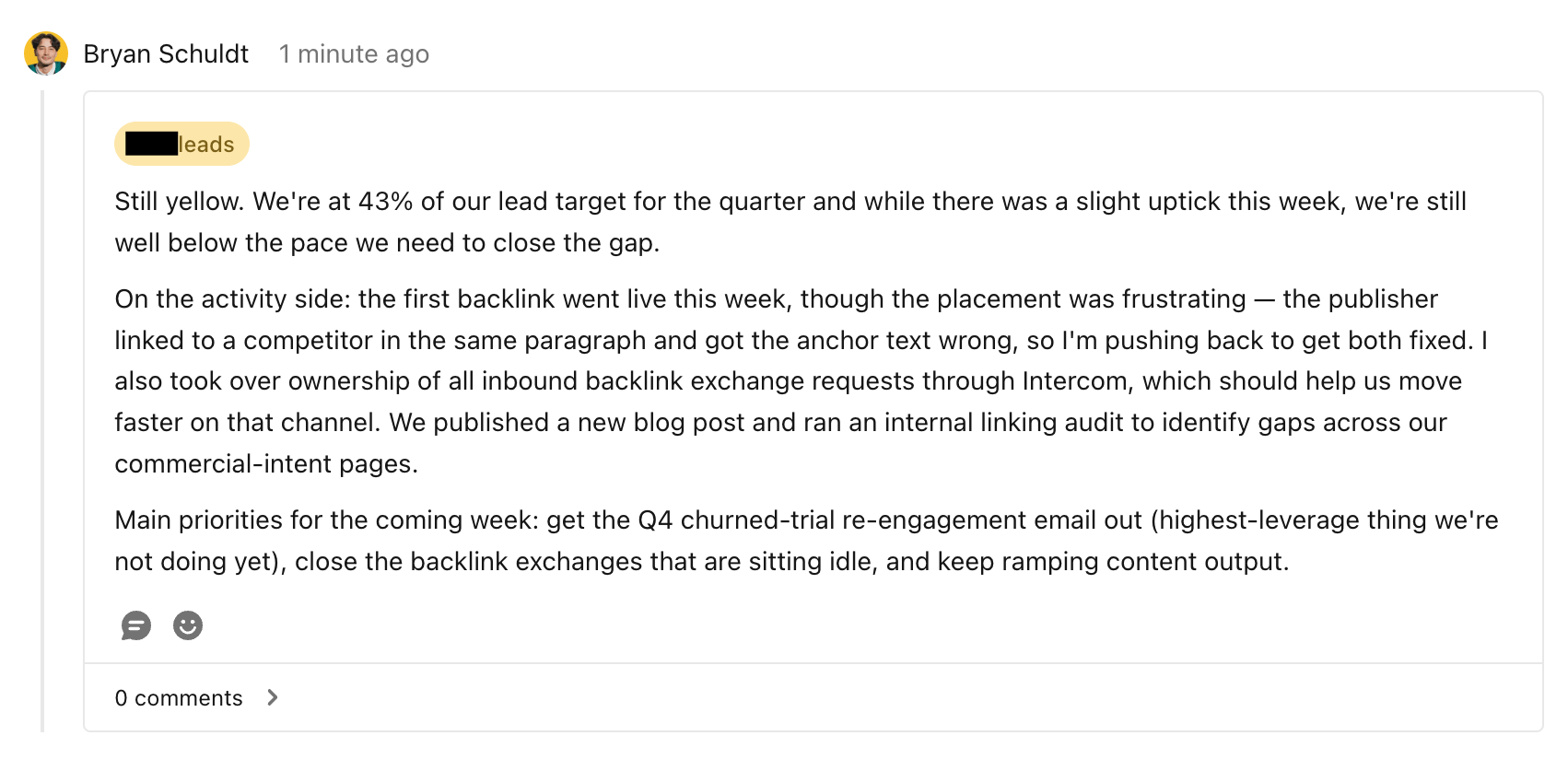
The whole process, from asking the question to two check-ins posted in Tability, took under two minutes of my time. My only contribution was typing the prompt.
Why this changes everything about status updates
Let’s go back to what OP was dealing with.
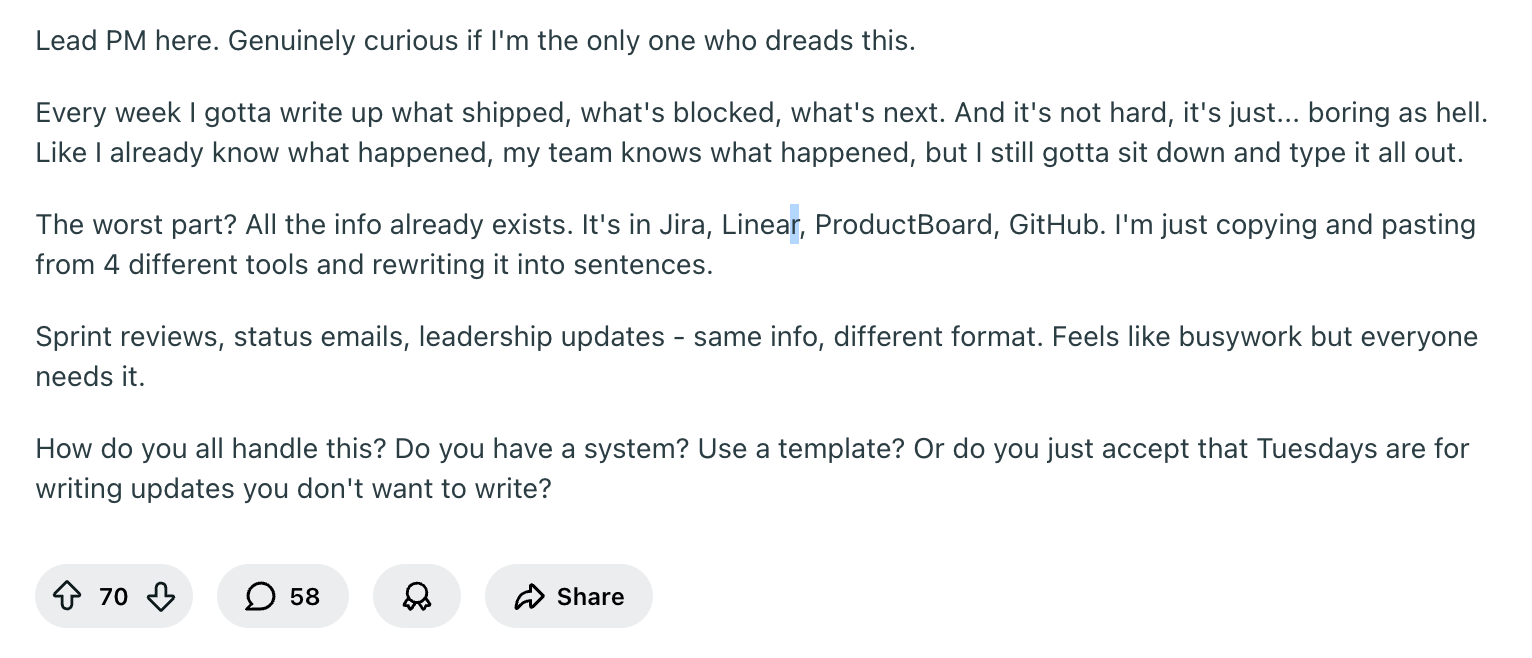
Their frustration wasn’t that they didn’t know what was happening. They did.
The problem was the ritual: the tab-switching, the channel-scrolling, the mental overhead of translating what they already knew into a formatted update. The data existed. The context existed. What was missing was anything that made the extraction feel worth doing. This is what we built this workflow to fix.
But here’s the real opportunity: you don’t need everyone to run it themselves. As manager or leadership, it's a pain to get people to report on their work.
What happened last week? What did we work on?
With this workflow you could theoretically extract much of this data yourself. As long as your team’s work is already flowing through connected tools, you can generate their check-ins centrally.
Let them focus on their work. Let Cowork focus on the reporting.
Bonus: Cowork supports scheduled tasks.
Set it once and every Friday morning the workflow runs on its own; no prompt required. Check-ins get written, scores get updated, and your goal-tracking data stays current without anyone lifting a finger.
As leadership or managers, you’re no longer tasked with extracting that information from your team. Rather, you can access that information when needed based. Reporting stays updated all of the time as work continues within the connected ecosystem your team works in.
Other use cases
We’ve recently used Tability and Claude Cowork to automate a custom weekly update to send to our stakeholders in Slack. Read more on how we built our own AI chief of staff.
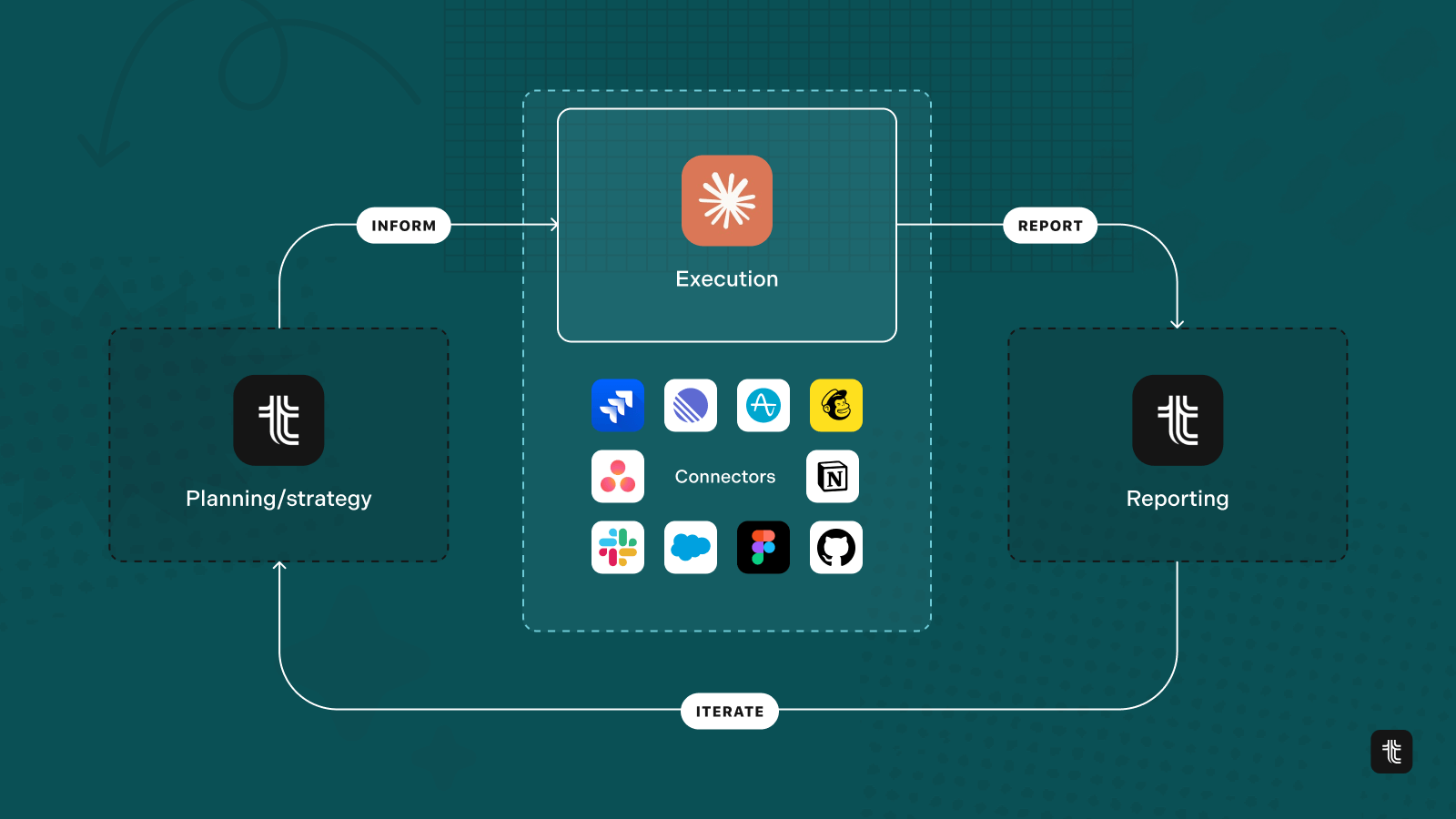
But the possibilities are theoretically endless now. Cowork is already connected to so many apps you use every day. From Figma to Jira to Notion, you can just about connect anything. With Tability connected via our MCP server, you're bringing business context to Cowork and all your other apps too.
Try Tability MCP Server yourself
The possibilities are theoretically endless, and everything mentioned here can be replicated today. Connect Tability to your Claude Cowork and you're ready to get started.
Link: How to set up Tability MCP Server
Status updates don’t have to be the thing everyone dreads. When the right tools are connected, they can write themselves.
Try Tability for free


.jpg)

.png)