Most goal setting templates fail the moment you close the tab.
You fill in a box labelled Goal, maybe add a due date, and walk away feeling productive. Three weeks later you cannot find the doc and the goal is forgotten.
The template was never the problem. The problem is that most templates are designed to capture goals, not to run them. A goal without a review cadence, an owner, and a way to track progress is just a wish list.
This guide gives you a free goal setting template that actually works. It covers individual goals, team goals, and company goals, and it explains how to connect it to the operating rhythm that keeps goals alive. If you want to go deeper on the goal-management system underneath, the OKR framework is the best starting point.
What a Goal Setting Template should actually do
A good goal setting template is not a form. It is a decision-making scaffold. It forces three things up front that most goal-setting conversations skip:
- Clarity on what success looks like. A goal like “grow revenue” is not a goal. A goal like “grow monthly recurring revenue from $400k to $500k by December 31” is. The template should make vague goals feel incomplete.
- Clear ownership. Every goal needs one named owner. Not a team, not a committee. One person who is accountable for the outcome.
- A built-in review cadence. Weekly check-ins turn a goal from a static record into a living commitment. Without a scheduled review, goals drift.
Templates that skip these three things are calendar decorations. Templates that include them are operating documents.
Goal Setting Template: The 5 core components
Whether you are setting individual goals, team goals, or company-wide objectives, every goal entry should include these five fields:
Free Goal Setting Template (Individual)
Use this for personal performance goals, quarterly development goals, or any goal you own individually.
Free Goal Setting Template (Team)
Team goal templates need one extra layer: the connection between individual owners and the shared team objective.
Free Goal Setting Template (Company)
Company-level templates need to map the relationship between strategic objectives, team goals, and individual contributions. That cascade is what makes goal-setting more than a performance review ritual.
Goal Setting Template vs. SMART Goals Template: What is the difference?
A SMART goals template is a subset of goal setting. SMART (Specific, Measurable, Achievable, Relevant, Time-bound) is a framework for writing a single, well-formed goal. It answers: is this goal clear enough?
A goal setting template is broader. It answers: how do we run this goal from start to finish? It includes the SMART criteria, but adds ownership, milestones, review cadence, and links to team or company-level objectives.
Think of it this way: SMART tells you what to write. A goal setting template tells you how to operate.
Goal Setting Template examples across three levels
Here is what well-formed goals look like in practice:
Individual: Close 8 new customer accounts by September 30. Owner: Sarah Kim. Metric: signed contracts in CRM. Weekly check-in: Monday 9 AM.
Team (Product): Reduce time-to-activation from 4 days to 1 day by end of Q3. Owner: Head of Product. Key results: onboarding flow redesigned (eng lead), help docs updated (content lead), activation event redefined (data lead). Monthly review: first Tuesday.
Company: Grow ARR from $4.2M to $5.0M by December 31. Exec sponsor: CEO. Team contributions: Sales ($600k new ARR), CS ($200k expansion), Product (activation improvements). Board review: October.
Notice each example includes a number, a deadline, one named owner, and a built-in review. That is not coincidental. It is the minimum viable structure. For more examples across every business function, see the full list of types of goals.
The operating cadence that makes templates work
The template is the setup. The cadence is the system that keeps it alive. Without a regular review rhythm, even well-written goals decay into background noise.
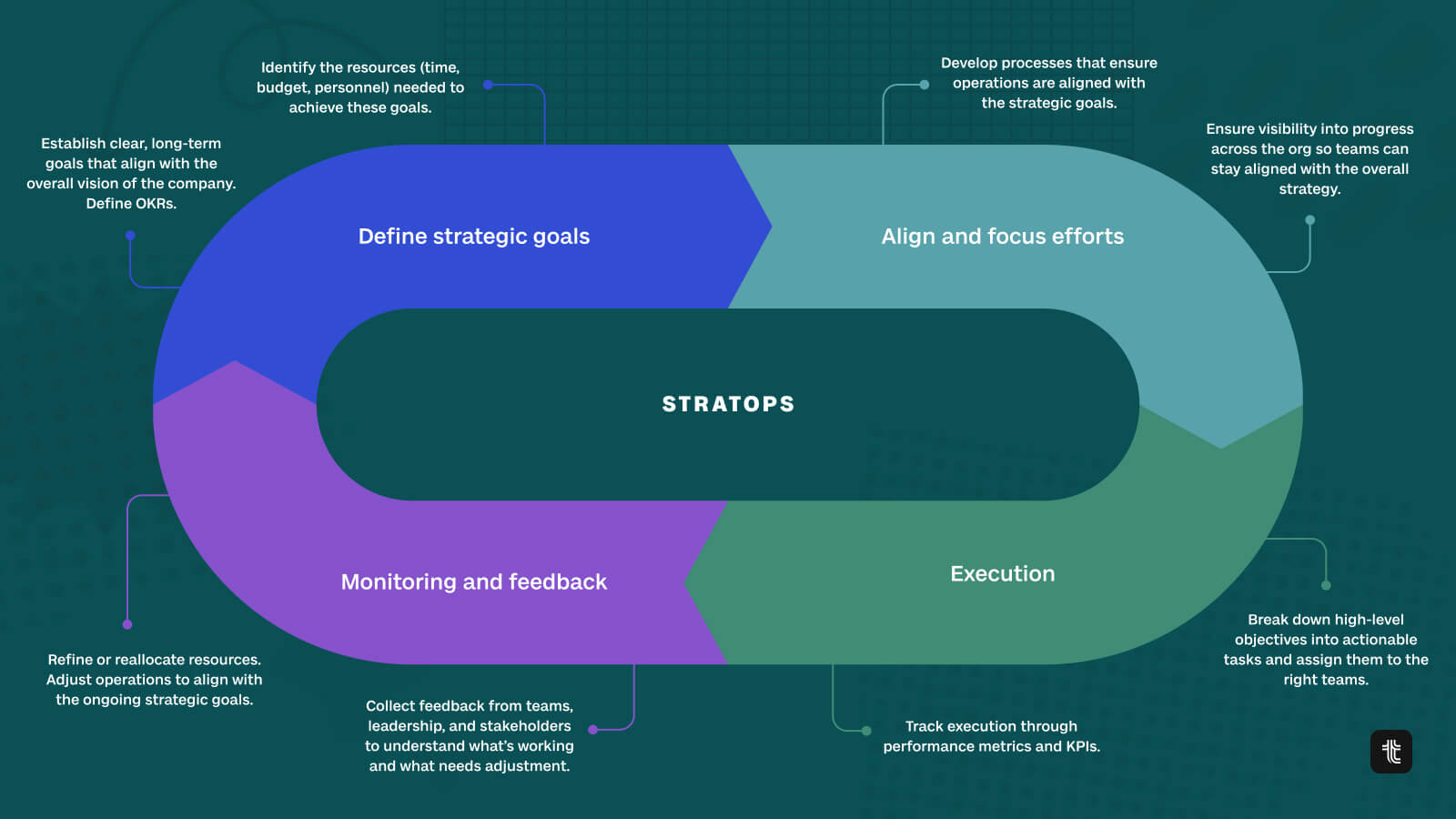
The operating cadence that works best looks like this: a weekly check-in (5 to 10 minutes per goal), a monthly review of progress against milestones, and a quarterly retrospective where you close out goals, score them honestly, and set new ones. This is t
he same rhythm that sits at the core of StratOps, the function that owns strategy execution in high-performing companies.
The weekly check-in is the most underrated part. It does not need to be long. It needs to be honest: is this goal on track, at risk, or off track? What happened this week? What is the plan for next week? That three-question ritual, run consistently, is what separates companies that hit goals from companies that just set them. Tability’s simple weekly check-in ritual is worth reading if you want to install this properly.
Common Goal Setting Template mistakes
The template is the easy part. The execution is where most teams fall short. Here are the patterns that kill goal programs:
- No owner. “The marketing team owns this goal” means nobody owns it. One name, one accountability.
- No metric. “Improve customer satisfaction” is not measurable. “Increase NPS from 32 to 45 by Q4” is. If you cannot track it, you cannot manage it.
- No review cadence. Writing a goal in January and reviewing it in December is a performance review, not a goal operating system. Build in weekly or bi-weekly check-ins.
- Too many goals. Three well-run goals beat ten goals nobody looks at. If everything is a priority, nothing is.
- Disconnected from strategy. Individual goals that do not connect to team goals, which do not connect to company goals, are vanity metrics. The cascade is the whole point.
How Tability turns your Goal Setting Template into a live system
A template in a spreadsheet or document is better than nothing. But it still requires manual effort to maintain: updating statuses, nudging people for check-ins, compiling progress reports. Tability automates all of that.
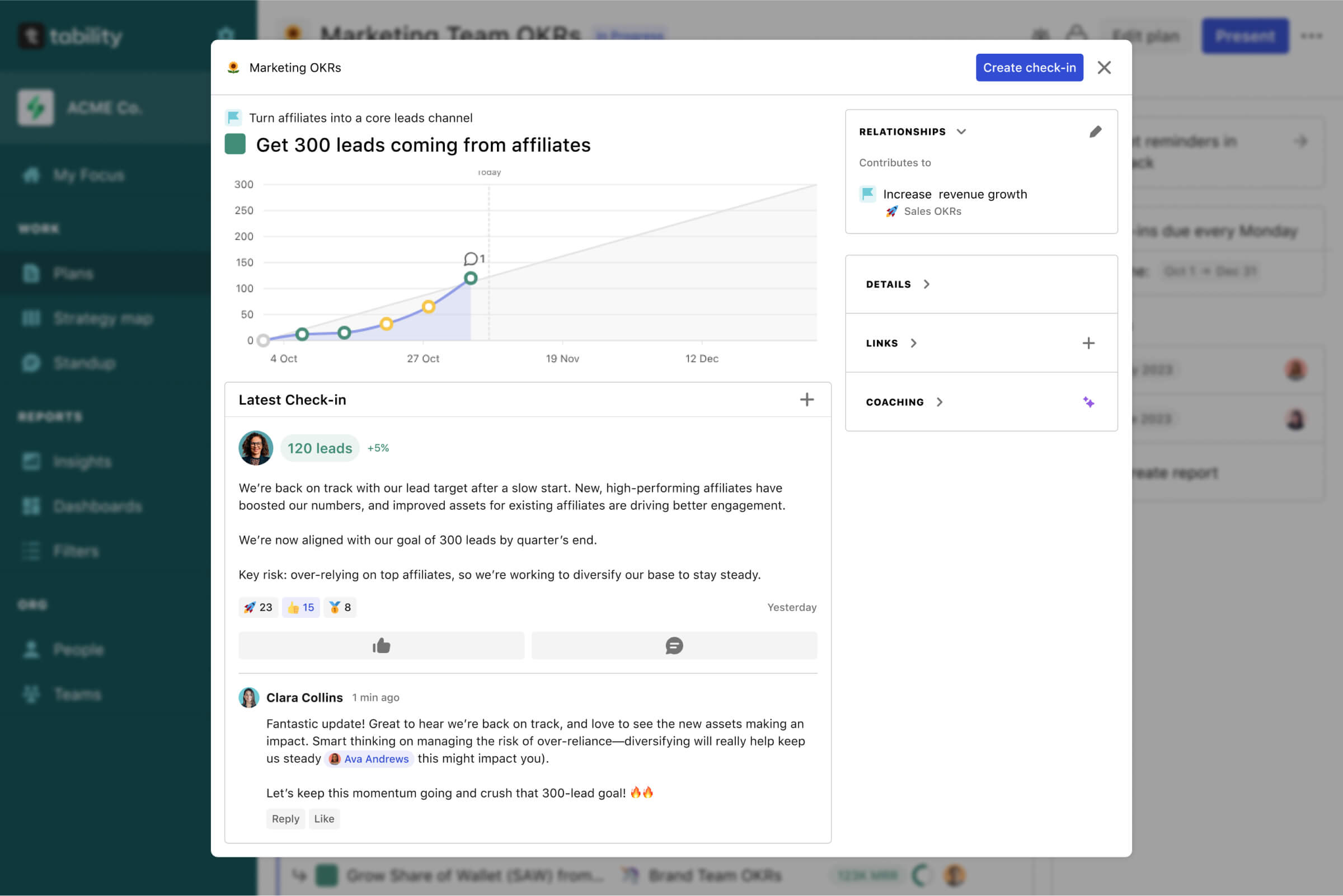
With Tability, you set up your goal structure once, using the same five components from the template above, and the platform handles the cadence from there. It sends check-in reminders, aggregates progress automatically where your tools allow, and surfaces at-risk goals before they fall off the rails. The AI layer helps you write better goals up front and generates status summaries so leadership always has a clear picture without another meeting.
See also: How to write OKRs with AI (and actually track them)
If you are running OKRs, the template structure maps directly: objectives become your goals, key results become your metrics, and initiatives become your milestones. Tability is built for this model. It is the operating layer between strategy and the work.
Want to see it in action? Book a demo and we will show you how to set up your first goal cycle in under 30 minutes.
The bottom line: A goal setting template is a starting point, not a system. The template gives you structure. The operating cadence (weekly check-ins, monthly reviews, quarterly retrospectives) is what turns structure into results.


.jpg)
.png)