Your goals already contain valuable information about what’s moving, where teams are getting stuck, and what needs attention next.
But turning that information into useful work still takes time.
You need to review updates, identify risks, prepare meetings, write summaries, follow up with teams, and make sense of progress across different plans. Even with AI, getting a useful result often means starting from a blank prompt and explaining the same context each time.
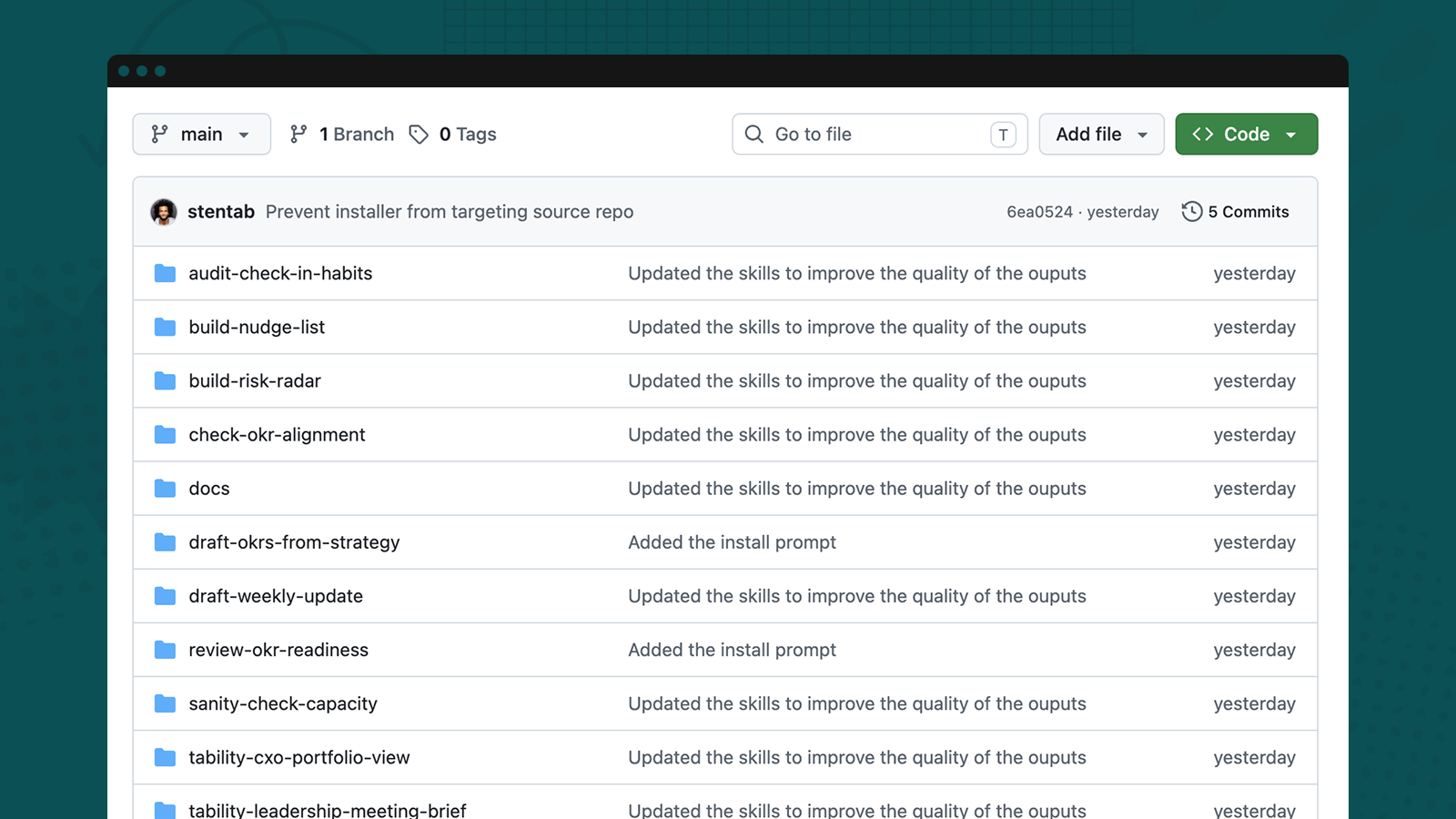
That’s why we created the Tability Skills Library: 15 ready-to-use skills that help Claude and ChatGPT work with your Tability data.
Instead of asking a broad question and hoping for a useful answer, you can choose a skill designed for the task in front of you.
What is a Tability skill?
A skill is a reusable set of instructions that teaches your AI assistant how to complete a specific workflow.
Each Tability skill defines:
- What information to gather from your workspace
- How to interpret goals, outcomes, and check-ins
- What questions to ask when context is missing
- How to separate recorded evidence from recommendations
- What the final output should look like
This gives Claude or ChatGPT a consistent way to approach the work, while leaving the important decisions and judgment with you.
The skills connect to your live Tability workspace through the Tability MCP integration. They’re read-only by default, so you can explore your data and review the output before choosing whether anything should be updated.
From better OKRs to better operating rhythms
The library covers the work that happens throughout the goal-management cycle.
💪 Create stronger plans
Turn a strategy brief or planning document into a structured set of draft OKRs.
The planning skills can help you identify vague objectives, improve outcome measurability, find gaps between strategy and execution, and check whether a team is taking on too much work.
They give you a stronger starting point for planning conversations without pretending that AI should make strategic decisions for you.
🎯 Keep goals useful throughout the week
Goals only help when teams can use them to guide their work.
The weekly execution skills help team leads understand what changed, where evidence is missing, and which outcomes need attention. You can use them to prepare weekly priorities, identify stale check-ins, draft respectful follow-ups, or create a concise update for leadership.
Instead of sending blanket reminders or reading every update manually, you can focus on the few places where a conversation or decision is actually needed.
👀 Spot risks before they become surprises
A red status is useful, but it rarely tells the whole story.
The risk-analysis skills look at recent progress, confidence, check-in quality, dependencies, and upcoming milestones to help you build a more complete view of delivery risk.
You can ask for a risk radar across a plan, identify outcomes that may need intervention, or distinguish genuine delivery problems from goals that simply haven’t been updated recently.
The result is a more focused conversation about what needs attention and why.
✍️ Prepare better leadership meetings
Leadership teams don’t need another list of every goal and status. They need to know what changed, where the organization is exposed, and which decisions cannot wait.
The leadership skills can turn current Tability evidence into an executive portfolio view, a decision-focused meeting brief, or a concise summary of wins, risks, dependencies, and recommended actions.
This helps teams spend less time assembling slides and more time discussing trade-offs, removing blockers, and assigning ownership.
📈 Build clearer monthly and quarterly reviews
Monthly and quarterly reviews can easily become reporting exercises—especially when teams track outcomes with different units, baselines, and definitions of success.
The operating-review skills help you create MBR and QBR narratives without flattening unlike metrics into misleading averages.
They preserve the meaning of each outcome while highlighting the patterns that matter: progress, setbacks, recurring risks, unresolved dependencies, and lessons that should shape the next cycle.
15 workflows, ready when you need them
The initial library includes skills for:
- Drafting measurable OKRs from strategy
- Reviewing goal quality and readiness
- Checking alignment and team capacity
- Auditing check-in habits
- Preparing respectful follow-ups
- Organizing a team lead’s weekly rhythm
- Drafting weekly updates
- Preparing 1:1 conversations
- Building a risk radar
- Creating leadership meeting briefs
- Producing an executive portfolio view
- Preparing monthly business reviews
- Building quarterly business reviews
- Reviewing quarter-end performance
- Turning lessons into owned experiments
You don’t need to adopt all 15 at once. Start with the recurring task that currently takes the most time or produces the least consistent result.
That might be preparing Monday’s leadership meeting, reviewing goals before a planning session, or turning this week’s check-ins into a useful update.
Designed to support judgment—not replace it
The best use of AI in goal management isn’t to automate judgment. It’s to make the evidence easier to understand so people can make better decisions.
The skills are designed around a few important principles:
- Recorded evidence should be clearly separated from AI recommendations.
- Missing information should be acknowledged rather than guessed.
- Different outcome metrics should keep their original meaning.
- Silence or stale reporting should not automatically be treated as failure.
- Any proposed changes should be reviewed by a person.
This makes the library useful for exploration and preparation while keeping teams in control of their goals and data.
Get started
Every skill includes setup instructions, a practical walkthrough, and checked example output.
Connect Claude or ChatGPT to Tability, choose the workflow that matches your next task, and ask the assistant to run it against your workspace.
No complicated prompt engineering. No rebuilding the same workflow every week. Just a clearer way to turn your Tability data into plans, conversations, and decisions.


.jpg)


.png)