
Strategy map
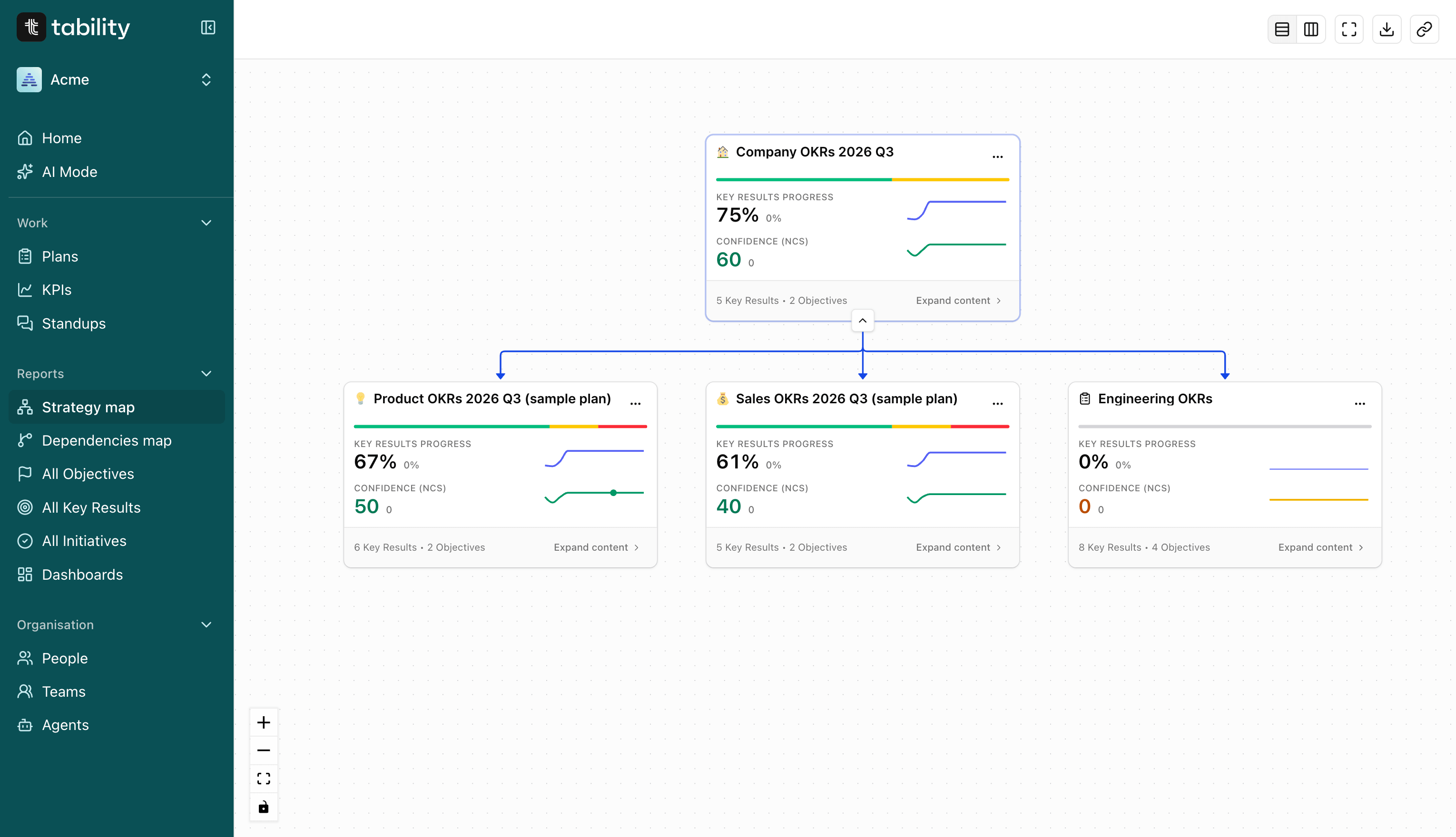
Zoom in and out to see a high level cascade across your company, or a detailed map of how every task is connected to your strategy.


%201%2C%20Color%3DWhite.svg)
The transparency leaders need to know exactly where execution stands, and the detail to trace what any one goal depends on.
Strategy map
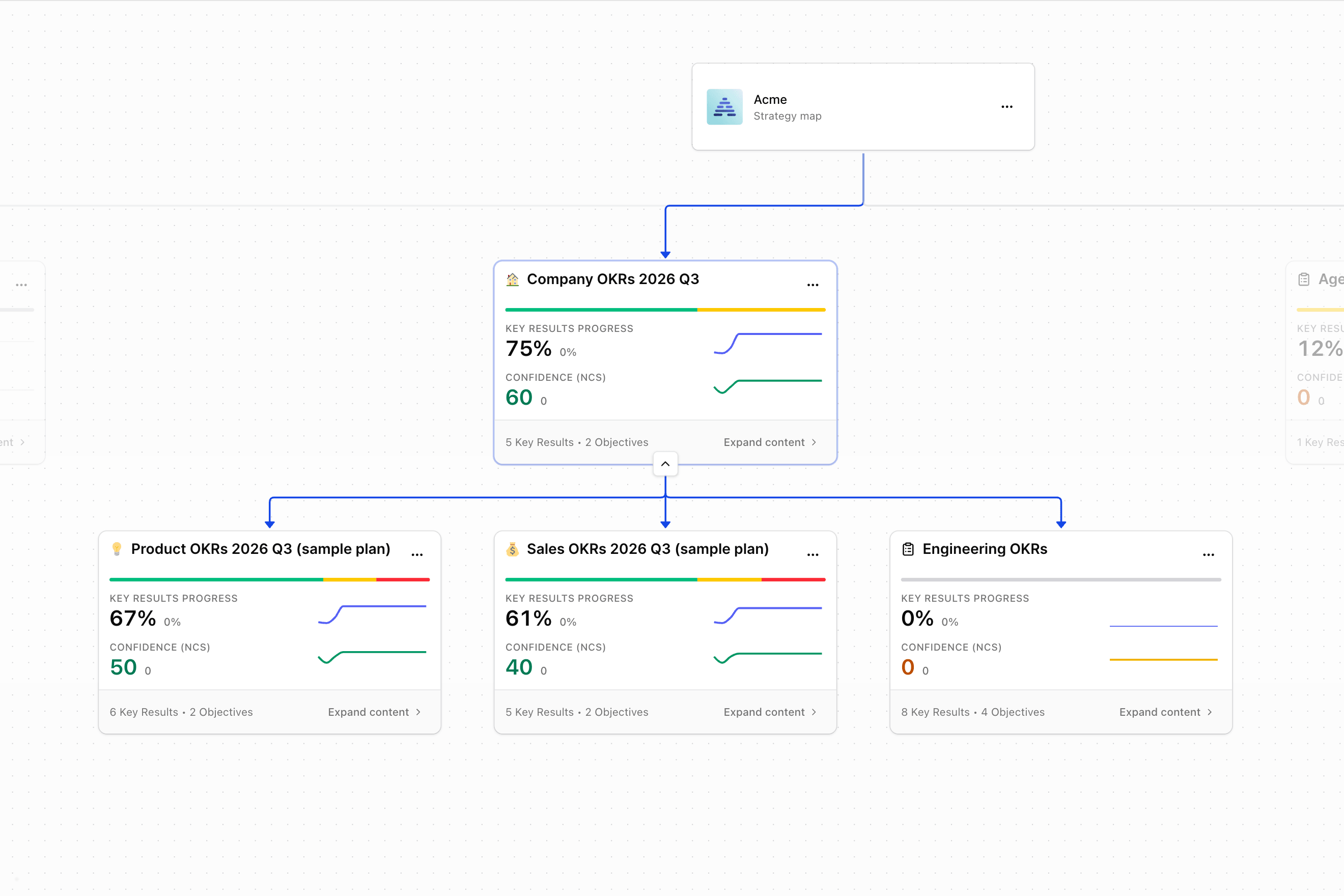
See how every team is executing, without opening a single plan. Each top-level plan appears as a compact health card with a confidence bar, progress trend, and live confidence score, so leaders get full transparency before they drill into anything.
Dependencies map
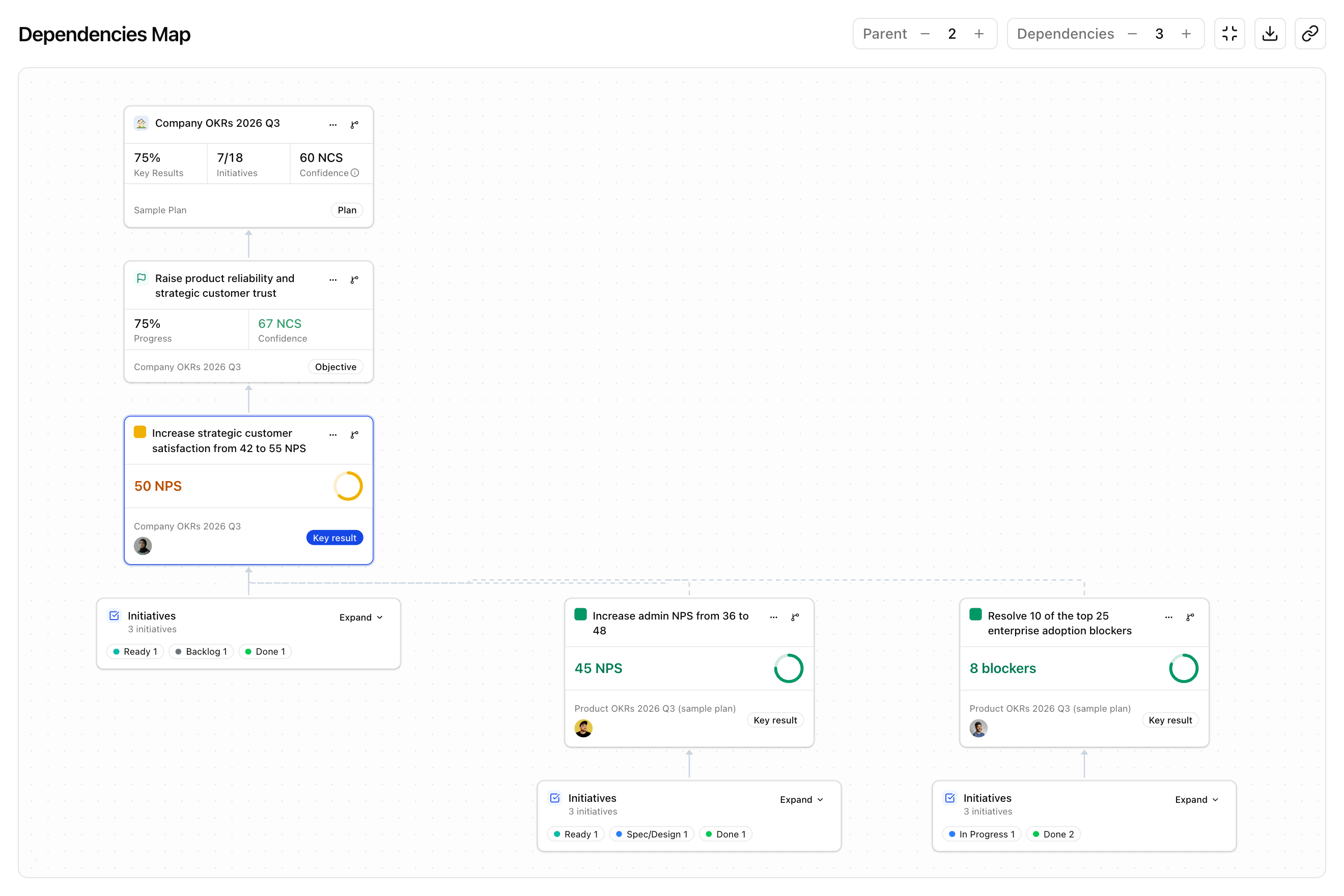
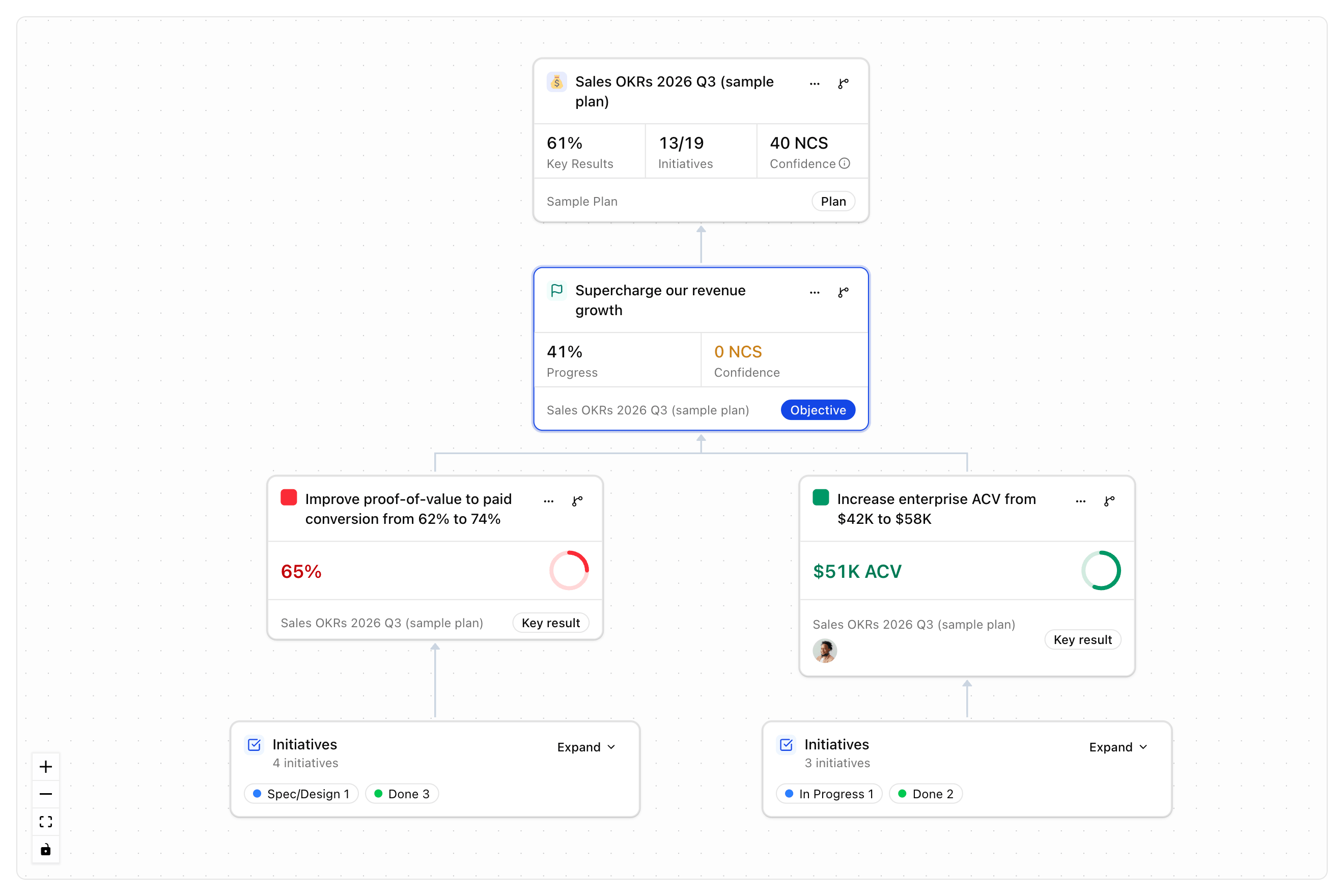
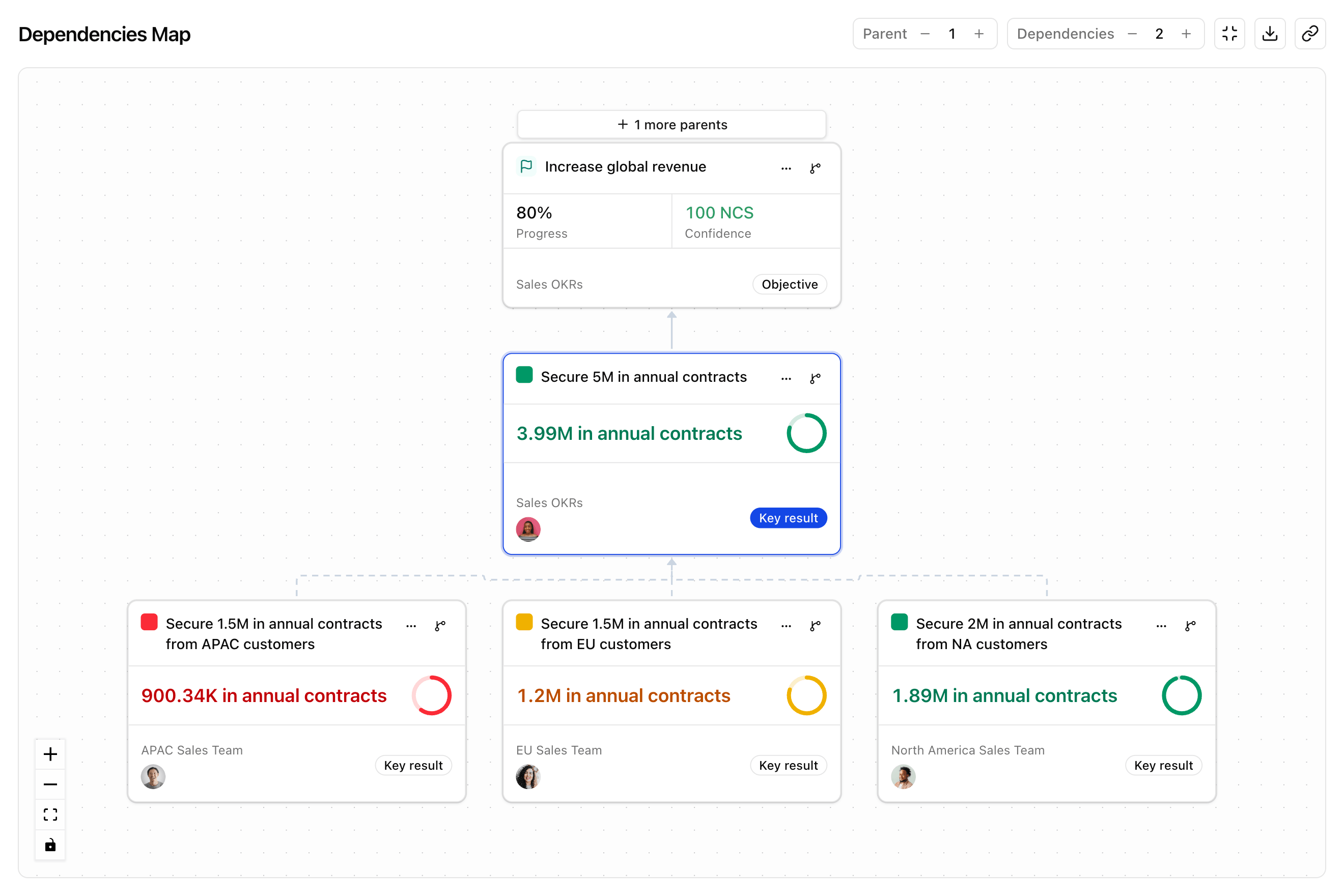
Click into any plan, objective, key result, or initiative, and it becomes the centre card, with everything it's connected to fanning out above and below it. Parent relationships trace upward, dependencies trace downward, or view both at once.
Relationships
Solid lines trace direct structural connections, like initiative to key result and key result to objective. Dashed lines show the custom relationships your team has added on top of that structure.

"All-in-one solution for seamless OKRs and strategy mapping."
Ownership
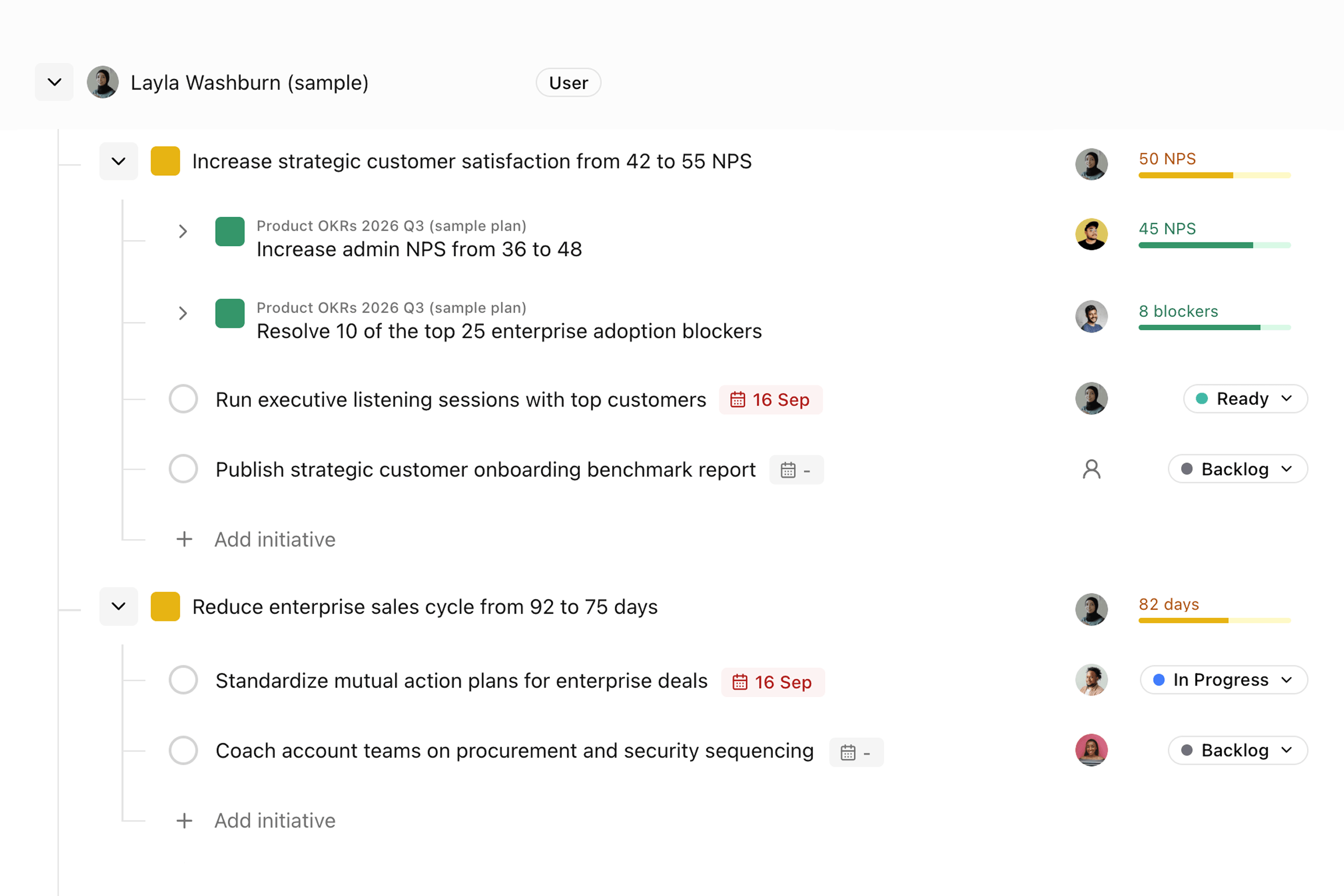
Every key result and initiative on the Dependencies Map shows who's responsible for it, a person, an Agent, or both, right on the card. No separate spreadsheet or side conversation needed to find out who's accountable.
Progress roll up
A key result can pull its value straight from the key results connected to it: summed, averaged, or from whichever checked in most recently. Every contributor and its current value sits right on the key result, so the number is never a black box.
Draft the plan with AI, then hand it to an Agent Manager and its Agency to execute, all visible on the same map you use to track everything else.
See what Tability AI can do →1
Stay in the compact view and read confidence bars, progress, and NCS across every top-level plan.
2
Expand its objectives and key results right inside the card, without leaving the map.
3
Use the dependencies icon on any key result to open a focused view of exactly what it's tied to.
4
Copy the link or download a screenshot, so whoever you send it to sees precisely what you saw.
The Strategy Map is for macro plan navigation: workspace to top-level plans to sub-plans, portfolio health, and shareable leadership views. The Dependencies Map is for item-level tracing: pick one plan, objective, key result, or initiative and see exactly what it's connected to.
No. The Strategy Map builds itself straight out of the box, laying out your plans naturally based on their existing parent and sub-plan structure. The Dependencies Map is just as simple: select the outcomes you want connected, and it draws the diagram automatically.
Yes. Focus on a plan, objective, key result, or initiative. Search for it in the picker and the map loads centred on that item.
No. Sub-plan filters only change what's visible in your current view. Nothing gets archived or removed from the workspace.
Yes. Key result and initiative cards on the Dependencies Map show the owner's avatar, and any assigned Agents, directly on the card.
Yes, on both maps. Copy link captures your layout, filters, focus, and expanded branches into one URL, so whoever opens it sees exactly what you saw.
Yes. Both maps only surface plans and items you already have permission to view, so they follow the same plan and workspace permissions as the rest of Tability.
Free 14-day trial · No credit card required · Up and running today